


https://twitter.com/cyrildiagne/status/1256916982764646402 By taking advantage of machine learning and AI, Diagne was able to essentially copy items from the real world and paste them onto Photoshop on a Mac. Google Drive is now rolling out support for familiar keyboard shortcuts to cut, copy, and paste. If you have ever stored your files on Google Drive, you know the annoyance of not being able to copy and paste using Ctrl + C and Ctrl + V. However, you'll now be able to save some time by using the shortcuts you've been familiar in Google Drive when copying files in new locations and across multiple tabs. [caption id="attachment_309063" align="alignnone" width="840"] Image Credit: Google[/caption] Shortcuts that will now be supported in Goole Drive include Ctrl + X to cut, Ctrl + C to copy, Ctrl + V to paste, Ctrl + Enter to open files or folders in a new tab, and Ctrl + Shift + V to create shortcuts to files. Furthermore, when copying a file, a link to the file and its title will also be captured for you to easily paste into an email or document. However, joining this trend would be an easy step for those who are on iOS, since you can just copy a photo from your camera roll then paste it to your story, but if you're an Android user, it's easier said than done. Read more in our articles including "AR Demo allows users to copy and paste real world items to Photoshop" and "Google Drive implements copy-paste keyboard shortcuts".
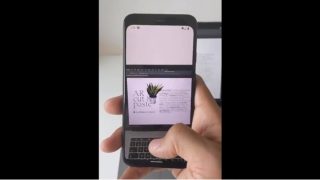
Artist, designer, programmer Cyril Diagne has tweeted a demo showing an AR app that can…
May 6, 2020
Google Drive is now rolling out support for familiar keyboard shortcuts to cut, copy, and…
May 29, 2022
You’re most likely stuck at your home due to the whole country’s enhanced community quarantine,…
Mar 25, 2020
Meta has announced the global rollout of new subscription plans for Facebook, Instagram, and WhatsApp,…
May 28, 2026
Google is partnering with CapCut to bring video and image editing tools to the Gemini…
May 22, 2026
OneUI 8.5 is coming soon to a lot of Samsung devices, and there are some…
May 4, 2026https://twitter.com/cyrildiagne/status/1256916982764646402 By taking advantage of machine learning and AI, Diagne was able to essentially copy items from the real world and paste them onto Photoshop on a Mac. Google Drive is now rolling out support for familiar keyboard shortcuts to cut, copy, and paste.
If you have ever stored your files on Google Drive, you know the annoyance of not being able to copy and paste using Ctrl + C and Ctrl + V. However, you'll now be able to save some time by using the shortcuts you've been familiar in Google Drive when copying files in new locations and across multiple tabs. [caption id="attachment_309063" align="alignnone" width="840"] Image Credit: Google[/caption] Shortcuts that will now be supported in Goole Drive include Ctrl + X to cut, Ctrl + C to copy, Ctrl + V to paste, Ctrl + Enter to open files or folders in a new tab, and Ctrl + Shift + V to create shortcuts to files.
Our coverage of AR Copy paste includes: "AR Demo allows users to copy and paste real world items to Photoshop"; "Google Drive implements copy-paste keyboard shortcuts"; "How to Copy-Paste Photos to Instagram Story on Android". Each article provides unique insights and information.