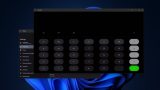

Microsoft has started rolling out an upgraded Android app mirroring experience on Windows 11, allowing users to view Android apps using nearly the entire desktop screen through the Phone Link app. The new feature, called Expanded screen, lets Android apps take up around 90% of the display, moving beyond the previously limited phone-sized portrait view. Expanded screen support is included in Phone Link version 1.25112.36.0 and is now available to all users with supported Android devices. Once enabled, Phone Link prompts the connected phone to relaunch the selected Android app in a wider layout, which is then streamed to the PC. While the experience isn’t fully edge-to-edge yet, leaving a small portion of the desktop unused, it significantly improves multitasking for users who rely on Android apps alongside Windows workflows. Phones running Android 11 or newer may also qualify for multi-app streaming, depending on hardware support. Alongside this update, Microsoft has also introduced other Phone Link enhancements, including the ability to lock a Windows PC remotely from an Android phone, improved file sharing, and background clipboard syncing across devices. As for the tech, the gadget runs on Bluetooth 6.0 and it’s compatible with Android 11 or later and iOS 13 or later too. Read more in our articles including "Windows 11 now lets you mirror Android apps in almost full screen via Phone Link" and "REDMI Note 17 Pro unveiled: 9000mAh battery, Snapdragon 6s Gen 4".
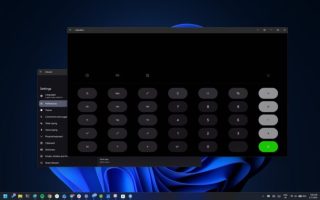
Microsoft has started rolling out an upgraded Android app mirroring experience on Windows 11, allowing…
Jan 9, 2026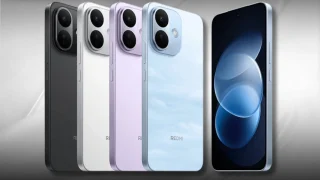
REDMI unveils the Note 17 Pro in China, headlined by a massive 9,000mAh battery with…
Jul 15, 2026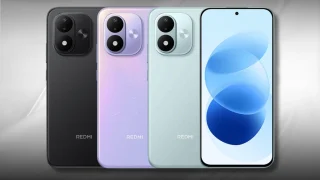
Xiaomi officially launched the REDMI Note 17 in China, featuring a large 7-inch OLED display…
Jul 15, 2026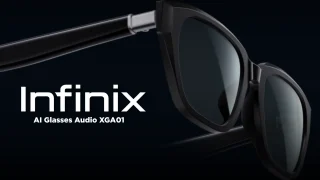
The Infinix AI Glasses Audio XGA01 just landed in the Philippines, bringing AI-powered features and…
Jul 15, 2026
Google has just announced a new version of Android 12 that is catered to larger…
Oct 28, 2021Maybe this is what Google wanted all along — for every small-time phone manufacturer not…
Dec 5, 2008Microsoft has started rolling out an upgraded Android app mirroring experience on Windows 11, allowing users to view Android apps using nearly the entire desktop screen through the Phone Link app. The new feature, called Expanded screen, lets Android apps take up around 90% of the display, moving beyond the previously limited phone-sized portrait view.
Expanded screen support is included in Phone Link version 1.25112.36.0 and is now available to all users with supported Android devices. Once enabled, Phone Link prompts the connected phone to relaunch the selected Android app in a wider layout, which is then streamed to the PC. While the experience isn’t fully edge-to-edge yet, leaving a small portion of the desktop unused, it significantly improves multitasking for users who rely on Android apps alongside Windows workflows.
Our coverage of Android mirroring includes: "Windows 11 now lets you mirror Android apps in almost full screen via Phone Link"; "REDMI Note 17 Pro unveiled: 9000mAh battery, Snapdragon 6s Gen 4"; "REDMI Note 17 unveiled: 7-inches OLED display, 8,000mAh battery". Each article provides unique insights and information.