

However, it will not remove the posts from Instagram, but it will only remove these from your profile so that you or others cannot access it. STEP 1: Go to your profile STEP 2: Open Settings STEP 3: Click Privacy STEP 4: Click Tags Limit your Instagram Use How much time do you spend on Instagram? STEP 1: Go to your profile STEP 2: Open Settings STEP 3: Click Account STEP 4: Click “Your Activity” STEP 5: Click “Set Daily Reminder” Copy-Paste Photos It is a super quick and straightforward way to put an extra photo or GIF onto your Instagram story post. For Android, we have a separate guide on how to copy-paste photos to Instagram Story, check it out here. When you write your caption on Instagram, you will see that your keyboard does have the option such as "Enter" or "Return", however, it does not always work. Read more in our articles including "Instagram Hacks: Tips and Tricks you wish you knew sooner" and "How to activate Globe GPRS".

Instagram is one of the most popular social media platforms out there, and you’re probably…
Apr 2, 2020How to activate GPRS for Globe and TM (Touch Mobile) For a complete listing of…
Jun 10, 2011
It seems like it was only yesterday when 2026 started, but now we’re already halfway…
Jul 12, 2026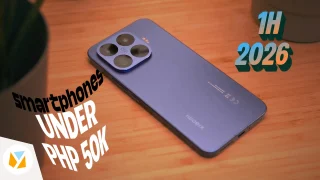
With June quickly coming to a close, we think it’s time to look back and…
Jul 12, 2026
It’s that time again when we round up the latest smartphone launches here in the…
Jun 26, 2026
A new school year means new projects, research papers, presentations, and online learning tasks. Whether…
Jun 14, 2026However, it will not remove the posts from Instagram, but it will only remove these from your profile so that you or others cannot access it. STEP 1: Go to your profile STEP 2: Open Settings STEP 3: Click Privacy STEP 4: Click Tags Limit your Instagram Use How much time do you spend on Instagram?
STEP 1: Go to your profile STEP 2: Open Settings STEP 3: Click Account STEP 4: Click “Your Activity” STEP 5: Click “Set Daily Reminder” Copy-Paste Photos It is a super quick and straightforward way to put an extra photo or GIF onto your Instagram story post. For Android, we have a separate guide on how to copy-paste photos to Instagram Story, check it out here. When you write your caption on Instagram, you will see that your keyboard does have the option such as "Enter" or "Return", however, it does not always work.
Our coverage of How to copy-paste Instagram includes: "Instagram Hacks: Tips and Tricks you wish you knew sooner"; "How to activate Globe GPRS"; "6 Smartphones above PHP 50K (Q2 2026)". Each article provides unique insights and information.