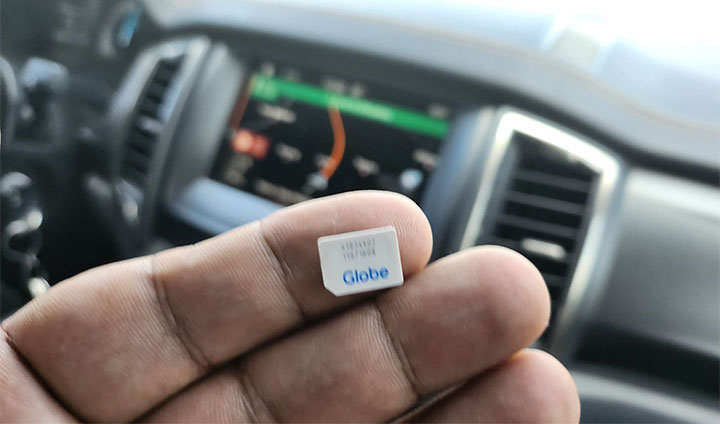

The SIM card has a unique code called the ICCID, which is found printed on the card or programmed into it. The ICCID is the same as SIM serial number (SSN). The ICCID stands for Integrated Circuit Card Identification Number. You'll usually find an ICCID printed on the back of a SIM card, but sometimes it's included in the packaging materials instead. 2) On your Smartphone If your SIM is already inserted on your smartphone, you can go to Settings -> About -> Status information -> SIM Status and look for the ICCID. 3) App Some apps are able to read the ICCID so you don't need to remove your SIM card to get the serial number. Read more in our articles including "How to find your SIM Card Serial Number" and "Smart Home WiFi Postpaid expands to 100+ Smart Stores".
One of the few pieces of information needed for the SIM Registration Act, aside from…
Dec 23, 2022
Smart Communications has expanded the availability of its Smart Home WiFi Postpaid service to more…
Jul 20, 2026
Globe has officially launched Starlink’s satellite-to-mobile service in the Philippines after receiving approval from the…
Jun 30, 2026
The Philippines remains among the slowest countries in transitioning away from 3G networks, with most…
Jun 2, 2026
Inflation is now (May 2026) at 7.2%, electricity rates at Php14.33/kWhr, and gas prices through…
May 28, 2026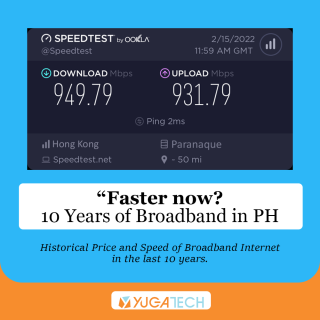
Not long ago, the Philippines have always been reported as among having the slowest internet…
May 28, 2026The SIM card has a unique code called the ICCID, which is found printed on the card or programmed into it. The ICCID is the same as SIM serial number (SSN).
The ICCID stands for Integrated Circuit Card Identification Number. You'll usually find an ICCID printed on the back of a SIM card, but sometimes it's included in the packaging materials instead. 2) On your Smartphone If your SIM is already inserted on your smartphone, you can go to Settings -> About -> Status information -> SIM Status and look for the ICCID.
Our coverage of iccid includes: "How to find your SIM Card Serial Number"; "Smart Home WiFi Postpaid expands to 100+ Smart Stores"; "Globe rolls out Starlink Satellite-to-Mobile Service in the Philippines". Each article provides unique insights and information.