
Most PC users would know what Ctrl+C or Ctrl+V but there's actually way more shortcuts you might actually come in handy sometime. Google Drive is now rolling out support for familiar keyboard shortcuts to cut, copy, and paste. However, you'll now be able to save some time by using the shortcuts you've been familiar in Google Drive when copying files in new locations and across multiple tabs. Of course, these shortcuts are also found in the Mac by using Command (⌘) in place of Ctrl. [caption id="attachment_309063" align="alignnone" width="840"] Image Credit: Google[/caption] Shortcuts that will now be supported in Goole Drive include Ctrl + X to cut, Ctrl + C to copy, Ctrl + V to paste, Ctrl + Enter to open files or folders in a new tab, and Ctrl + Shift + V to create shortcuts to files. But what are your thoughts on Google Drive now being able to support some of these common keyboard shortcuts? You can even create app shortcuts on the tablet to launch certain apps directly, without needing to unlock the phone itself. We removed the usual culprits like a duplicate app store and several duplicate services that are essentially useless like HONOR Lens, HONOR Share, and Emoji Keyboard. Read more in our articles including "Windows PC Keyboard Shortcuts You Need to Memorize" and "Google Drive implements copy-paste keyboard shortcuts".
Most PC users would know what Ctrl+C or Ctrl+V but there’s actually way more shortcuts…
Feb 1, 2015
Google Drive is now rolling out support for familiar keyboard shortcuts to cut, copy, and…
May 29, 2022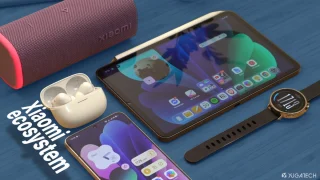
We all know that Apple and its closed ecosystem is arguably THE best one out…
Aug 1, 2026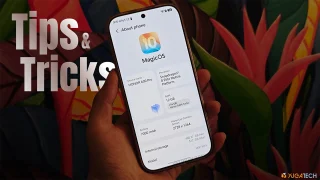
We’ve spent weeks using the HONOR 600 Series as our daily drivers to get a…
Jul 23, 2026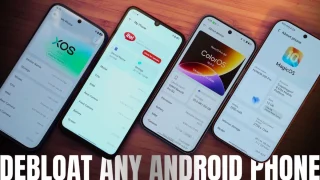
So, you just got a shiny new phone, and what’s exactly the first thing you’d…
Jul 23, 2026
It seems like it was only yesterday when 2026 started, but now we’re already halfway…
Jul 12, 2026Most PC users would know what Ctrl+C or Ctrl+V but there's actually way more shortcuts you might actually come in handy sometime. Google Drive is now rolling out support for familiar keyboard shortcuts to cut, copy, and paste.
However, you'll now be able to save some time by using the shortcuts you've been familiar in Google Drive when copying files in new locations and across multiple tabs. Of course, these shortcuts are also found in the Mac by using Command (⌘) in place of Ctrl. [caption id="attachment_309063" align="alignnone" width="840"] Image Credit: Google[/caption] Shortcuts that will now be supported in Goole Drive include Ctrl + X to cut, Ctrl + C to copy, Ctrl + V to paste, Ctrl + Enter to open files or folders in a new tab, and Ctrl + Shift + V to create shortcuts to files.
Our coverage of keyboard shortcuts includes: "Windows PC Keyboard Shortcuts You Need to Memorize"; "Google Drive implements copy-paste keyboard shortcuts"; "Xiaomi Ecosystem: It just works, too". Each article provides unique insights and information.