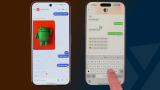

Google and Apple have started testing end-to-end encrypted RCS messaging between Android and iPhone users. On iPhones running iOS 26.4 beta 2, encrypted RCS messages appear in the Messages app with a “Text Message · RCS” label and a lock icon indicating encryption. Users can check by going to Settings > Messages > RCS Messaging and ensuring that “End-to-End Encryption (Beta)” is enabled. End-to-end encrypted Apple and Google RCS messaging is rolling out in beta after an effort by Apple and Google to improve secure texting. Read more in our articles including "Google, Apple begin testing encrypted RCS between Android and iOS 26.4" and "Apple and Google begin rolling out end-to-end encrypted RCS beta across platforms".
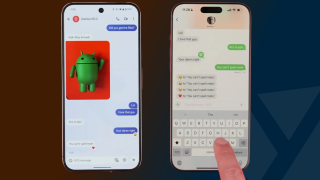
Google and Apple have started testing end-to-end encrypted RCS messaging between Android and iPhone users.…
Feb 26, 2026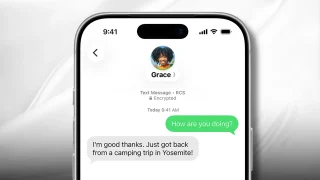
End-to-end encrypted Apple and Google RCS messaging is rolling out in beta after an effort…
May 12, 2026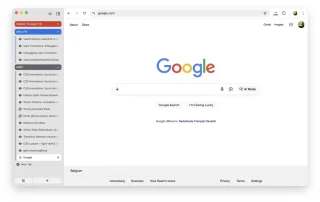
Google is taking another step toward bringing vertical tabs to Chrome, with the long-requested feature…
Jan 18, 2026
OPPO has launched its 7.7 Sale. OPPO’s 7.7 Sale has discounts, freebies and raffle prizes…
Jul 4, 2026
HONOR Philippines has made the HONOR X7e available in the country through Lazada. The smartphone is…
Jun 30, 2026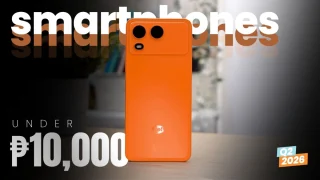
It’s that time again when we round up the latest smartphone launches here in the…
Jun 26, 2026Google and Apple have started testing end-to-end encrypted RCS messaging between Android and iPhone users. On iPhones running iOS 26.4 beta 2, encrypted RCS messages appear in the Messages app with a “Text Message · RCS” label and a lock icon indicating encryption.
Users can check by going to Settings > Messages > RCS Messaging and ensuring that “End-to-End Encryption (Beta)” is enabled. End-to-end encrypted Apple and Google RCS messaging is rolling out in beta after an effort by Apple and Google to improve secure texting.
Our coverage of RCS beta testing includes: "Google, Apple begin testing encrypted RCS between Android and iOS 26.4"; "Apple and Google begin rolling out end-to-end encrypted RCS beta across platforms"; "Google Begins Testing Vertical Tabs in Chrome Beta". Each article provides unique insights and information.