

Everyone should be concerned about network security so we're providing you with 6 basic tips on how to secure your WiFi connection at home. It is highly recommended to enable WiFi Protected Access (WPA) and WPA2 since this secures your wireless computer network. It is important to have your WiFi routers or connections secure to prevent malicious users from hi-jacking your own connection and stealing your data, and we hope we have helped you achieve that with the tips above. Read more in our articles including "List of Subreddits To Cure Your Boredom" and "6 Basic Tips to Secure your WiFi connection at Home".

We’re all bored out of our wits trying to find something fun and exciting to…
Apr 18, 2020
WiFi has become a part of our daily connected lives, and since almost everyone is…
Apr 13, 2018
Between streaming subscriptions, mobile data, TV services, and home internet, today’s families are juggling more…
Jul 22, 2026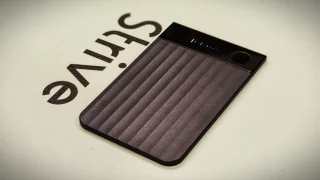
When I first got the Plaud Note Pro, I honestly wasn’t convinced. My first thought…
Jul 8, 2026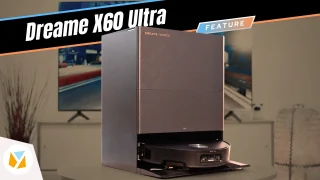
We review the Dreame X60 Ultra, an over-engineered robovac with 35,000 Pa suction, retractable lidar,…
Jun 1, 2026
---TITLE--- Watch: UWANT Y100 Steam Cleaner | Your next Multi-Spot Stain Extractor? ---CONTENT--- We all…
May 14, 2026Everyone should be concerned about network security so we're providing you with 6 basic tips on how to secure your WiFi connection at home. It is highly recommended to enable WiFi Protected Access (WPA) and WPA2 since this secures your wireless computer network.
It is important to have your WiFi routers or connections secure to prevent malicious users from hi-jacking your own connection and stealing your data, and we hope we have helped you achieve that with the tips above.
Our coverage of subreddits to cure your boredom includes: "List of Subreddits To Cure Your Boredom"; "6 Basic Tips to Secure your WiFi connection at Home"; "PLDT Home brings all your digital essentials in one bundle with the new Fiber Unli All plans". Each article provides unique insights and information.