

For User-Friendly Interface: Toggl In terms of user experience, Toggl might just be the winner. Furthermore, in Toggl, you can easily set projects, assign roles, and create timelines and budgets for each project and user. For invoicing, Toggl creates an invoice automatically based on worked hours and can likewise be downloaded via Excel, CSV, or even PDF for email. In addition, there’s also a separate Toggl Android app that makes it perfect for those working on their phones or tablets. So, if you’re in the market for an easy-to-use time tracking app that monitors budget allowance and project time without all the fuss, then Toggl is a perfect match. You may check pricing plans for Toggl via their official website. Toggling it OFF removes the specular highlights on certain UI elements, and you'll notice the difference most on the control center and lock screen. Go to Settings > find "Accessibility features" > select "One-handed mode," then toggle it ON. Read more in our articles including "Time Tracking Software for Team Productivity and Management" and "Xiaomi Ecosystem: It just works, too".
If there’s anything the new era or remote work has taught us, it’s the unpredictability…
Jul 23, 2021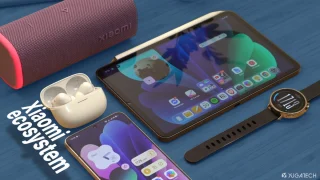
We all know that Apple and its closed ecosystem is arguably THE best one out…
Aug 1, 2026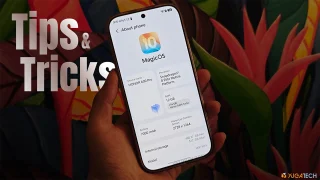
We’ve spent weeks using the HONOR 600 Series as our daily drivers to get a…
Jul 23, 2026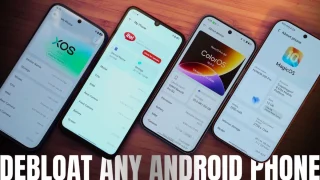
So, you just got a shiny new phone, and what’s exactly the first thing you’d…
Jul 23, 2026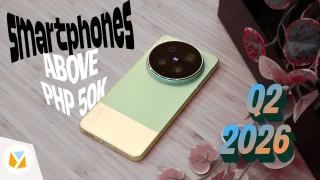
It seems like it was only yesterday when 2026 started, but now we’re already halfway…
Jul 12, 2026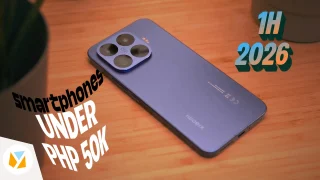
With June quickly coming to a close, we think it’s time to look back and…
Jul 12, 2026For User-Friendly Interface: Toggl In terms of user experience, Toggl might just be the winner. Furthermore, in Toggl, you can easily set projects, assign roles, and create timelines and budgets for each project and user.
For invoicing, Toggl creates an invoice automatically based on worked hours and can likewise be downloaded via Excel, CSV, or even PDF for email. In addition, there’s also a separate Toggl Android app that makes it perfect for those working on their phones or tablets. So, if you’re in the market for an easy-to-use time tracking app that monitors budget allowance and project time without all the fuss, then Toggl is a perfect match.
Our coverage of toggl includes: "Time Tracking Software for Team Productivity and Management"; "Xiaomi Ecosystem: It just works, too"; "HONOR MagicOS 10: Tips & Tricks". Each article provides unique insights and information.