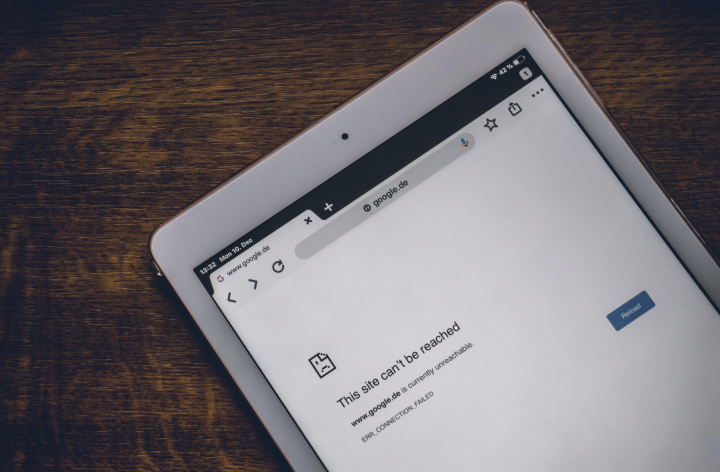

Having a computer that is seemingly connected to a WiFi account but won’t load any websites can be frustrating, but it is also a common issue that is easy to fix. Common factors for Windows PC users, like router problems, firewall, or IP address conflicts, can cause the “Connected Without Internet Connection” problem. Check if Windows updates are waiting. Clear the DNS cache. Restart your device. Why Is Your WiFi Connected Without Internet? There can be several reasons why you’re getting the “WiFi connected but no internet connection” message. Uninstall software preventing connection Some software may prevent your device from accessing the internet despite being connected to the WiFi. Read more in our articles including "Solving “WiFi Connected But No Internet Connection”" and "MSI Wind WiFi Problem?".
Having a computer that is seemingly connected to a WiFi account but won’t load any…
May 23, 2025Was fixing the built-in wifi device of the MSI Wind for several hours now to…
Aug 13, 2008
Apple Pay is now available in the Philippines. Initial issuing banks include GoTyme, MetroBank, Union…
Aug 4, 2026
Google axes AI Studio app before official launch. Google AI Studio has announced that it…
Aug 4, 2026
Samsung has announced that Prime Video will be the first streaming service to support HDR10+…
Aug 4, 2026
TCL has once again been named the No. 1 Panel TV Brand in the Philippines,…
Aug 3, 2026Having a computer that is seemingly connected to a WiFi account but won’t load any websites can be frustrating, but it is also a common issue that is easy to fix. Common factors for Windows PC users, like router problems, firewall, or IP address conflicts, can cause the “Connected Without Internet Connection” problem.
Check if Windows updates are waiting. Clear the DNS cache. Restart your device. Why Is Your WiFi Connected Without Internet? There can be several reasons why you’re getting the “WiFi connected but no internet connection” message. Uninstall software preventing connection Some software may prevent your device from accessing the internet despite being connected to the WiFi.
Our coverage of wifi connected no internet includes: "Solving “WiFi Connected But No Internet Connection”"; "MSI Wind WiFi Problem?"; "Apple Pay launches in the Philippines". Each article provides unique insights and information.