
In our past guides, we have focused solely on budget and mid-range builds for Intel and AMD. With the request of many, we present you our Php50,000 Intel Gaming PC Build Guide
In this guide, we’ll provide you with four different builds depending on your usage. If your budget is Php50,000 and you want a monitor with it, then we have one for you. We utilized Zotac’s 1060 and 1070 graphics cards and Intel’s Skylake micro-architecture processors for a power-efficient and smooth gaming experience. And since Virtual Reality is expanding and you plan on getting a VR gear like the Oculus Rift or HTC Vive, we made these builds for those experiences as well.
Below is an in-depth description on what to expect from each build performance-wise, and what possible advantages/disadvantages that each build could offer. In general, you should expect each build to handle 1080p gaming flawlessly with great potential on 1440p gaming and capable of 4K gaming as well (as long you turn down the settings a bit). Prices here were based on listings from DynaquestPC and PC Express as of July, 30, 2016.
For those who want to have a Windows 10 OS, you could buy one via the Microsoft store for Php7,299.
Build 1:
| Part | Name | Price |
|---|---|---|
| CPU: | Intel Core i7-6700 3.40-4.0GHz | 14,700 |
| GPU: | Zotac GTX 1060 AMP! Edition 6GB GDDR5 | 13,990 |
| MOBO: | MSI B150M Night Elf | 4,750 |
| RAM: | GSkill Ripjaws V 16GB Dual DDR4 2400 | 3,750 |
| HDD: | Seagate 2TB 7200RPM ST2000DM001 | 3,540 |
| SSD: | Kingston SSDNow V300 240GB | 3,690 |
| PSU: | Corsair CX750M 80Plus-Bronze Modular | 4,200 |
| CASE: | Aerocool Aero-500 MidTower | 1,840 |
PRICE: PHP50,460
The first guide on our list utilizes the i7-6700 and the Zotac GTX 1060 AMP! Edition alongside with 2TBs of storage, a 240GB SSD for OS, 16GBs of Dual DDR4 channel memory with a memory speed of 2400Mhz, all encased in a beautiful Aerocool Aero-500 MidTower case (You can always change to the case of your liking).
In several benchmarks, the i7-6700 beats the i7-4790k which is the reason why we chose this. Having a high performance CPU is the main point of builds at this price range which is good not just for gamers, but for app developers, modelers, or game devs as well.
The i7-6700 will not bottleneck the Zotac GTX 1060 and is VR Capable that is ready for intense computing and processing large amounts of data. Whether you’re rendering a 3D model, animating, or developing your game via Unity/Unreal, the i7-6700 won’t fail you. In future upgrades, if you decide to change the GPU into something higher, you don’t have to worry about any bottlenecking issues at all unless you plan on having a GTX 1080 in 2-way SLI, but even then the i7-6700 is still capable enough in feeding much information for the GPUs to process.
That said, the GTX 1060 is a very attractive card due its low price point and good performance while not consuming that much power. In a comparison between a GTX 980 and a GTX 1060 founders edition, benchmarks show that the GTX 1060 is on par, and even faster than the GTX 980 in some cases. That alone speaks for itself as the GTX 980 was Nvidia’s flagship card back in 2014.
The GTX 1060 is also VR Ready and has 6GB of RAM – 2GB more than a standard GTX 980 at more than half of the price. It is well suited for 1080p gaming at a consistent 60FPS in most AAA Games at Ultra Settings. In addition, it is also very good at 1440p gaming so if you’re gunning for that resolution, then check out the third build of this guide.
Aside from the GTX 1060 and the i7-6700, this build packs 16GB of Dual Channel DDR4 RAM, 2TB of space, a 240GB SSD, all accompanied by a 750W Corsair Power Supply.
In all of the four builds, this is the most balanced, more complete, and is extremely recommend for those who want to get the most out of their PC.
GTA V
Since the GTX 1060 was just recently released, there isn’t much benchmarking videos of the GTX 1060 paired with an i7-6700. We will update this section soon by the time benchmarks of the duo are available. In the meantime, kindly refer the GTX 1060’s gaming performance on videos on build 4 while paired with an i5-6600K. If an i5-6600K manages to max settings out with the GTX 1060, then rest assured you will have a better performance with an i7-6700.
Build 2:
| Part | Name | Price |
|---|---|---|
| CPU: | Intel Core i5-6600K 3.50-3.90GHz | 11,350 |
| GPU: | Zotac GTX 1070 Founders Edition 8GB | 22,300 |
| MOBO: | MSI H110M PRO-VH | 3,200 |
| RAM: | GSkill Ripjaws V 16GB Dual DDR4 2400 | 3,750 |
| HDD: | Seagate 2TB 7200RPM ST2000DM001 | 3,540 |
| SSD: | SanDisk Plus 120GB | 2,350 |
| PSU: | Seasonic S12II 620W | 3,090 |
| CASE: | Aerocool Aero-500 MidTower | 1,840 |
PRICE: PHP51,420
There’s only a few differences between our second guide and the first. In the first build we use an i7-6700 as our main powerhouse processor, here we downgrade the i7 to an i5-6600K. Aside from that, we have different Seasonic S12II 620W power supply, 120GB SSD, and a cheaper motherboard than the first – all to make room for the GTX 1070.
Performance wise, the i5-6600K is an extremely efficient processor. You shouldn’t doubt the processing capabilities of this CPU especially since that its unlocked, you can always overclock it whenever the need arises. The i5-6600K will also not bottleneck the GTX 1070 even when you’re playing Shadow of Mordor at 1440p. If there are any issues regarding bottlenecking, you won’t really see much of a difference and as I’ve said earlier, you can always overclock the processor.
The MSI H110M PRO-VH and the MSI B150M Night Elf isn’t really going to affect the performance of the build that much and it would only be around 5% or even less. The SSD on the other hand won’t also feel that much of a difference, as the read and write speeds of the SanDisk is similar and won’t really affect gaming performance that much. The only big difference is that it has half the RAM of the Kingston.
All in all, this is recommended at those who are looking for a build that is more focused on gaming rather than a balanced and more upgrade-proof build, while retaining the RAM, SSD, and storage space of the first build. That said, this is still an extremely powerful gaming PC that is capable of running AAA games at Ultra Settings in 1440p thanks to the GTX 1070.
GTA V
https://www.youtube.com/watch?v=usrFS8Lve6k
The Witcher 3
Battlefield 4
https://www.youtube.com/watch?v=oUe5e83c9_s
Doom
https://www.youtube.com/watch?v=YaDkVrkh5-Y
Overwatch
https://www.youtube.com/watch?v=nTskHeKMlNM
Build 3:
| Part | Name | Price |
|---|---|---|
| CPU: | Intel Core i7-6700 3.40-4.0GHz | 14,700 |
| GPU: | Zotac GTX 1070 AMP! 8GB GDDR5 | 23,900 |
| MOBO: | MSI H110M PRO-VH | 3,200 |
| RAM: | Crucial Ballistix Sport LT 8GB (8×1) DDR4 2400 | 1,950 |
| HDD: | Seagate 1TB 7200RPM ST1000DM003 | 2,450 |
| SSD: | N/A | N/A |
| PSU: | Seasonic S12II 620W | 3,090 |
| CASE: | Aerocool Aero-500 MidTower | 1,840 |
PRICE: PHP51,130
For our third build we use both the i7-6700 and the GTX 1070 for a much more powerful gaming and computing performance than the other two builds above. The downside of this is that making room for those two major components will take a toll on RAM, storage space, and the SSD.
Performance-wise, this is the best option if you are really looking for upgradeabilty (You can always buy an SSD, and another stick of 8GB DDR4 memory, and another 1TB hard-drive if necessary). You should have no problems on rendering, gaming, editing, or anything CPU intensive (unless you plan on using this as a server). This is the best option for you if you need powerful computing and graphics performance, while not requiring a SSD and 2TBs of space.
GTA V
The Division
ARK Survival Evolved
https://www.youtube.com/watch?v=7q-ok1ZJIyQ
Batman Arkham Knight
https://www.youtube.com/watch?v=IM2jI5MoDng
Build 4 (With a monitor):
| Part | Name | Price |
|---|---|---|
| CPU: | Intel Core i5-6600K 3.50-3.90GHz | 11,350 |
| GPU: | Zotac GTX 1060 Mini 6GB GDDR5 | 12,800 |
| MOBO: | MSI B150M PRO-VH | 3,800 |
| RAM: | GSkill Ripjaws V 16GB Dual DDR4 2400 | 3,750 |
| HDD: | Seagate 2TB 7200RPM ST2000DM001 | 3,540 |
| SSD: | SanDisk Plus 120GB | 2,350 |
| PSU: | Seasonic S12II 620W | 3,090 |
| CASE: | Aerocool Aero-500 MidTower | 1,840 |
| MONITOR: | LG 24MP58VQ 24″ IPS | 8,050 |
PRICE: PHP50,570
Unlike the three builds above, here we sacrifice both GPU and CPU to make way for a monitor and utilized Intel’s Core i5-6600k and Zotac’s GTX 1060 (Mini/ITX) Edition. Gaming and computing performance is still very strong. This build is capable of running AAA games in Ultra Settings at 1080p, with great potential on 1440p gaming, while is also somewhat capable in 4K with mixed settings.
The reason why we chose the Zotac GTX 1060 Mini is because of the budget. Going for an AMP! Edition would exceed the 50k budget to 51. If you can spare a bit more, I suggest you go for the AMP! Edition since it is faster.
Since this is the “complete” package, we made sure that this build has an SSD, and at least 2TBs of storage. If you want, you could sacrifice the SSD and the 2TB HDD to make way for either an i7-6700, or a Zotac GTX 1060 AMP! Edition.
Just like what we used in our Php 50,000 AMD PC Gaming Build Guide, the Monitor that we used here is the LG24MP58VQ – a 24″ IPS 1080p display. If you want an Ultra-Wide monitor instead, go for the LG25UM58. We have provided pictures of the LG24MP58VQ and the LG25UM58 below.
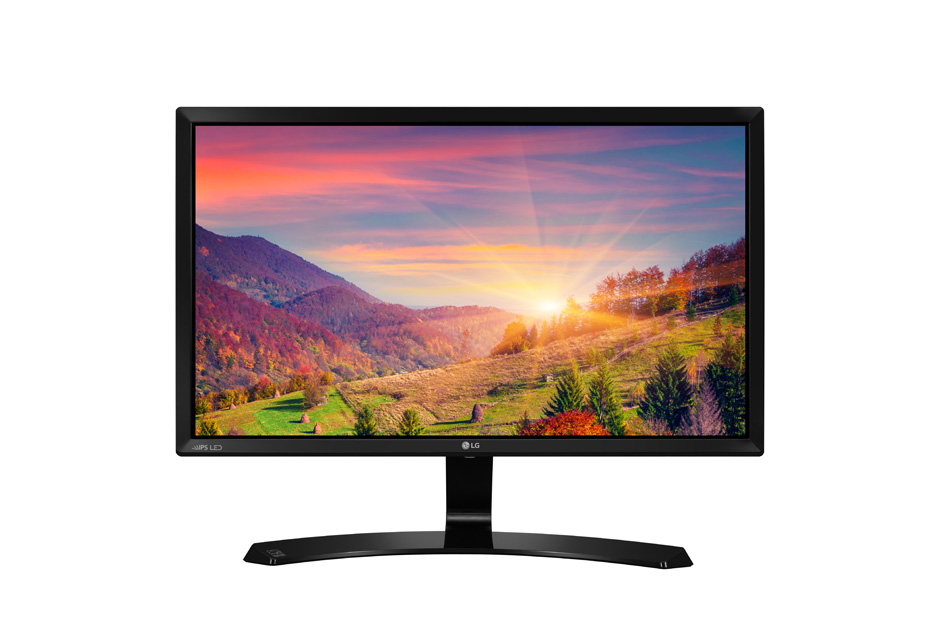
LEDLG24MP58VQ
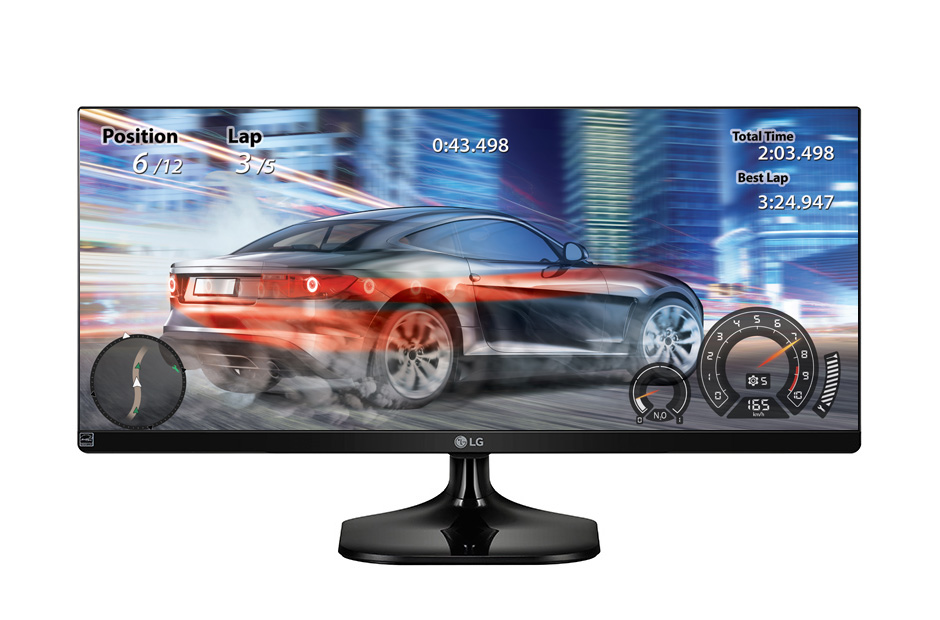
LG 25UM58 25″ UltraWide IPS
Both monitors have very similar specifications, though the main attraction of the two is that the LG25UM58 is an Ultra-Wide monitor with a resolution of 2560×1080. Choose the LG25UM58 if you are more into development and video creation. It is also great for viewing movies in their standard 21:9 format.
Gaming-wise, the LG25UM58 will be much more taxing on the GPU and CPU than the LG24MP58VQ. This is due to more pixels, and when your playing games with 21:9 aspect ratio, you have a wider field of view (if the game supports it).
The Witcher 3
GTA V
https://www.youtube.com/watch?v=w2AYRz-RgQk
Battlefield 4
Bottomline:
Php50,000 is alot of money. With these four different builds we hope that you’ll get an insight as to what build is for you depending on the line of work and on where you will be mostly using the rig for. You also might’ve noticed that we didn’t utilize a “k” series i7. That’s simply because with the added price, it won’t matter that much especially if you don’t plan on overclocking. Using the 6600K on the other hand is a great choice. Below we have listed out a summary of details of each build to help you choose which one is perfect for you.
- Build 1 – i7-6700 and a GTX 1060
- Great computing performance paired with a 1080p killer GTX 1060.
- The most balanced between the four (excluding the monitor)
- Choose this if you need an SSD, 2TBs of space, while having the power of the 6700 and GTX 1060. This build is perfect for video editors that require a lot of space and raw computing power.
- Build 2 – i5-6600K and a GTX 1070
- Better gaming performance than the first build.
- Similar with the first build though has less space for an SSD and has a weaker CPU. Nevertheless, the i5-6600K is still a very powerful processor.
- Choose this if you want a complete build while you’re more focused on gaming. Because of the 1070, this is significantly faster than the first build in terms of gaming, while still retaining the RAM and storage (except for the SSD).
- Build 3 – i7-6700 and a GTX 1070
- The most powerful build here in terms of raw gaming and computing performance with the cost of storage space and RAM.
- Choose this if you’re looking for a build that has a powerful gaming and computing power, and if you plan in upgrading components in the future (RAM, SSD, etc).
- Build 4 – i5-6600K, GTX 1060 ITX, and an LG24MP58VQ.
- My preferred build of the three.
- This build has a complete set including a monitor, an SSD, and has 2TBs of space with the cost of a weaker processor and GPU.
- Choose this build if you need setup that is VR-ready, has a monitor, lots of space, and great 1080p gaming performance. If you plan on using this for rendering and development, getting the UWHD Monitor is better. And if you can shell-out a bit more for a GTX 1060 AMP! and i7-6700, you can make this build better than the others.






Budget Game PC
CPU: Intel Core i5-6500 3.2GHz Quad-Core Processor = ?10,050.00
CPU Cooler: Corsair H55 Quiet Liquid CPU Cooler = ?2,800.00
Motherboard: MSI B150M Night Elf Micro ATX LGA1151 Motherboard = ?4,750.00
Memory: Corsair Vengeance LPX 8GB (2 x 4GB) DDR4-2400 Memory = ?
Storage: SSD: Sandisk Ultra II 240GB 2.5″ Solid State Drive = ?3,790.00
HDD: Western Digital Caviar Blue 1TB 3.5″ 7200RPM Internal Hard Drive = ?2,290.00
Video Card: AMD: MSI Radeon RX 480 8GB GAMING X Video Card = 15,600.00
or : Nvidia: MSI GeForce GTX 1060 6GB 6GB GAMING X Video Card = ?15,950.00
Case: Thermaltake Versa H25 ATX Mid Tower Case = ?1,950.00
Power Supply: Corsair CSM 550W 80+ Gold Certified Semi-Modular ATX Power Supply = ?4,080.00
Optical Drive: Asus DRW-24B1ST/BLK/B/AS DVD/CD Writer = ?800.00
Total: ?49,400.00