infinix x yugatech

Giveaway: 25 O+ Phones in 25 Days of Christmas

Listen to article

It’s December once again and our friends from O+ USA are reviving our annual “25 Days of Christmas: 25 O+ Phones in 25 Days“. Starting today, we’ll be giving away one phone each day to one of our lucky readers.

As usual, we will have fun and tricky daily tasks and challenges. For today, just spread the word on Facebook and Twitter; tell your relatives and tag your friends. Ask them to bookmark this page and visit it every day until Christmas in order to get the chance to win a new smartphone from O+ USA.

Are you ready? Scroll down below to get started!
a Rafflecopter giveaway

oplus2014

Day 1. Spread the word, follow the instructions on the widget below:

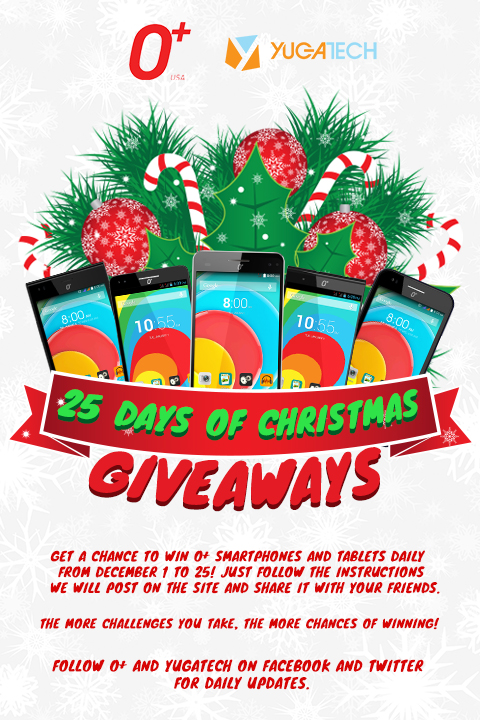
Day 2. Grab the poster above and post on your Instagram, Twitter or FB. Don’t forget to tag either @yugatech, @oplususa or @abeolandres when you do. Please use #oplus25daysofxmas and leave a link to your entry in the comments.

Day 3. Christmas is more about giving than receiving. Let us know who among your friends or loved ones we should give a prize to. Tag them on FB, IG or Twitter and tell us why you want them to receive an O+ gift. Please use #oplus25daysofxmas and leave a link to your entry in the comments.

Day 4. Can you sing a tune? Show us your singing skills by sharing a Christmas song, preferably with one where you can change some of the lyrics with O+. Upload at least a 20-second clip on YouTube and leave a link to your entry. Please use #oplus25daysofxmas and leave a link to your entry in the comments.

Day 5. Make us a poster and share it with friends. You can use the one above as inspiration. Just make sure it’s up on your FB, Twitter or IG. Don’t forget to tag either @yugatech, @oplususa or @abeolandres when you do. Please use #oplus25daysofxmas and leave a link to your entry in the comments.

Day 6. Tag 10 friends and ask them to join. If we picked your entry then one of them will take home a phone. Please use #oplus25daysofxmas and leave a link to your entry in the comments.

Ready for the second wave?

Day 7. Wrap me a gift, the O+ way; then share it for all to see and cheer! One of the nicest-looking gift-wrapping design wins a phone. Don’t forget to post on IG, twitter and FB with a link back to this page. Please use #oplus25daysofxmas and leave a link to your entry in the comments.

Day 8. Can you make us an O? Draw the biggest O+ logo you can and show us your work! Put it on your wall, at the side of your home, our spread across the football field. Upload a photo of your work on FB with a link back to this page. Please use #oplus25daysofxmas and leave a link to your entry in the comments.

Day 9. Think of a Christmas quote — witty or funny. Share it in your Twitter timeline, FB wall or IG. Use the the hashtag #oplus25daysofxmas, #yugatech and include a link back to this page (use this short one instead: http://www.yugatech.com/1y7x5Ik)
yugatech-wall

Day 10. Time for a new phone wallpaper! Download this wallpaper and apply it on your phone. Take a photo of you and your phone with the wallpaper on! Share on FB, IG and Twitter. Please use #oplus25daysofxmas and leave a link to your entry in the comments.

Day 11. Make an O+ decor and hang it on a Christmas Tree. If you want to be creative, try an O+ inspired lantern, perhaps?

Upload a photo of your work on FB with a link back to this page. Please use #oplus25daysofxmas and leave a link to your entry in the comments.

Day 12. It’s a few more days ’til Christmas and we still have more to give. How about making a card and sending it to a friend?

Make us an O+ inspired Christmas card and show it to the world. Upload a photo of your work on FB with a link back to this page. Please use #oplus25daysofxmas and leave a link to your entry in the comments.

Day 13. We’re half way there! Let’s do another round of Rafflecopter.

Day 14. Tag and greet as many of your friends on Facebook with very Merry O+ Christmas! If they greet you back with a least 100 Likes, you get the chance to win an O+ 360 Extreme!

We suggest including a Christmas photo in your greetings with the O+ and YugaTech logo so we know it is your entry. Please use #oplus25daysofxmas and leave a link to your entry in the comments.

Day 15. Name the next O+ flagship smartphone. If we liked it, you win a phone. That simple! Tweet or FB your suggestion in this format: “I think the next O+ smarpthone should be named O+ _____. #oplus25daysofxmas #yugatech @oplususa

Day 16. Share our story on the O+ Tag (use this link: http://www.yugatech.com/oplustag) on Twitter or FB and tell your friends why you think the year 2014 is the Year of the Wearables. Please use #oplus25daysofxmas and leave a link to your entry in the comments.

Day 17. Which of the O+ smartphones released this year caught your interest? Go search our Reviews archive here and share to your friends on FB and Twitter, telling us why that’s your O+ smartphone pick of the year.

Please use #oplus25daysofxmas and leave a link to your entry in the comments.

Day 18 . The New Year is upon us and we’re heading to 2015. Share with us your New Years Resolution and commit to really doing them the whole year. Post your resolution on FB, Twitter or IG and link back to this page.

Please use #oplus25daysofxmas and leave a link to your entry in the comments.

Day 19. Show us your best New Year photo and tell us how and where you celebrated it.

Please use #oplus25daysofxmas and leave a link to your entry in the comments.

Day 20. Share our story on the O+ Time (use this link: http://www.yugatech.com/oplustime) on Twitter or FB and tell your friends why you think the year 2014 is the Year of the Smart Watches.

Please use #oplus25daysofxmas and leave a link to your entry in the comments.

Day 21. If you were to choose to give your prized O+ smartphone winning to your grandmother, your best friend or your girlfriend/boyfriend/husband/wife, who would you give it to?

Answer our question on FB, Twitter or IG in this manner “If I were to choose between my lola *name of lola*, my bestfriend *name of best friend* or my girlfriend/boyfriend/husband/wife *name here*, I would choose *name*.”

Please use #oplus25daysofxmas and leave a link to your entry in the comments.

Please answer carefully! ;)

Day 22. What do you do to save up for your next smartphone or dream gadgets? Share with us your savings tip on FB, Twitter, blog or IG and use the hashtags #savingstip #oplus25daysofxmas and link back to this post.

Day 23. What would you give up just for a new O+ Smartphone? Sound off on Twitter, FB, IG, Tumblr and tell us what most precious belonging you’d be willing to give up just to get a new smartphone from O+?

Please use #oplus25daysofxmas and leave a link to your entry in the comments.

Day 24. Do you believe in luck? What do you do or what lucky charms do you have to attract more luck? Go share with us your lucky charm or good luck tips in FB, Twitter, Tumblr or IG.

Please use #oplus25daysofxmas and leave a link to your entry in the comments.

Day 25. It’s our last challenge! Check out the widget below to finalize all our entries!

a Rafflecopter giveaway

React to this article:
Written by
Abe Olandres

Abe Olandres

Editor-in-chief

Abe is the founder and Editor-in-Chief of YugaTech with over 20 years of experience in the technology industry. He is one of the pioneers of blogging in the country and is considered by many as the Father of Tech Blogging in the Philippines.

View all posts by Abe Olandres →

2,413 Comments

MA
Mark Warren Lalata · 12 years ago

My favorite android app is twitter

I express what im about today and i update it what im up to. I love this app! Also it helps me to know if there is an ongoing giveaways! Like yugatech’s

Reply
IS
Istin Dizon Paigna · 12 years ago

Favorite Android app is: Animania because I get to watch old and new animes that I love like Naruto and One Piece

Reply
MA
Mark Warren Lalata · 12 years ago

My favorite android app is twitter

I express what im about today and i updates it what im up to. I love this app! Also it helps me to know if there is an ongoing giveaways! Like yugatech’s

Reply
PA
Paul · 12 years ago

This is awesome!

Reply
MA
Mark Warren Lalata · 12 years ago

My favorite android app is twitter

I expreess what im about today and i updates it what im up to. I love this app! Also it helps me to know if there is an ongoing giveaways! Like yugatech’s

Reply
OR
orlve86 · 12 years ago

Aldiko book reader because I love to read on the go because I always commute everyday going to work so this app is perfect.

Reply
DO
Donmarl Camua · 12 years ago

What’s your favorite Android app and why?

Aside from Facbook App, I love the Gmail App and Sound Recorder

Gmail for checking my emails on mobile.
Sound Recorder for recording meetings, talks from speakers

I love them because i frequently used them

Reply
MA
Mahrion Abacan · 12 years ago

wps office. i’m a student, nuff said. haha :D

Reply
CA
Carlo · 12 years ago

Hope I win one!

Reply
KI
Kim · 12 years ago

the google authenticator. makes my account safer.

Reply
AL
Alexis Mendoza · 12 years ago

My favorite Android app is definitely the Facebook App. I love social media and on top of my list is Facebook, this is the most used app on all of my devices. :)

Reply
RO
Ronald Intal · 12 years ago

Spotify because I can access my songs easily in any device with spotify installed in it.

Reply
BI
Biggs · 12 years ago

Pocketcasts because I listen to podcasts everyday.

Reply
RA
Ranilo Guardiano · 12 years ago

My favorite android app is Nokia Z Launcher. Makes my android experience unique and easier.

Reply
GI
Gill Lambengco · 12 years ago

Fave app? Chrome! Chrome does everything. Facebook twitter youtube maps etc all in one browser!

Reply
CH
Chester Chanco · 12 years ago

Favorite App: Clash of Clans

I love Clash of Clans because of many reasons: the beautiful Pixar-inspired graphics, the easy-to-learn but hard-to-master gameplay, the friendship in the clan around donating troops and battling rivals, and the strong sense of community around the game.

Reply
SA
sarz49 · 12 years ago

Currently, my favorite app is Spotify.

Reason: It allows me to listen to music for free, it also allows me to discover a lot of good music I’ve never heard before from mainstream to indie.

Reply
AR
Aries · 12 years ago

BPI Express Mobile. It has the “transfer to anyone” capability that lets me transfer to any BPI account. I use this facility when purchasing items from online sellers. With this, I do not need to go to the bank to deposit the payment for the item. I just access my account on my phone, enter the amount and account number and money is transferred in real time!

Reply
JA
Jayson B. Lomboy · 12 years ago

My FAVORITE Android app is Timehop. I always want to remember how I did few years ago in my multimedia accounts. It makes me laugh and let me start my day with a smile. :)

Reply
BE
ben · 12 years ago

Facebook App
I dunno, I just use it often.

Reply
SA
Sam Francisco · 12 years ago

Favorite Android App: Google Chrome!
Because the journey of a thousand sites begins with the first click! And that journey becomes a lot better when using Google Chrome. :-)

Reply
JA
jane dulva · 12 years ago

My favorite app is instagram coz i love taking picture of my kids and i always post it on my instagram

Reply
MY
myke · 12 years ago

my favorite app: viber. chat chat chat all day.

Reply
LE
Lee · 12 years ago

My favorite app is Gmail. I can easily visit my account to view new emails.

Reply
EM
Emmanuel · 12 years ago

My favourite android app is Google Keep – it’s simple and it keeps me organized.

Reply
PA
Paul · 12 years ago

Sana manalo ako, manalo tayong lahat ????

Reply
CA
Cat Quiambao · 12 years ago

i love my kindle app… it’s what i use to read all my ebooks… ^_^

Reply
BA
Basilio Santos · 12 years ago

fave Android App:
Tweetcaster. Keeps me updated on news, current events and gossip. :-)

Reply
JO
jodie · 12 years ago

Brave frontier… coz i love to play

Reply
GE
Gerald Vincent Sosa · 12 years ago

Facebook
Why?: Usual mode of communication.

Reply
AL
Aljohn De Guzman · 12 years ago

Favorite App? I’m with Any.Do – It helps me remember everything :)

Reply
LO
lovely joy merced · 12 years ago

Skype! I use it everyday for video calling my hubby, distance won’t keep us apart, thanks to technology!

Reply
AD
Adrian · 12 years ago

Favorite Android App: Google Keep

It makes me more organized with my daily life at work, in family and on personal matters. It is an easy note-taking, idea preserving, mobile diary app.

Reply
NF
Nforcr · 12 years ago

SuperSU, because root

Reply
CH
Cha Sembrano · 12 years ago

fave app would be instagram, shoot and share!

Reply
HA
Hagen · 12 years ago

Favorite Android App is Officesuite, Viewing and editing documents on the go!

Reply
JH
Jheric Reyes · 12 years ago

My favorite android app is Airdroid, My computer can connect and do sort of things together. It’s really helpful for me

Reply
AN
Angelica · 12 years ago

Favorite App: Pushbullet
Why: It can send message/link/photo across your devices

Reply
JE
jedd · 12 years ago

Facebook! Matic na!

Reply
RO
Ronnie Avelino · 12 years ago

my favorite app is My fitness Pal because I like to check all the calories that I take!

Reply
BO
Boggs · 12 years ago

Spotify is my favorite Android app because I can sync all my music between my laptop, tablet, and phone.

Reply
LO
Lorraine Cabantac · 12 years ago

Favorite Android App: SKYPE
Why: It connects me to my mom everyday in Dubai, missing her so much. :) Hope to win! More power! :)

Reply
RU
Ruru Constantino · 12 years ago

What’s your favorite Android app and why?
My favorite app is Viber. All of my High School Friends are using it.

Reply
ED
Edwin · 12 years ago

FB App :) Fast way to check updates on FB Friends

Reply
EM
Em · 12 years ago

Favorite Android App : Ingress

Great game and makes me walk around to exercise!

Reply
MI
Mike · 12 years ago

Hooray for giveaways! Hope to win one this year :)

Reply
NE
Neil Ian · 12 years ago

YEah!!!

Reply
PE
Peter Escobar · 12 years ago

Wattpad coz I love reading stories!

Reply
PA
Paula · 12 years ago

My fave app is Wattpad. I love reading stories :)

Reply
NO
Nouel · 12 years ago

Favorite Android App: LINE
Why: Well it connects me to my friends and family for free other than texting or calling them which costs prepaid load.

Reply

Leave a Reply

Loading next article...