
오늘 우리는 TechLife Pad Pro를 더 자세히 살펴봅니다. 정확히는 12인치 LTE 모델입니다. 이 미드레인지 태블릿은 합리적인 가격에 적당한 성능, 대형 디스플레이, 그리고 훌륭한 사운드 경험을 약속합니다.

게이밍을 하든 동영상을 시청하든 이동 중 작업을 하든 이 태블릿은 모든 것을 처리할 수 있도록 설계되었습니다. 과연 그 약속을 지킬지 확인해 보겠습니다.
디자인 및 건설
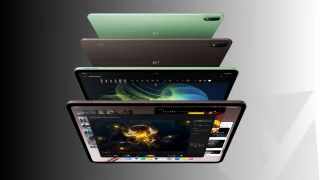
디자인부터 시작해 Pad Pro는 심플하고 깔끔한 모습을 유지합니다. 리뷰 단위는 Radiant Gold 컬러로, 유리 전면과 알루미늄 합금 후면을 채택하여 가격 대비 약간 프리미엄한 느낌을 줍니다.

무게는 공식적으로 명시되지 않았으나, 실제로 만져보면 대부분의 중간 크기 12 인치 태블릿과 유사한 느낌을 줍니다.
버튼과 포트에 관해서는 레이아웃이 매우 직관적입니다. 오른쪽에는 전원 버튼과 볼륨 록커가 있습니다. 다만, 볼륨을 조절하려 할 때 실수로 전원 버튼을 누르는 경우가 종종 있습니다.
어쨌든 하단에는 스피커 그릴, USB-C 포트, SIM 카드 트레이가 있으며, 상단에는 쿼드 스피커 구성을 완성하는 다른 스피커 출구가 있습니다.
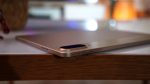


여기서는 스타일러스 지원이 제공되지 않지만, 별도로 판매되는 전용 키보드 케이스와 페어링할 수 있습니다. 이 케이스는 특히 태블릿을 타이핑 및 경량 생산성 작업에 사용하려는 경우 기능성을 추가합니다.
디스플레이, 멀티미디어 및 생체 인식
디스플레이 측면에서 이름이 시사하듯, Pad Pro는 최대 90Hz 주사율과 풀 HD+ 해상도를 갖춘 12인치 IPS LCD 패널을 탑재했습니다. 이로 인해 스크롤링과 애니메이션이 표준 60Hz 패널보다 훨씬 더 매끄럽게 느껴집니다.
밝기 최대치는 480nit로 실내 사용에는 괜찮지만 야외 가시성은 다소 어려울 수 있습니다. 색상은 자연스럽고 일관되게 표현되지만 OLED 화면의 강렬한 대비감을 기대하기는 어렵습니다. IPS 화면인 만큼 시야각도 나쁘지 않습니다.

이 세그먼트의 태블릿으로는 놀라울 정도로 몰입감 있는 오디오를 제공하는 쿼드 스테레오 스피커입니다. 볼륨은 작은 방을 채우기에 충분할 만큼 강력하며, 스테레오 분리도가 명확하여 동영상 스트리밍, 캐주얼 게임, 화상 통화에 적합합니다.

생체 인식 기능과 관련하여 이 태블릿은 얼굴 잠금 해제만 지원합니다. 밝은 조명 환경에서는 신뢰성 있게 작동하지만 어두운 조건에서는 다소 어려움을 겪을 수 있습니다. 지문 센서가 없으므로, 일반적인 PIN 및 패턴 외에 얼굴 인식이 주요 보안 수단입니다.
제 경험상, 저는 대부분의 시간을 드라마를 따라 보고 전자책을 읽는 데 보냈습니다. 화면은 크고 베젤이 두꺼운 편이지만 장시간 사용해도 편안합니다. 태블릿을 세로 모드로 사용할 때의 편리함 덕분에 오랫동안 읽고 싶었던 책을 완독할 수 있었습니다.

오디오 품질 측면에서 최대 볼륨에서도 상당히 크게 들리며 왜곡이 크지 않습니다. 또한 스테레오 스피커 구성 덕분에 콘텐츠 시청 시 소리가 조금 더 몰입감 있게 느껴집니다.
전반적으로 미디어 및 생산성 측면에서 디스플레이는 견고합니다. 가장 밝거나 색 재현이 정확한 화면은 아니지만, 편안하고 즐거운 멀티미디어 경험을 제공합니다.카메라
이제 카메라에 대해 이야기해 보겠습니다. 태블릿에서는 카메라가 주된 초점이 아니지만, 화상 통화와 온라인 수업에는 충분히 역할을 수행합니다.

노이즈는 잘 조명된 지역에서는 큰 문제가 되지 않지만, 카메라는 여전히 초점을 안정적으로 맞추기 어려워 조명이 양호한 상황에서도 이미지가 흐릿하거나 약간 뿌옇게 나올 수 있습니다.
동적 범위가 제한되어 있어 하이라이트가 쉽게 날아갈 수 있으므로, 단순한 문서화에는 적합하지만 창의적인 사진 촬영에는 권장되지 않습니다.
TechLife Pad Pro 12
inch LTE sample photos · Dec 1 – 2, 2025


The 8-megapixel front camera is serviceable for video calls and occasional selfies, but it’s nothing special. It produces acceptable detail as long as you’re in a bright environment.
Video recording is basic as well, as the tablet records at 1080p at 30fps, which looks okay but not particularly crisp. Footage looks decent under good lighting, but the focus isn’t very steady, and movement introduces noticeable shake.
Front camera:
Rear camera:
Again, the camera system gets the job done for scanning documents, quick snaps, or video calls, but it’s not really something you’d rely on for high-quality shots. Either way, the cameras are still going to be convenient when you need it, at least for online meetings, conferences, and so.
Performance and Benchmarks
Under the hood, the TechLife Pad Pro runs on MediaTek Helio G200 chipset, paired with 8GB of RAM and a Mali-G57 MP2 GPU. For storage, you get 256GB that's expandable up to 1TB via microSD which is always a plus in our book.
In benchmarks, the tablet scored 408,148 in AnTutu V10. This means that it's decent enough to handle productivity apps, multimedia, and casual gaming without major issues.

Gaming performance varies depending on the title. Wuthering Waves, as expected, struggles even at recommended settings, with occasional frame drops and stutters during intense sequences.
Umamusume: Pretty Derby runs fairly well, though minor stutters appear during heavy animations or effects. On the bright side, MOBA games like Pokémon Unite is smooth and responsive, with consistent frame rates throughout.
Using the recommended settings applied when you first boot the games, battery life is estimated as follows:
- Wuthering Waves – around 4 hours and 12 minutes
- Umamusume: Pretty Derby – around 5 hours and 40 minutes
- Pokémon Unite – around 6 hours and 27 minutes

High graphics settings can be a bit much for the Pad Pro. The tablet warms up noticeably during long sessions, especially in heavier games, and some stutters or dips in performance are more evident.
For lighter tasks though like browsing, streaming shows, reading eBooks, and note-taking, the tablet still feels snappy and responsive. So, there's that.
| Benchmark / Test | Result |
|---|---|
| Antutu v10.4.9 | 408,148 |
| 3DMark Wild Life | 1,099 – Average FPS: 6.59 |
| Geekbench 6 CPU (Single / Multi) | 722 / 1,953 |
| GPU OpenCL | 1,262 |
| GPU Vulkan | 1,246 |
| PCMark Work 3.0 Performance | 9,981 |
| PCMark Work 3.0 Battery Life | 12 hours 1 minute |
OS, UI, and Apps
On the software side, the Pad Pro ships with Android 15. Even though it does ship with a newer Android version, it honestly feels closer to Android 13 or even older in terms of features.
That's probably because this one's running stock Android without many features that I'm used to having.

You don’t get any of the newer AI tools that are becoming more common in other devices. There’s no Circle to Search, no AI-assisted shortcuts, and none of the fancy generative features you see in most devices nowadays.
What you do get are the basics that are still useful day to day. Live Caption is here, which automatically captions most videos and audio.
There’s also Audio Description, which reads out what’s happening on screen in supported movies and shows. These accessibility tools work well and can be pretty handy if you need them.

Multitasking on the other hand is bare bones. It supports split-screen and one pop-up window but there's no option to enable both.

Besides that, animations and UI elements don’t feel as polished as newer stock Android builds or even Android skins for that matter.
This won’t be a dealbreaker, but anyone expecting the fluidity and refined UI of the latest flagship Android devices may notice the difference.

Pre-installed apps are minimal, and you have the option to expand storage via microSD. Notifications behave as you'd expect, but the settings interface feels slightly dated compared to modern Android skin layouts.
For students or casual users, this won’t cause major issues, but power users might find some menus unintuitive.


Overall, the OS is stable, functional, and familiar if you’ve used older Android tablets before. Other than that, it ends up feeling like a bit of a step back in some key areas.
It’s still good, don't get me wrong, but it doesn’t fully deliver a satisfying software experience we’d hope for.
Connectivity and Battery Life
Connectivity is complete for a midrange tablet. You get 4G LTE, Wi-Fi, Bluetooth, and USB-C with OTG support. NFC is not available here which is expected.
The 10,000mAh battery sounds decent on paper, but in real-world use, it does not quite live up to expectations.

Our PCMark Battery testing recorded 12 hours and 1 minute, which is a decent result, but in actuality, the battery often runs low already by mid or late afternoon.
Even with such a large capacity, getting only about half a day of heavy use is fairly subpar, and you’ll find yourself reaching for the charger sooner than expected.
For context, I've used the tablet for streaming shows, reading eBooks, and doing my dailies in games. It ran low by the middle of the day.

Once you start multitasking or run more demanding apps like games, the drain becomes more apparent. Charging is fairly quick with 33W of charging, and reverse charging via USB-C is convenient if you need to top up earbuds or any other accessories.
The battery gets you through casual usage, but it is not the endurance powerhouse you might expect from a 10,000mAh tablet. Heavy users will likely need to keep a charger around to make it through a full day.
Verdict
Wrapping this up, the TechLife Pad Pro 12-inch LTE is a decent tablet overall, mostly because you’re in for a nice multimedia experience on a big screen. The 12-inch 90Hz display is decent, and the quad speakers give a nice, loud stereo sound.
Performance handles everyday tasks well and casual games, but you may have to set your expectations when it comes to heavier titles.
Although, battery life could be better. Even with a large 10,000mAh cell, it tends to last only about half a day if you’re using it heavily.

But aside from these shortcomings, the tablet is decent enough for everything else, especially for your entertainment needs, mainly thanks to its large screen and nice audio quality. On top of that, the 4G cellular support adds that kind of convenience, especially if you're someone who's always on the go.
As for pricing, the tablet alone goes for PHP 13,999 (8GB+256GB), and if you add the keyboard case it goes up to PHP 15,999.
Sure, it has a few rough edges, but for the price, it’s a pretty solid pick for anyone who just wants a large screen for smooth reading and binge-watching.
What we like:
- Solid build quality and nice in-hand feel
- Good display for watching shows and reading
- Loud stereo speakers
What we didn’t like:
- Cameras struggle with focus and clarity
- No AI features, subpar OS experience
- Battery drains faster than expected
TechLife Pad Pro 12-inch LTE specs:
12.0-inch IPS LCD display (2400 × 1600)
90Hz refresh rate, 480 nits peak brightness
MediaTek Helio G200
8GB RAM
256GB internal storage
microSD expansion (up to 1TB)
13MP rear camera
8MP front camera
Face unlock
Single nano SIM
4G LTE
Wi-Fi 802.11 a/b/g/n/ac
Bluetooth
USB Type-C (OTG)
Quad speakers (stereo)
Android 15
10,000mAh battery
33W fast charging
278.18 × 191.42 × 7.3 mm
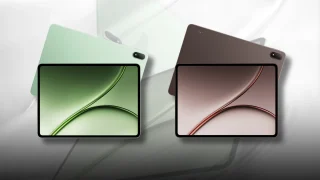
Storm Grey, Ashy Cyan, Radiant Gold

0 Comments
Leave a Reply