
How to activate Smart GPRS or TNT (Talk N Text) Welcome to the Smart GPRS or 3G tutorial page. The information below will help you and guide in setting up your phone for GPRS or 3G connection. It will also show you how to hook up your PC or laptop to any Smart 3G-enabled phone: Download Smart GPRS settings: Step 1: Using your 3G handset, go to Tools > Settings > Network Mode > select Dual Mode. Step 2: Activate your handset by texting Set 3G and send to 211. To download SMART GPRS phone settings: Key in SET GPRS and send to 211. Example: If you have a Nokia 6230, that's “SET MMS N6230†Setting up of MMS and GPRS handsets: To download SMART MMS phone settings, key in SET MMS and send to 211. To download SMART GPRS phone settings, key in SET GPRS and send to 211. Activating SMART MMS and GPRS: To activate SMART GPRS, key in GPRS ON and send to 333. Read more in our articles including "How to activate Smart GPRS" and "How to activate Sun Cellular GPRS".
How to activate Smart GPRS or TNT (Talk N Text) Welcome to the Smart GPRS…
Jun 10, 2011How to activate Sun Cellular GPRS 1) To activate your GPRS and handset settings, text…
Jun 10, 2011How to activate GPRS for Globe and TM (Touch Mobile) For a complete listing of…
Jun 10, 2011
The Land Transportation Office (LTO) has raised concerns over its ability to secure and maintain…
Aug 7, 2026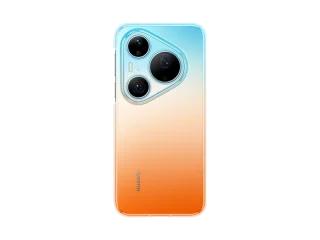
HUAWEI has opened Philippine pre-orders for the Pura 90s Series starting today, August 7, with…
Aug 7, 2026
OpenAI is expanding ChatGPT Free and Go access with unlimited text chats, a new Think…
Aug 7, 2026How to activate Smart GPRS or TNT (Talk N Text) Welcome to the Smart GPRS or 3G tutorial page. The information below will help you and guide in setting up your phone for GPRS or 3G connection.
It will also show you how to hook up your PC or laptop to any Smart 3G-enabled phone: Download Smart GPRS settings: Step 1: Using your 3G handset, go to Tools > Settings > Network Mode > select Dual Mode. Step 2: Activate your handset by texting Set 3G and send to 211. To download SMART GPRS phone settings: Key in SET GPRS and send to 211.
Our coverage of activate gprs includes: "How to activate Smart GPRS"; "How to activate Sun Cellular GPRS"; "How to activate Globe GPRS". Each article provides unique insights and information.