

In this guide, we’ll walk you through some simple steps to add essential features to your PC —- including Wi-Fi, Bluetooth, NFC, and Infrared. Step 1: Determine Compatibility Before you start adding new hardware to your computer, it's important to make sure that it is compatible with your system. Turn on WiFi and try to connect to a network, pair your computer with a Bluetooth speaker, test NFC connectivity with a compatible device, and use the Infrared to remotely control your PC. Conclusion Adding these features to your PC can greatly enhance its functionality and connectivity, so you can enjoy a more versatile computing experience. Read more in our articles including "How to: Install Wi-Fi, Bluetooth, NFC, Infrared on Your PC" and "Smartphones Under P10,000 | Q2 2026".
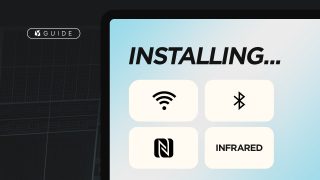
Does your desktop PC lack connectivity features such as WiFi and Bluetooth? In this guide,…
Apr 19, 2023
It’s that time again when we round up the latest smartphone launches here in the…
Jun 26, 2026
A new school year means new projects, research papers, presentations, and online learning tasks. Whether…
Jun 14, 2026
With the announcement of the Xiaomi 17T series today, those hoping to upgrade from last…
May 29, 2026
Inflation is now (May 2026) at 7.2%, electricity rates at Php14.33/kWhr, and gas prices through…
May 28, 2026
GCash has expanded its in-app help tools and security features to address a growing number…
May 22, 2026In this guide, we’ll walk you through some simple steps to add essential features to your PC —- including Wi-Fi, Bluetooth, NFC, and Infrared. Step 1: Determine Compatibility Before you start adding new hardware to your computer, it's important to make sure that it is compatible with your system.
Turn on WiFi and try to connect to a network, pair your computer with a Bluetooth speaker, test NFC connectivity with a compatible device, and use the Infrared to remotely control your PC. Conclusion Adding these features to your PC can greatly enhance its functionality and connectivity, so you can enjoy a more versatile computing experience.
Our coverage of adding nfc to your pc includes: "How to: Install Wi-Fi, Bluetooth, NFC, Infrared on Your PC"; "Smartphones Under P10,000 | Q2 2026"; "Best Budget Tablets for Back-to-School 2026 | Under P10,000". Each article provides unique insights and information.