
When we got our hands on the vivo X300 Pro, we thought it was the ultimate photography smartphone. Together with the Pro Photographer Kit that came with it, the X300 Pro was one very capable smartphone for capturing photos and videos. There were some drawbacks, though. With the kit installed, it wasn’t the most practical to use as a phone, but still impressive nonetheless.
However, that all changed when vivo Philippines announced that the more capable X300 Ultra would go on sale in the country. Similar to the X300 Pro, the X300 Ultra is also available with a Photographer Kit, which now includes two new Gen 2 Zeiss Telephoto lenses. The only drawback is that the X300 Ultra is also a lot more expensive.
Still, for those curious as to what the vivo X300 Ultra offers, let’s check it out in this review.
Design and Construction
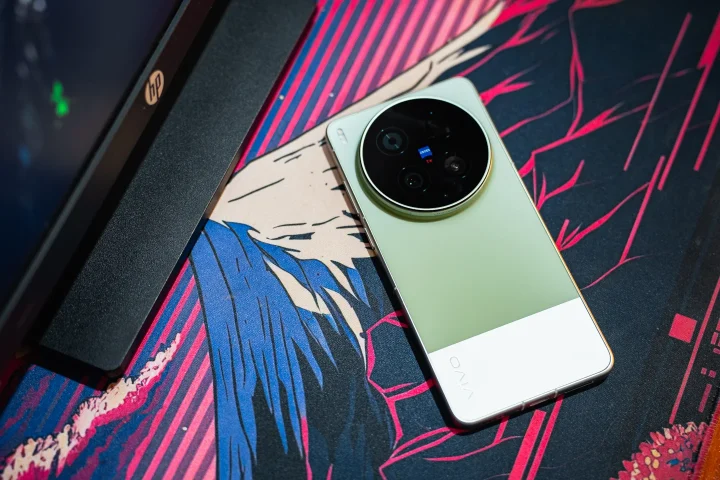
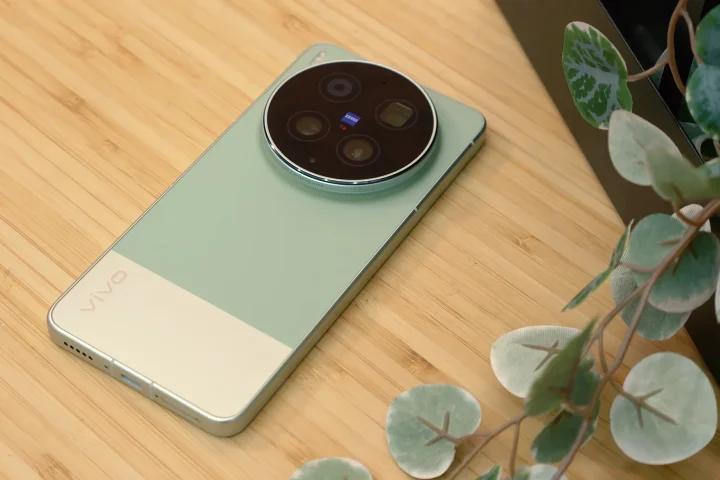
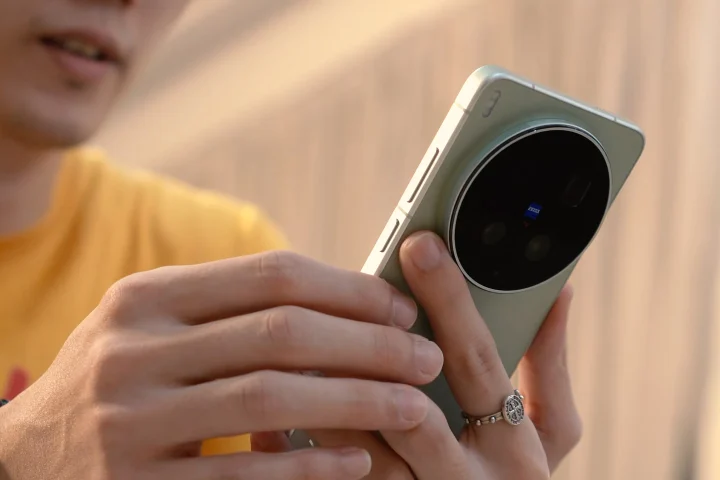
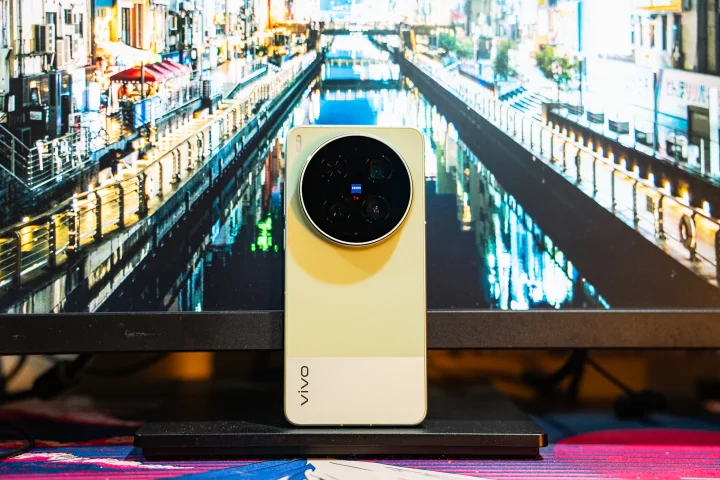
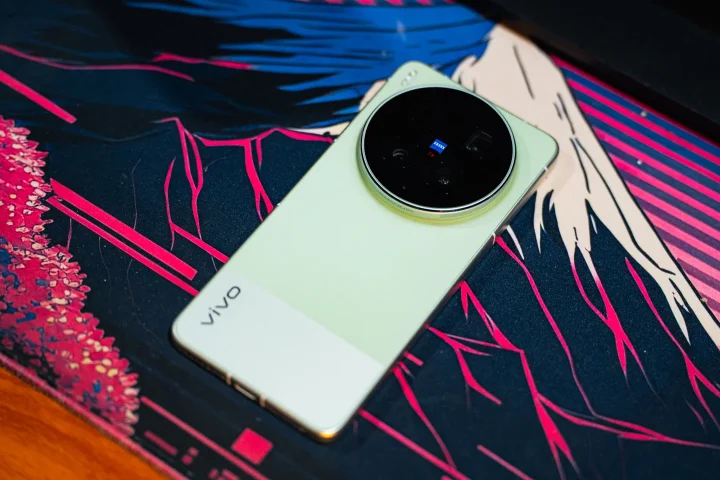
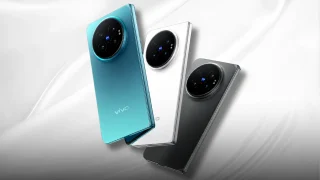
Since the vivo X300 Ultra is part of the X300 series, it’s no surprise that its design is nearly identical to that of the X300 Pro we reviewed last year. The back panel features a large circular camera island housing the triple rear camera system.
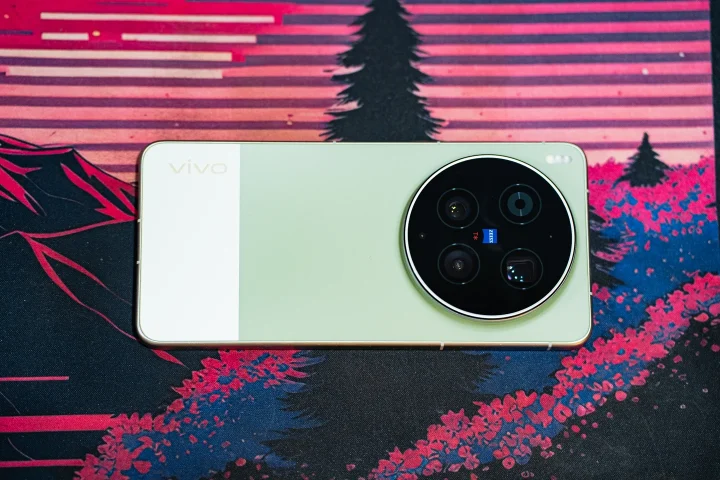
It’s a simple but beautiful design with most of the attention being drawn to the cameras. The back panel is clean and features a simple two-tone design. There’s the vivo logo in the bottom-left corner, which helps it look more like a mini-DSLR when the rest of the Photographer Kit is fitted on.
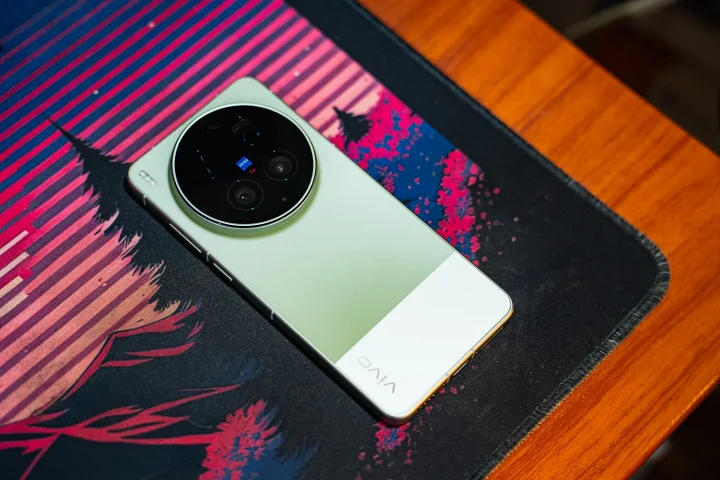
I think this shade of green looks great as well. As expected, the phone feels premium to the touch, featuring a metal frame and a glass back panel. It’s a relatively large phone, but the button placements are very ergonomic.
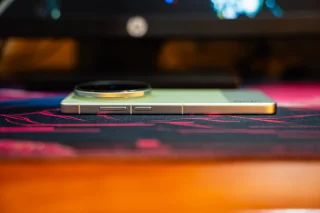
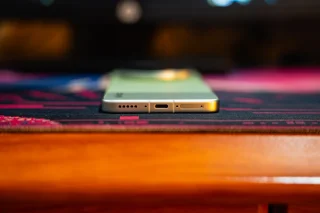
As usual, the volume rocker and power button are on the right side, while at the bottom we’ll find the USB-C port, one of two loudspeakers, and the dual-SIM card slot. The left side is clean, while the top features a few more holes for the speaker and secondary mic.
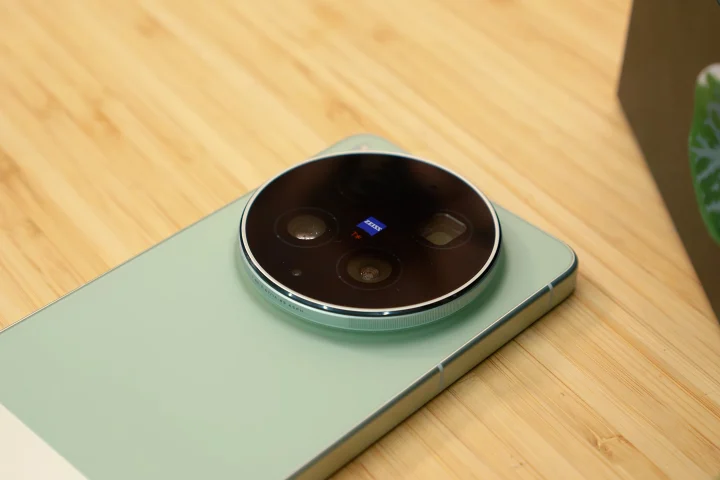
The only minor issue we found with the X300 Ultra is the thickness of the camera island. It makes the phone feel very top-heavy. Not to mention, it’s impossible to make it lie somewhat. I also found it concerning since it’s likely the first part of the back that would get hit if the phone gets dropped. In addition, it feels quite bulky to use.
While the island might concern some users with drops, the phone itself is well protected from the elements. It features an IP68 and IP69 rating for dust and water resistance. This means it can take a quick dip underwater and come out okay.
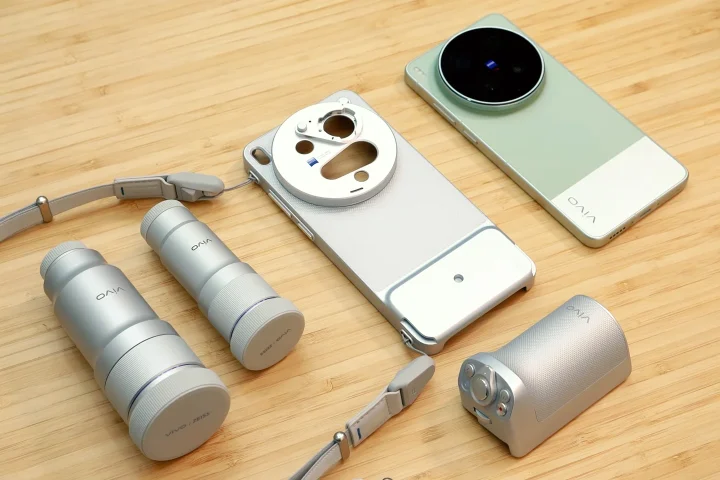
However, that’s for the phone alone. If users have the Photographer Kit and attach the grip and telephoto lens, those don’t have the same IP rating, so be careful. For reference, this kit features two Zeiss zoom lenses, a case with PGYTech straps to attach the lens, and a grip kit.
Display, Multimedia and Biometrics
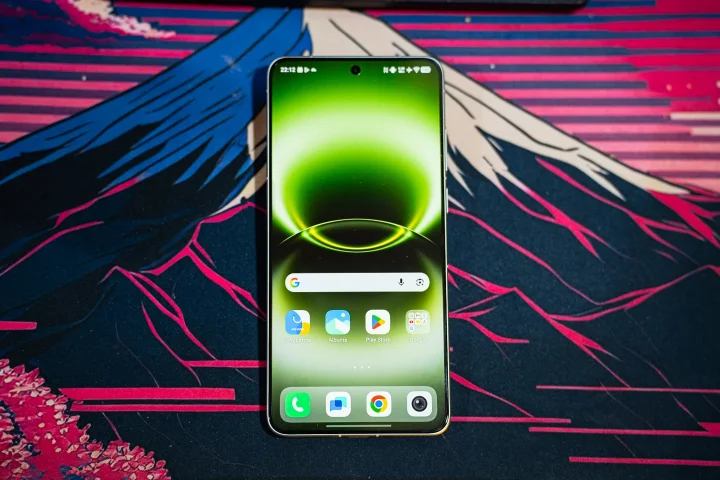
The display of the vivo X300 Ultra is probably one of the best we’ve tried this year. It’s a 6.83-inch LTPO AMOLED panel with a 144Hz refresh rate and support for Dolby Vision and HDR10+. What makes it different from the rest is the resolution, 3168 x 1440 pixels.
Interestingly, this option isn’t set as the default resolution. Users will have to change it in the settings from Ultra HD to Extreme HD. Outside of the specs, it results in a more immersive viewing experience.
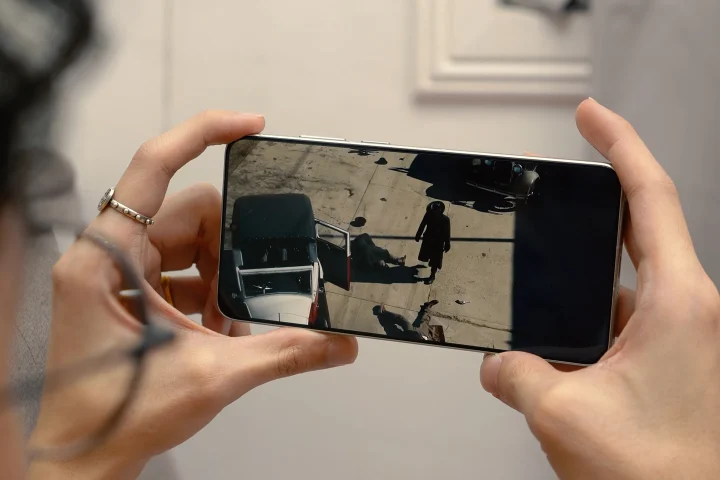
The colors are very vivid, and there’s a nice contrast too, even in the default Natural color mode. Users who want colors to pop even more can switch to the Bright, but in our opinion, it makes the colors on screen too saturated. Whichever users choose, they’ll definitely enjoy the colors.
With that, watching videos on this phone is very enjoyable. We could easily pass the time watching our favorite YouTube series on the phone. At the same time, the large display and nice viewing angles make it perfect for watching with friends.
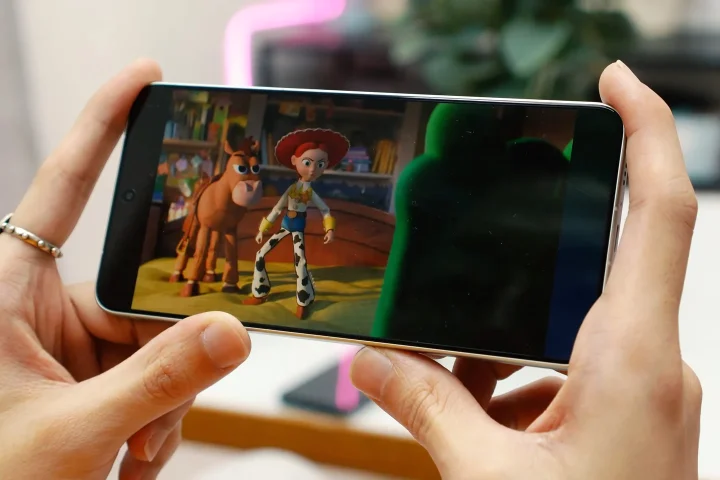
Of course, we’re sure users will enjoy checking out the images and videos captured using the cameras of the X300 Ultra. With the 144Hz refresh rate, the animations are smooth too. And given the chipset it has, it’s great for gaming, but more on that later.
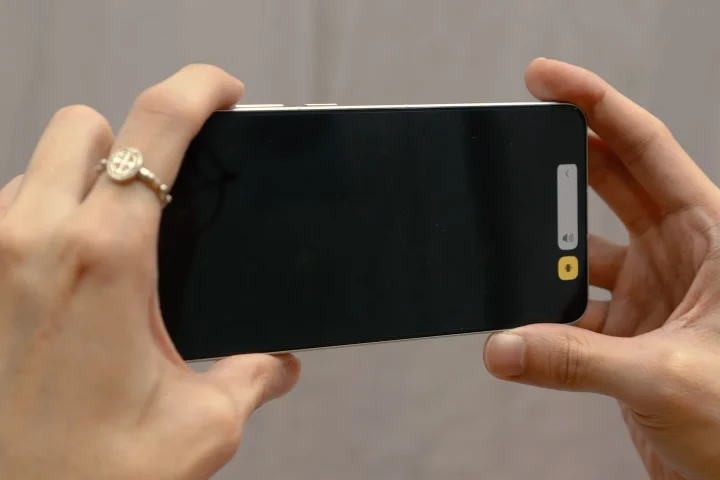
As for the loudspeakers, they’re decent for a flagship-level smartphone. Interestingly, no Dolby Audio here. It’s not the best-sounding speakers, but there is good separation.
More importantly, the vocals are clear, even if there is a lack of bass. Not to mention the speakers are loud, and there’s no distortion even when the volume is maxed out.
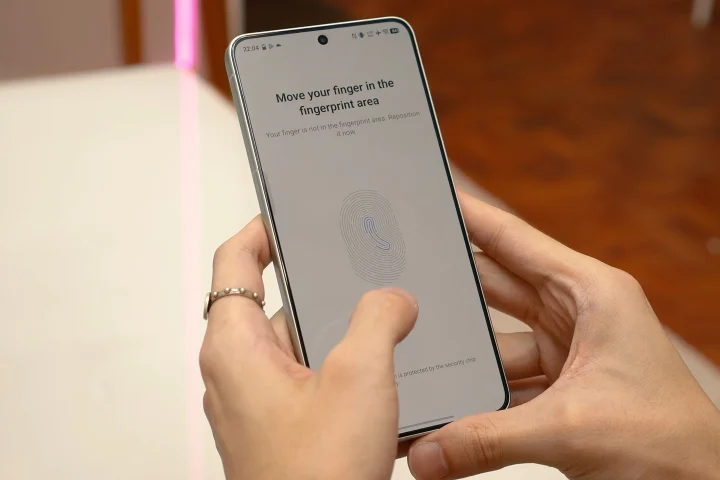
For biometrics, there’s an in-display ultrasonic fingerprint sensor and face unlock. Unlocking the phone with the ultrasonic sensor is quick and highly reliable, even allowing us to use it with damp fingers.
Cameras
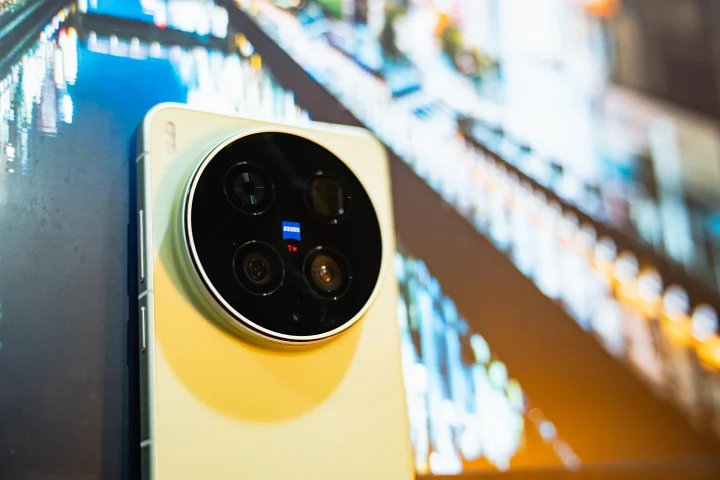
Our favorite feature of the vivo X300 Ultra is undoubtedly the cameras. For those expecting it to come with four cameras, well, that’s not the case. Instead, vivo upgraded the main and the ultrawide on the X300 Ultra from the X300 Pro.
The X300 Ultra features a 200MP main, a 200MP periscope-telephoto, and a 50MP ultrawide. For selfies, users have a 50MP front camera. No question, that’s one stacked lineup of cameras, and it’s not just a specs pusher.
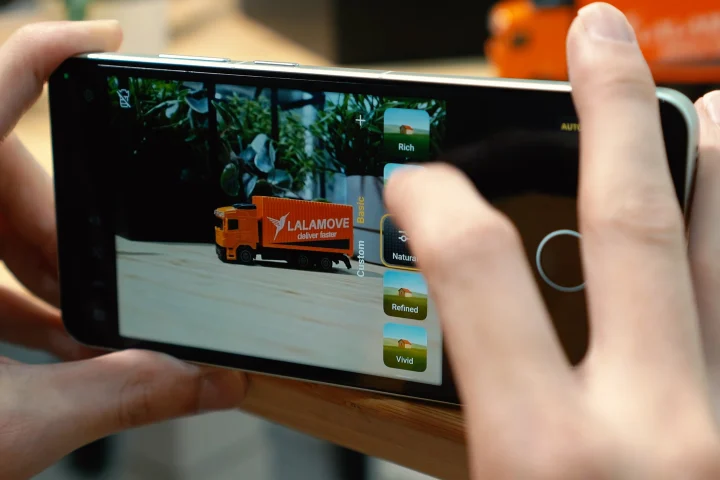
In real-world use, the cameras work amazingly well. Whether we’re using the main, telephoto, or the ultrawide, the image quality is superb. There’s no difference between switching lenses when taking photos, meaning the quality stays the same all throughout. Even in low-light situations, there’s barely any noticeable difference.
The images come out sharp, and the colors are vivid, but not oversaturated. It even looks a bit moody when we were using the default color profile. With ZEISS-tuned cameras, of course, there’s also a ZEISS color profile available.
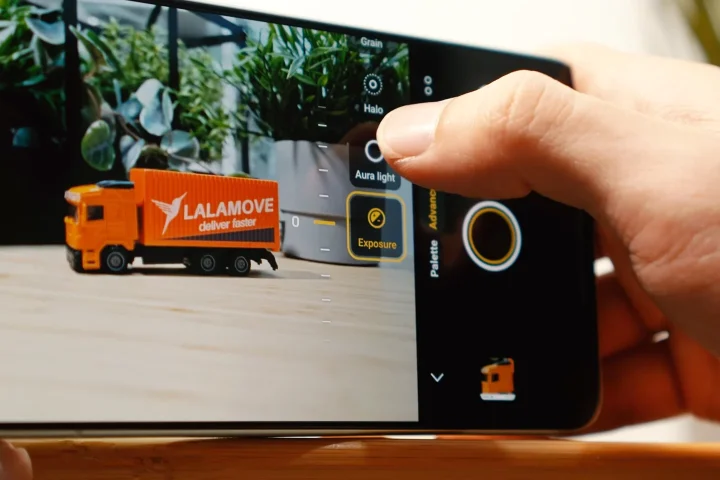
Here, the colors look a lot more natural out of the box, but users can fine-tune the ZEISS settings even more to suit their preferences. The same can be done for other color profiles if you want a different look and feel to the images.
It’s not just the color profiles that users can play around with. There are various photo modes to choose from, including “Street Photography” and “Landscape and Night.” In these modes, users can quickly switch to pro mode, allowing them to adjust camera parameters further, such as shutter speed, ISO, and the like.
These modes help users frame and capture photos better, depending on the conditions. However, sticking to regular photo mode is great as already, especially if there’s not enough time to set up a proper shot.
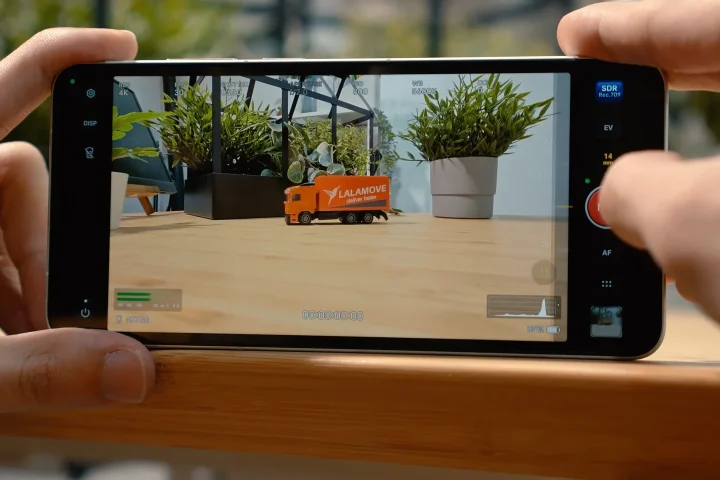
As for video, the camera can record up to 8K@30FPS max. However, we noticed that it doesn’t have the best quality, even with the high resolution. The quality is similar to the images, but there is a noticeable drop in quality when in low light.
There is still some form of stabilization, but it’s not as great as expected. It also eats up a lot more storage. With that, most of the videos we shot were in 4K.
Not to mention, Dolby Vision only works in 4K resolution. Thankfully, even at 4K120FPS, Dolby Vision still works, giving users better colors and contrasts. Similar to the images, the videos come out sharp, and there is no difference in quality when shooting with either of the lenses.
For users who need more stabilization, there’s ultra stabilization mode available, but it limits video recording to 2.8K30FPS. Honestly, it’s not needed unless you have really shaky hands. Similarly, there is also Pro mode available, allowing users to adjust the settings manually. Videos can also be recorded in Log format, giving users more control over when adjusting settings in post.
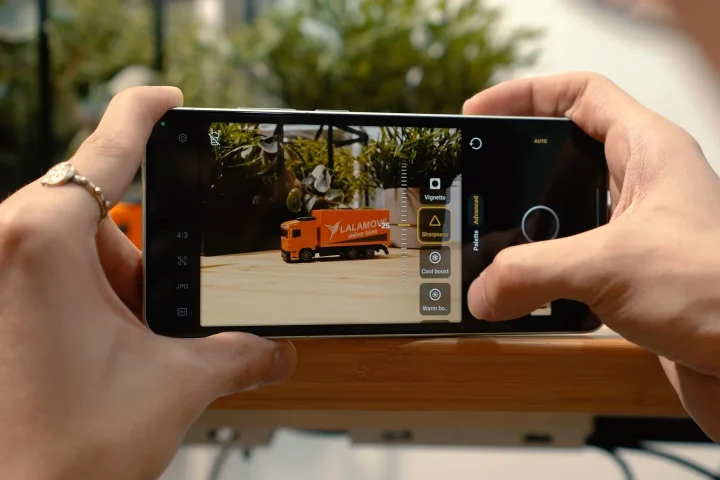
All of the adjustments can be overwhelming, especially for those who aren’t used to playing around with camera settings. But for those who do know how to maximize it, they definitely won’t be disappointed with the vivo X300 Ultra.
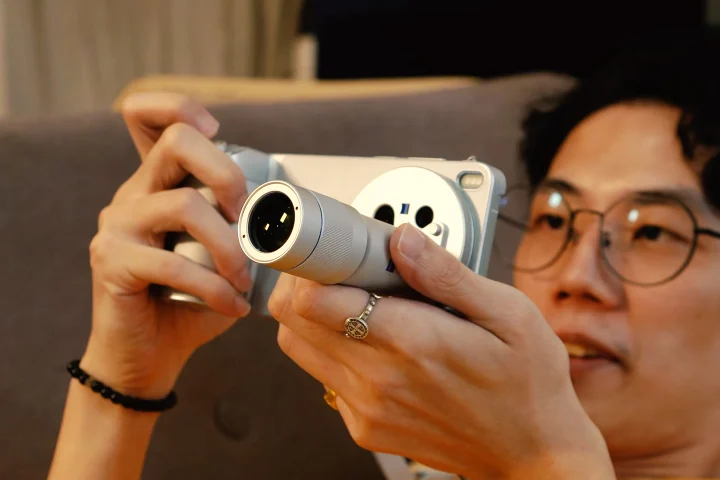
Not to mention, those who get the Photographer Kit can also take advantage of the two add-on zoom lenses. There’s a 200mm Zeiss lens with 2.35x optical zoom and a 400mm lens with 4.7x optical zoom. Unfortunately, the focal length is unchangeable; with that, we found the 200mm to be the most useful to bring around.
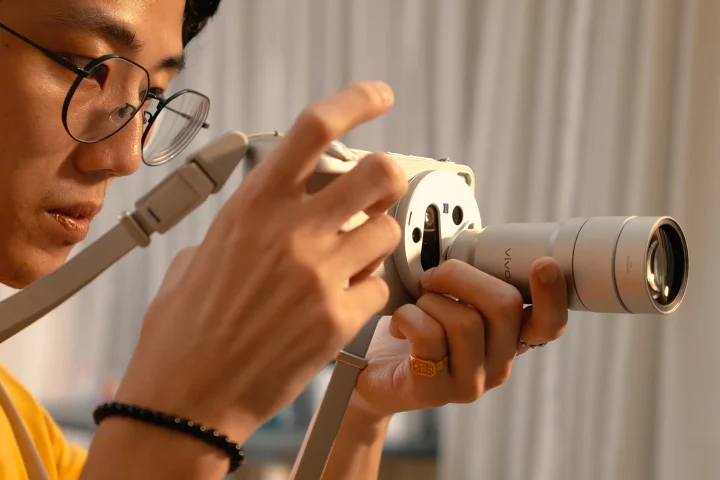
There’s also the grip kit, which attaches via the USB-C port. With this, it makes the X300 Ultra almost like a camera since the zoom function, shutter button, and movie record are all easily within reach. This makes it more convenient to use as a camera, especially when the Zeiss lenses are installed.
The only downside is that with these attachments equipped, it’s more of a camera now instead of a phone.
But anyway, check out the photos and video we were able to capture using the vivo X300 Ultra in the gallery below.
vivo X300 Ultra Sample Photos 2
Monday, Jun 8


vivo X300 Ultra Sample Photos
May 26 – Jun 7


Performance and Benchmarks
The cameras might be the highlight of the vivo X300 Ultra, but that doesn’t mean it’s not a great phone to use on a daily basis. It packs a lot of punch, featuring a Snapdragon 8 Elite Gen 5 chipset along with vivo’s Professional Imaging Chip VS1+, which mainly helps with post-processing photos.
Our review unit comes with 16GB of RAM and 512GB of UFS 4.1 storage. There’s no microSD slot to expand storage further, meaning if users plan to take a lot of raw photos or log videos, it might be used up rather quickly.
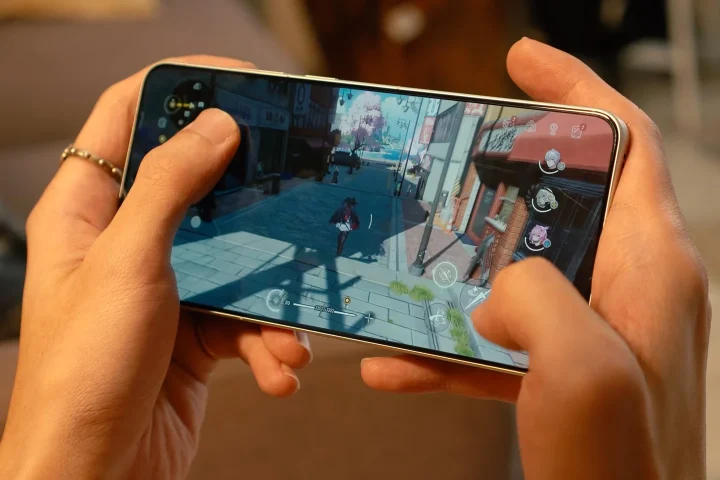
With the chipset it comes with, we’re no longer surprised at what the X300 Ultra can handle. Needless to say, all your productivity applications won’t be an issue. Even if you leave all of them running in the background, you can quickly switch back and forth between them to pick up where you left off.
When it comes to games, it could handle them all as well. We mainly played Neverness to Everness on this phone, and it didn’t have any problem running on the max settings. There weren’t any framerate drops or lags, and the loading times were fast too.
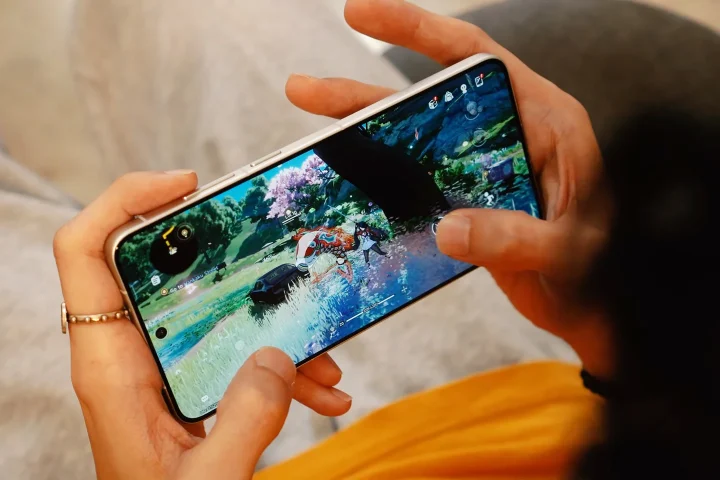
We were able to explore the map and spend countless hours on the game, mainly because of how great NTE looked on this phone. That said, if this phone could run NTE without issues, we’re certain it can handle almost all the games you guys can throw at it. This goes for lighter titles like Genshin and ZZZ.
The only issue when gaming is that the X300 Ultra has a tendency to heat up. It’s not limited to NTE, as we also felt the phone become quite warm when we were only playing Genshin. Thankfully, there’s no drop in performance even when the phone started to heat up.

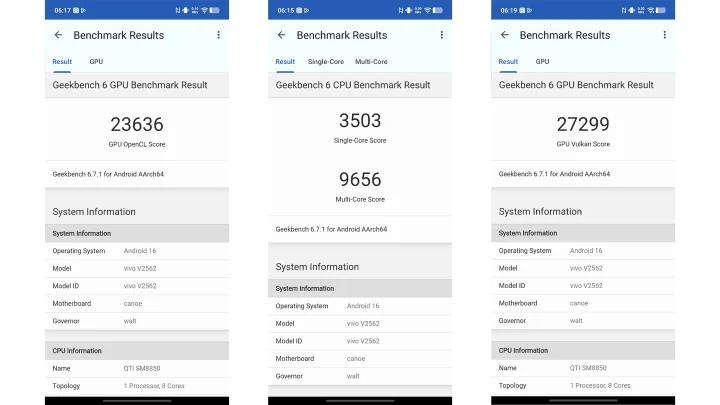
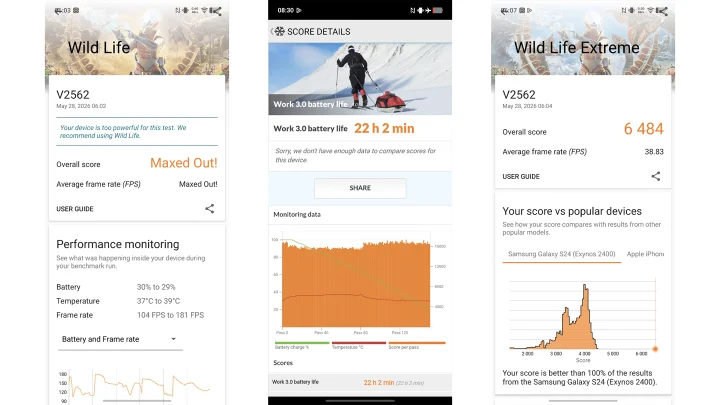
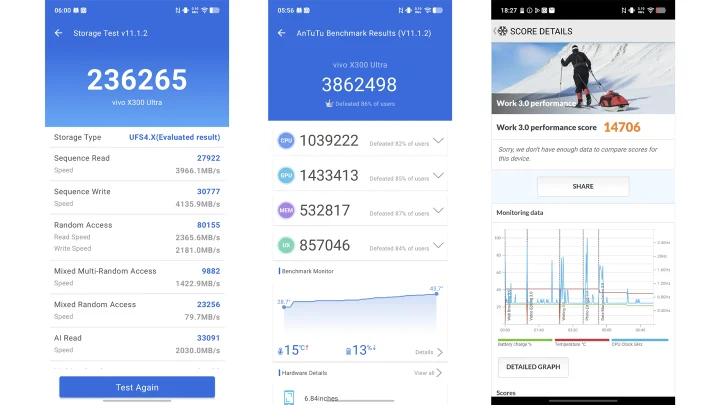
As for the benchmarks, they’re listed below, and these are some seriously impressive numbers.
| Device: | vivo X300 Ultra |
|---|---|
| Chipset: | Qualcomm Snapdragon 8 Gen 5 |
| RAM | 12GB |
| Antutu v9.5.4 | 3,862,498 |
| Antutu v11 Storage | 236,265 |
| Seq. Read | 3966.1 MB/s |
| Seq. Write | 4135.9 MB/s |
| Geekbench Single-Core | 3,503 |
| Geekbench Multi-Core | 9,656 |
| Geekbench OpenCL | 23,636 |
| Geekbench Vulkan | 27,299 |
| 3D Mark Wild Life | Maxxed Out! (104-181 Avg fps) |
| 3D Mark Wild Life Extreme | 6,484 (38.83 Avg fps) |
| PCMark Work 3.0 | 14,706 |
OS, Apps, and UI
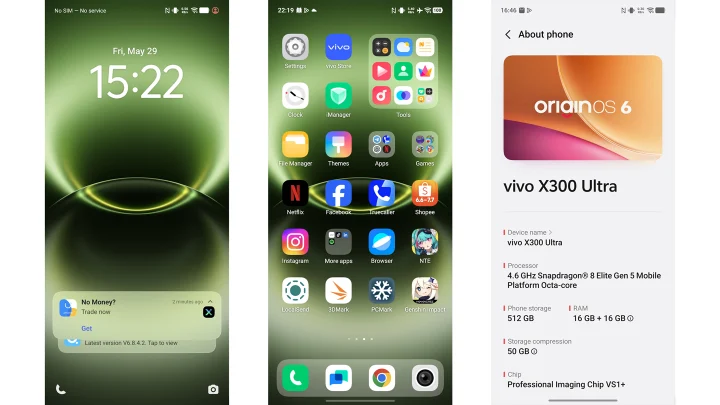
The vivo X300 Ultra runs on Android 16 skinned with OriginOS 6. It’s a nice-looking OS, and it’s very easy to use even for those coming from iOS.
There’s also the usual AI functionalities like Google Gemini and Circle to Search. We also get AI features in the notes app, which can help with writing and expanding topics.
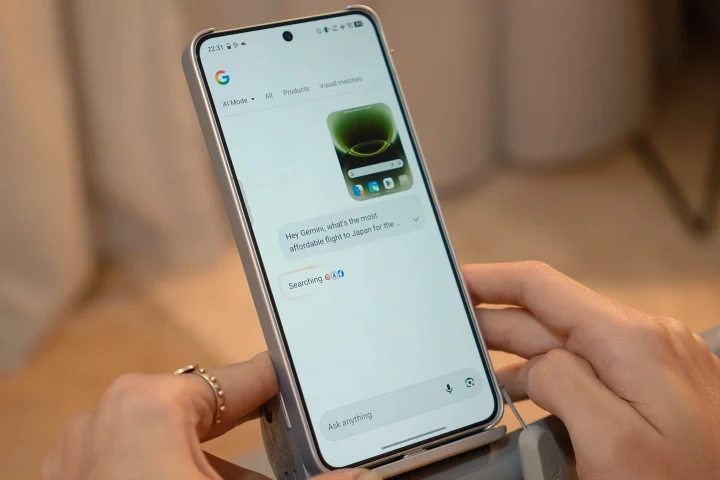
Meanwhile, the AI editor in the gallery is similar to most Android phones, and is probably the one users will use the most. It’s here where users can retouch their photos, delete people in the background, and expand the image. But given how amazing the photos are already, there’s not a lot of use for it except for the removal.
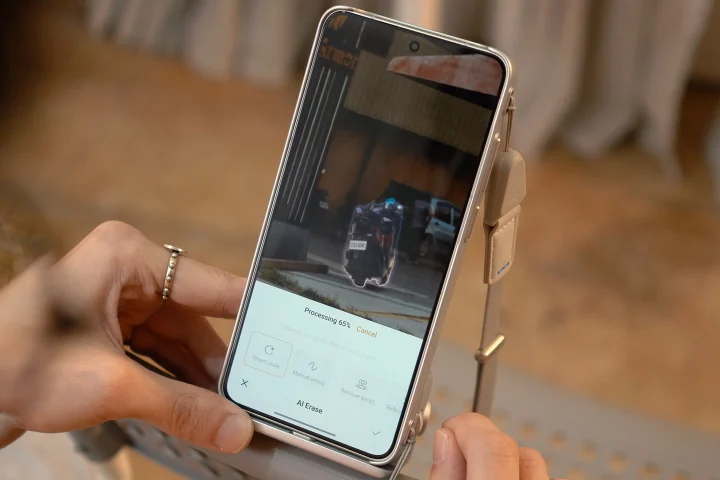
Fortunately, not a lot of bloatware on OriginOS 6, and they’re all neatly hidden in one app. What we didn’t like were the notifications and ads we were getting from the V-appstore. It’s quite annoying to keep seeing random notifications pop up that we ended up turning off notifications for that app. Fortunately, the OS supports up to 5 years of upgrades and seven years of security updates.
Battery
Powering the vivo X300 Ultra is a large 6,600mAh battery pack, and it actually translates to a long battery life. At 93 percent, the phone says it still has more than 2 days of battery life left, which at first we thought was optimistic.
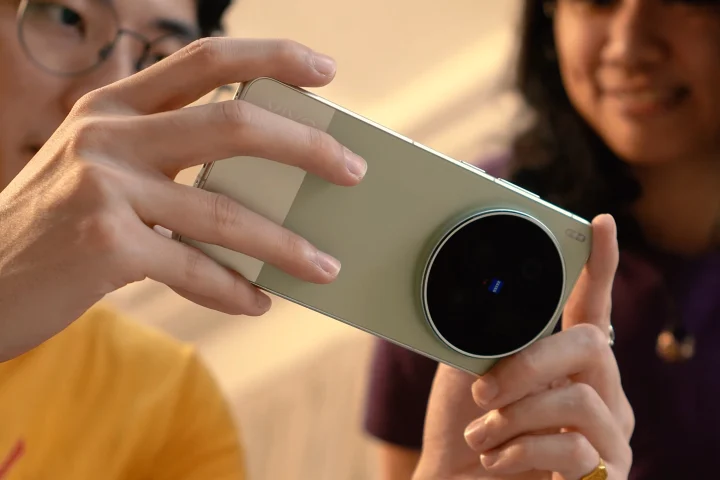
But even after using the phone for an entire day to take photos, videos, and watch YouTube, it didn’t drain the battery that much. The battery benchmarks also backed it up with similar results. With PCMark’s Battery Test, we were able to record 22 hours and 2 minutes of battery life, which is an amazing score. Our video loop test also scored decently with a result of 49 hours 43 minutes.
The only time the battery drained relatively faster was when we were playing games for extended periods of time. Specifically, we noticed it draining faster when the phone started heating up already.
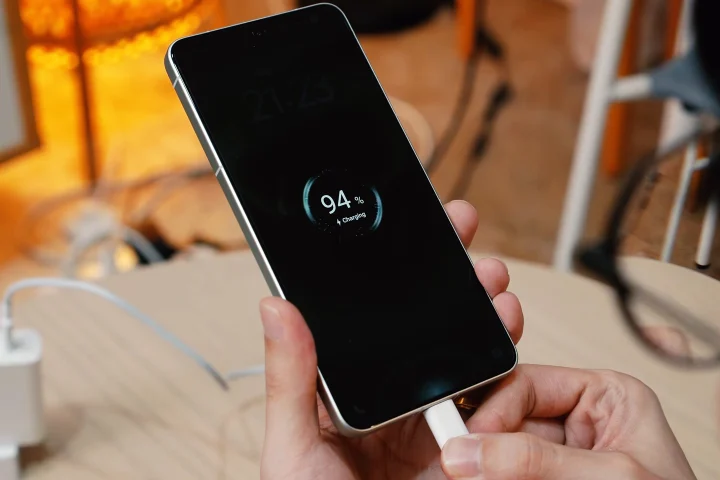
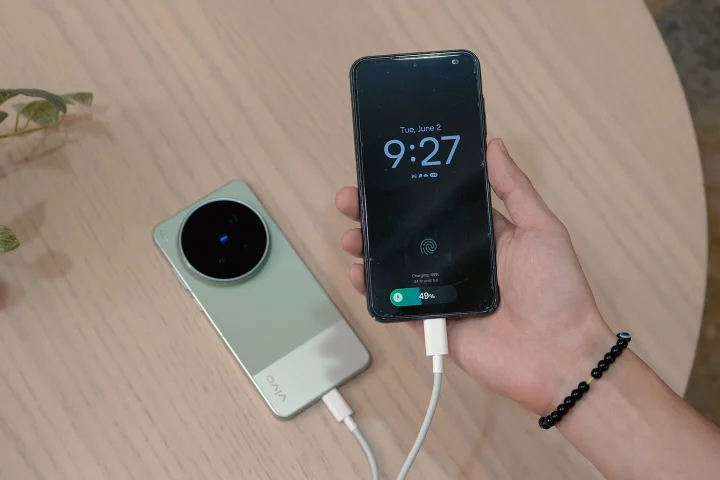
Fortunately, there’s no need to worry about charging since the phone features 100W wired fast charging and 40W wireless fast charging. The X300 Ultra also features reverse wired and reverse wireless charging.
For connectivity, there’s eSIM support, Wi-Fi 7, Bluetooth 5.4, NFC, GPS, and infrared.
Conclusion
Overall, the vivo X300 Ultra is a great phone, especially for those who love taking photos and videos. It’s a great alternative to bringing a camera, especially for those who want to travel light. Not to mention the display is beautiful, and with the capable chipset, it can also handle all the games users can think of.
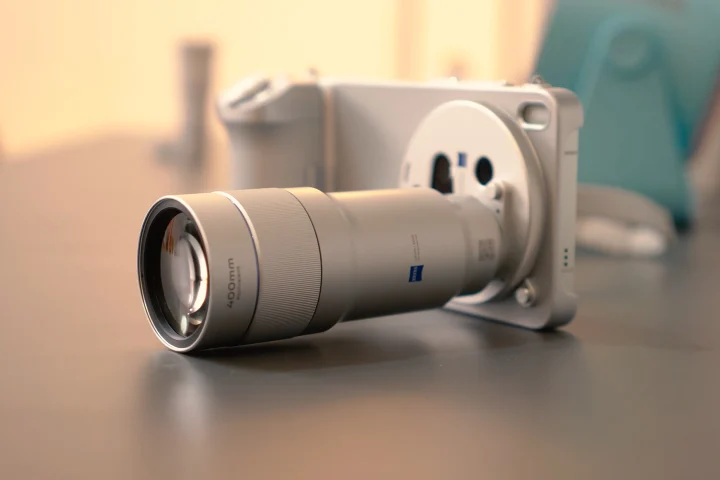
For those who want to enhance the photography and videography experience further, they can pick it up with the Pro Photographer Kit, which includes the lenses, case, and camera grip.
If anything, the only things we didn’t like about the X300 Ultra are the ads and notifications coming from the vivo apps. Thankfully, these can be easily addressed in the settings.
Price
The only issue we’re sure most people would have with the vivo X300 Ultra is the price. For those who thought the X300 Pro was already expensive, well, the X300 Ultra is a lot pricier.
It starts at PHP 109,999 for the vivo X300 Ultra alone. Want the vivo X300 Ultra Photographer Kit like ours? This will set you back PHP 149,999. For reference, that’s more expensive than some full-frame cameras, which will undoubtedly still capture better images, provided the user has the skills.
No doubt, that’s a lot of money, and honestly, for those who won’t be able to maximize the potential of the X300 Ultra’s cameras, this isn’t the phone for you. But for those who want to take photos and videos on the go without having to bring a separate camera, the vivo X300 Ultra is a great choice, no doubt about it.
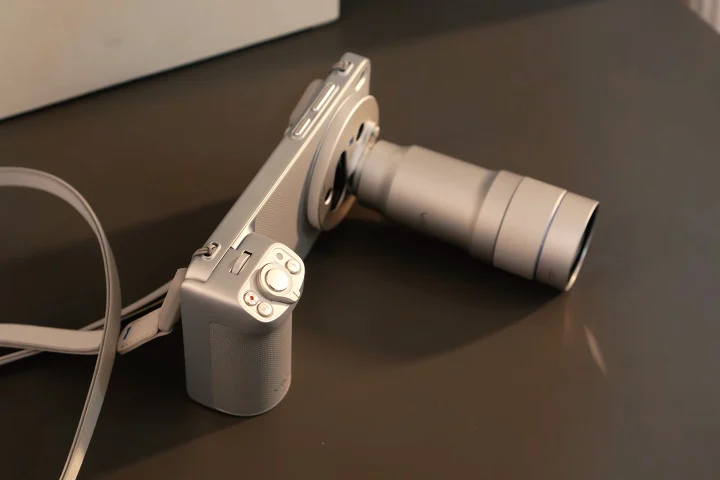
Alternatively, you can also save your money and buy a proper DLSR or mirrorless instead, since getting the Photographer Kit effectively cancels its usefulness as a smartphone, given how bulky it becomes.
Still, what do you guys think about the vivo X300 Ultra and the Photographer kit available with it? Would you pick one of these up or spend money on a full-frame camera instead? Whatever the case share your thoughts in the comments below.
What we liked:
- Amazing cameras
- Very powerful chipset
- Long lasting battery
What we didn’t like:
- Very expensive
- Bulky design
vivo X300 Ultra specs:
6.82-inch LTPO AMOLED display
3168 x 1440 resolution, 510 ppi
144Hz refresh rate
Dolby Vision, HDR10+, HDR Vivid
2160Hz PWM dimming
Armor Glass protection
Ultra HDR image support
Qualcomm Snapdragon 8 Elite Gen 5
3nm octa-core processor
Adreno 840 GPU
12GB / 16GB RAM
256GB / 512GB / 1TB storage
No microSD card slot
Triple rear cameras:
50MP f/1.7 main camera, OIS
200MP f/2.3 periscope telephoto, OIS, 3.7x optical zoom
50MP f/2.0 ultrawide camera, OIS
Optional telephoto extenders:
200mm, 2.35x optical zoom
400mm, 4.7x optical zoom
ZEISS optics
ZEISS T* lens coating
Laser AF
Color spectrum sensor
LED flash
8K video recording
4K 120fps recording
10-bit Log
Dolby Vision HDR video
50MP f/2.5 front camera
Dual nano-SIM + eSIM
5G, 4G LTE
Wi-Fi 7
Bluetooth 5.4
GPS, GLONASS, GALILEO, BDS, QZSS
NFC
USB Type-C 3.2
DisplayPort support
Under-display fingerprint scanner
Stereo speakers
24-bit / 192kHz Hi-Res audio
IP68 / IP69 dust and water resistance
OriginOS 6
Android 16
6600mAh silicon-carbon battery
100W wired charging
40W wireless charging
Reverse wired charging
Reverse wireless charging
163 x 76.8 x 8.2 mm / 8.5 mm
232g / 237g



0 Comments
Leave a Reply