
Everything Apple Announced at WWDC 2026: New Siri AI, iOS 27, macOS Golden Gate, and a Whole Lot More
The presentation covered three main areas: platform refinements (performance, design, usability), trust and safety (a major expansion of child safety tools), and Apple Intelligence (the next generation, built around a completely rebuilt Siri). Here is the full breakdown.
macOS Golden Gate
Craig Federighi delivered his usual bit about Apple’s marketing team going rogue. This time, they piled into a microbus and handed him a cryptic note about “floating on a span of gold over infinite seas.” When they finally returned, the name was confirmed: the next version of macOS is called macOS Golden Gate, named after the famous strait near San Francisco.
READ ALSO: macOS Golden Gate Is Apple’s New Desktop OS
Platform Improvements: Sweating the Details
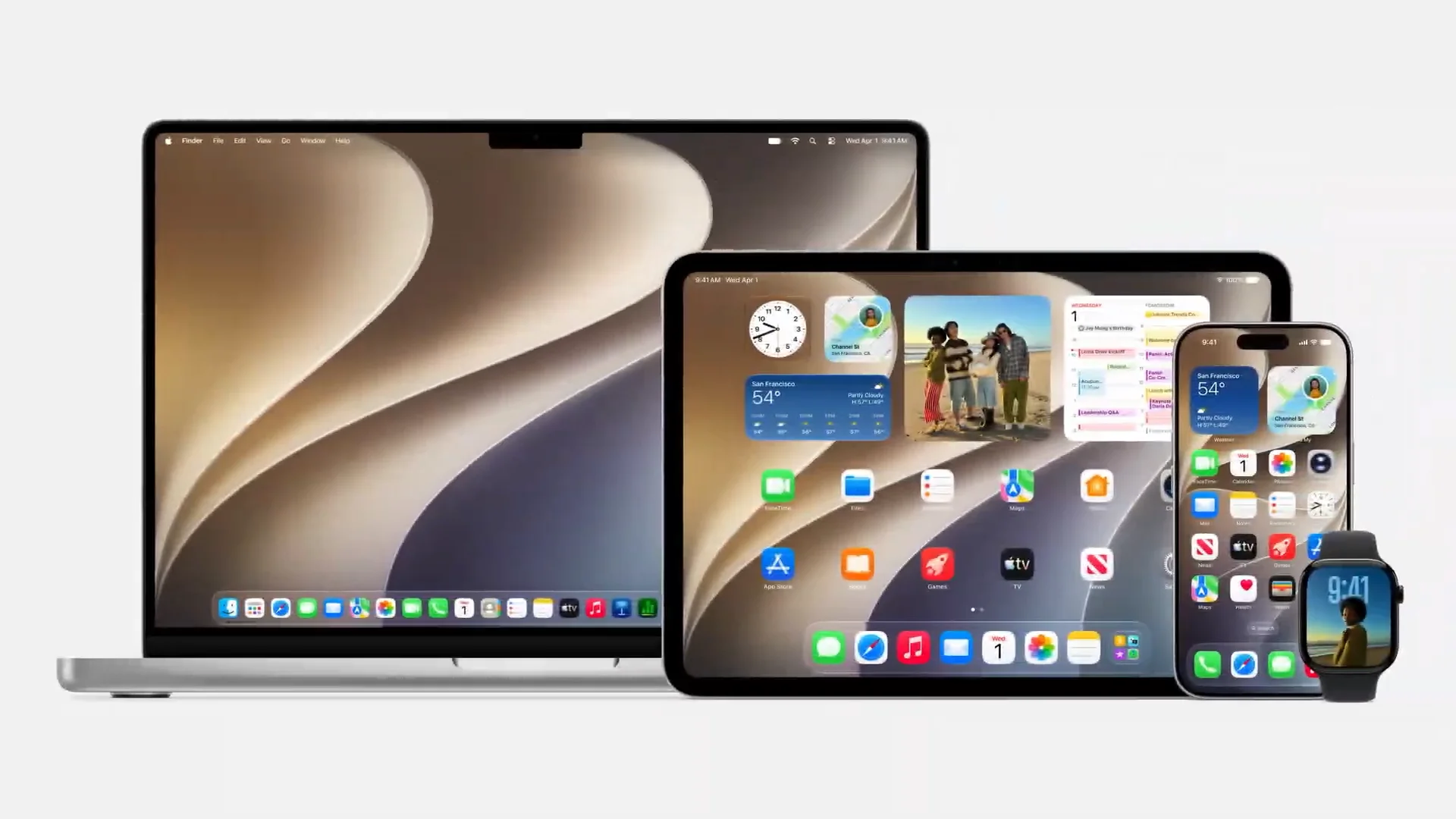
Apple’s Stacy (VP, Software Engineering) and Shabam (VP, Human Interface) walked through what the company is calling a year of “sweating the details.” The focus is on going deeper with polish, speed, and reliability rather than piling on new features.
Liquid Glass Gets Tuned
Liquid Glass, the glass-inspired design language Apple introduced in iOS 26, is getting real refinements in iOS 27 based on user and developer feedback.
Opacity slider in Settings: Users can now dial Liquid Glass anywhere from ultra-clear to fully tinted, personalizing the look system-wide. Developers who already adopted Liquid Glass get this for free in their apps.
Improved readability: Apple retuned the diffusion so Liquid Glass better obscures complex content behind it, adding more depth and separation without losing legibility.
macOS-specific fixes: A more uniform toolbar across apps keeps text labels and headings legible. Sidebars now expand to the edges of windows with colored icons returning to help distinguish apps. All windows get a tighter, consistent corner radius.
Redesigned app icons: Additional layers of Liquid Glass are integrated directly into each icon, making them sharper and more defined on the dock and home screen.
READ ALSO: iOS 27 Fixes Liquid Glass and Brings Design Refinements
Performance Gains
App launch speed up to 30% faster on iPhone and iPad. Apple preloads key app data so apps are ready before you tap.
New photos appear up to 70% faster in the Photos library.
AirDrop transfers up to 80% faster.
iPad file transfers to external drives up to 5x faster, on par with Finder on Mac.
CPU scheduler optimized for newer iPhones and brought back to iPhone 11 and later. iOS 27 runs on the same devices as iOS 26 and includes real responsiveness improvements on older hardware.
Smarter Wi-Fi to cellular transitions: iPhone is now better at knowing when to stick with Wi-Fi versus switch to cellular. No more manually toggling off a random coffee shop network.
Large file sends in Messages no longer block conversations. A new send indicator shows per-message delivery status.
Rebuilt search index for Spotlight, Photos, and Mail across iOS, iPadOS, and macOS. More stable, more comprehensive, faster at indexing new content, with improved ranking in Mail’s top hits.
READ ALSO: iOS 27 Performance Upgrades and still supports iPhone 11
New Features Across Apps
iCloud Shared Albums: Android and Windows users can now join shared albums and contribute photos. Albums also now support full-resolution sharing. No more compression.
Health app: Cycle tracking now supports perimenopause and menopause with notifications when patterns suggest perimenopause, symptom logging, and educational content.
AirPods: Custom EQ lets you fine-tune your listening profile.
Apple Vision Pro: Panoramas you shoot can now be turned into spatial scenes with depth and realism, or used as your environment.
Maps Flyover: Rebuilt with aerial imagery and vision intelligence models. Sharper architectural detail, individual tree shapes, light reflecting off glass. Cities look dramatically better.
Trust and Safety: Major Child Safety Expansion
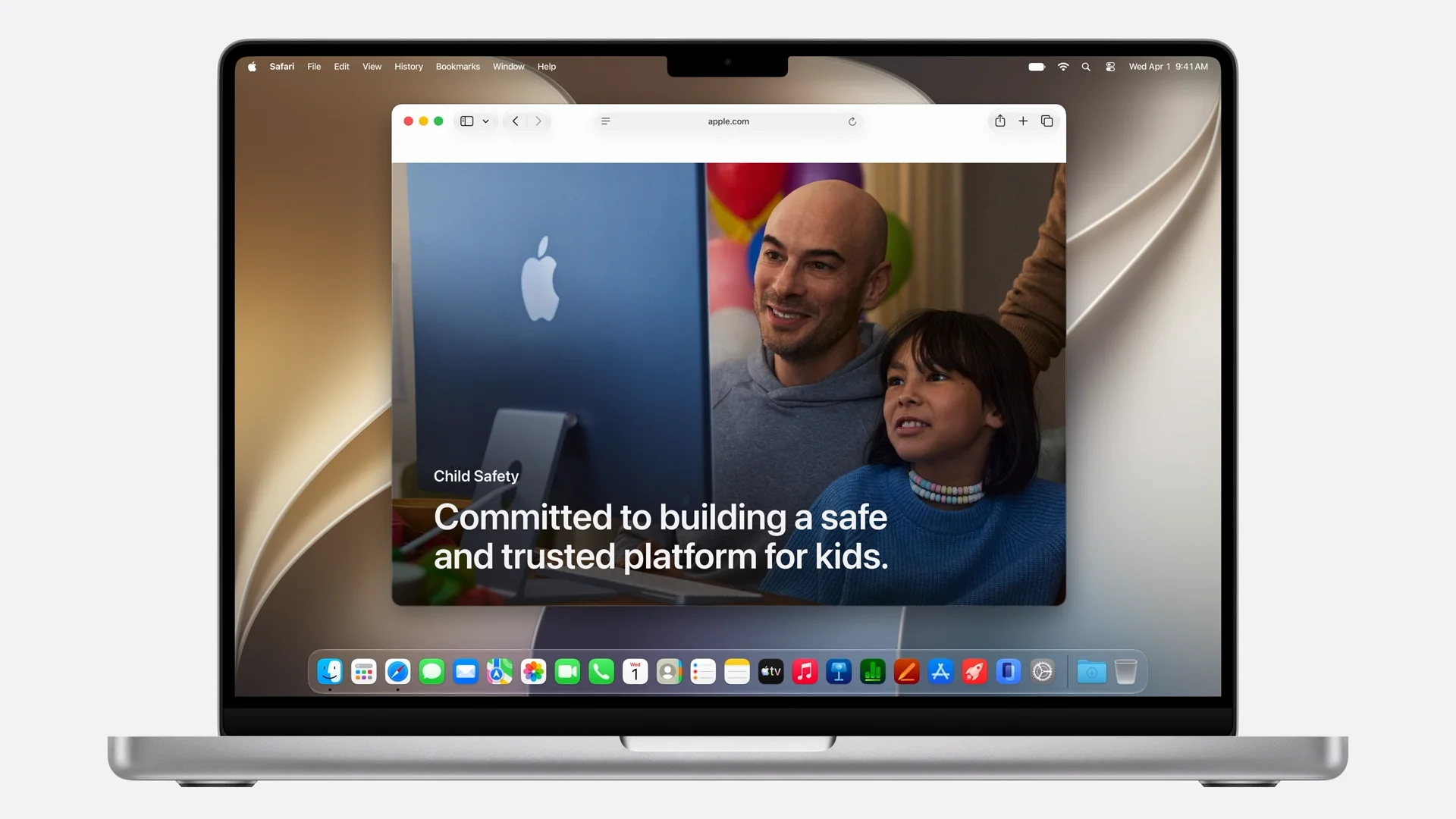
Apple dedicated a substantial portion of the keynote to child safety, introducing what it calls its biggest expansion of parental controls to date. The centerpiece is the Child Account. Apple is pushing this as the critical first step every family should take, because it automatically enables age-appropriate safeguards across the system: blocked adult websites, age-gated media, restricted App Store access.
What’s New for Parents
Content control:
A new setup assistant lets parents choose exactly which apps kids start with, either an “essentials only” set or a fully custom selection.
Ask to Browse extends the “Ask to Buy” system to the web. Kids must request permission before viewing a new website. Parents review and approve right in Messages. Available on iPhone, iPad, and Mac via Safari. On by default for accounts under 13.
Who kids can talk to:
Parents can start with family only, then expand. Permission is required before kids add new phone numbers. Communication Safety is now expanded to gore and violent content. It already blocked nudity and now also intervenes on violent images and videos in Messages and FaceTime.
When kids have access:
Time Allowances: A new front-and-center section in Screen Time with expert-backed daily allowance recommendations for entertainment, games, and social media, developed with the American Academy of Pediatrics. Parents can adjust all of it.
Schedules: Parents can set which apps are available at different times of day, school hours versus weekends versus evenings.
Screen Time is redesigned for easier at-a-glance management and quicker adjustments.
READ ALSO: Apple Overhauls Child Safety with New Parental Controls in iOS 27
Developer responsibility:
Apple is also pushing app developers to implement child-appropriate experiences. Full API and resource access is available for content filtering, nudity and violence detection, contact approval, and a privacy-preserving Declared Age Range API.
Apple is also launching a new child safety website with guidance and FAQs for parents to get started.
Apple Intelligence: Next Generation
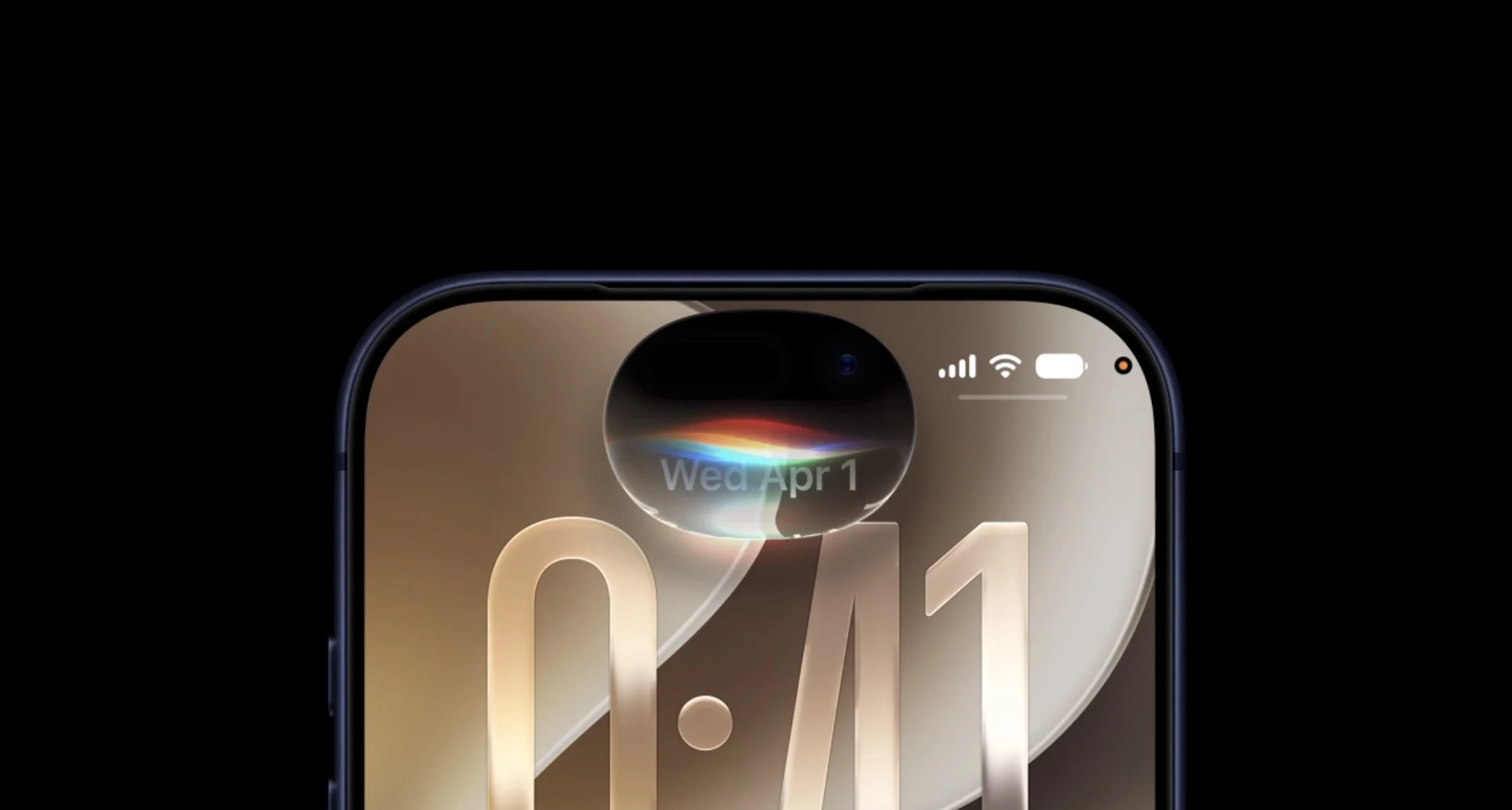
Craig introduced the next generation of Apple Intelligence with a clear philosophy: “AI must be centered around you and your needs.” The new architecture has three pillars: personal context understanding, app actions, and on-screen awareness, all built privacy-first with on-device processing and Private Cloud Compute.
The Google Partnership
Here is a headline many were not expecting. Apple collaborated with Google to build the new Apple Foundation Models, leveraging the technologies behind Google’s Gemini family. Together, they created the next generation of models adapted to run on-device and on Apple’s Private Cloud Compute servers. This is a significant shift. Apple’s AI is now co-developed with Google’s model expertise.
The result is a multimodal system with image understanding and generation (photorealistic, on Private Cloud Compute), speech understanding for more expressive Siri voices and better dictation, text and image input across all system capabilities, and a second more powerful on-device model for the most capable Apple Silicon devices.
Siri AI: A Complete Rebuild
Apple is calling it Siri AI, a completely rebuilt version of Siri powered by Apple Intelligence. Same activation methods (Hey Siri, side button), but what it can do is dramatically different.
What Siri AI Can Now Do
Personal context: Finds things from your photos, messages, emails, and notes just by asking. “Show me photos from Shasta last weekend. Add just the ones with Bryce, Madison, and Quinn to the family album.”
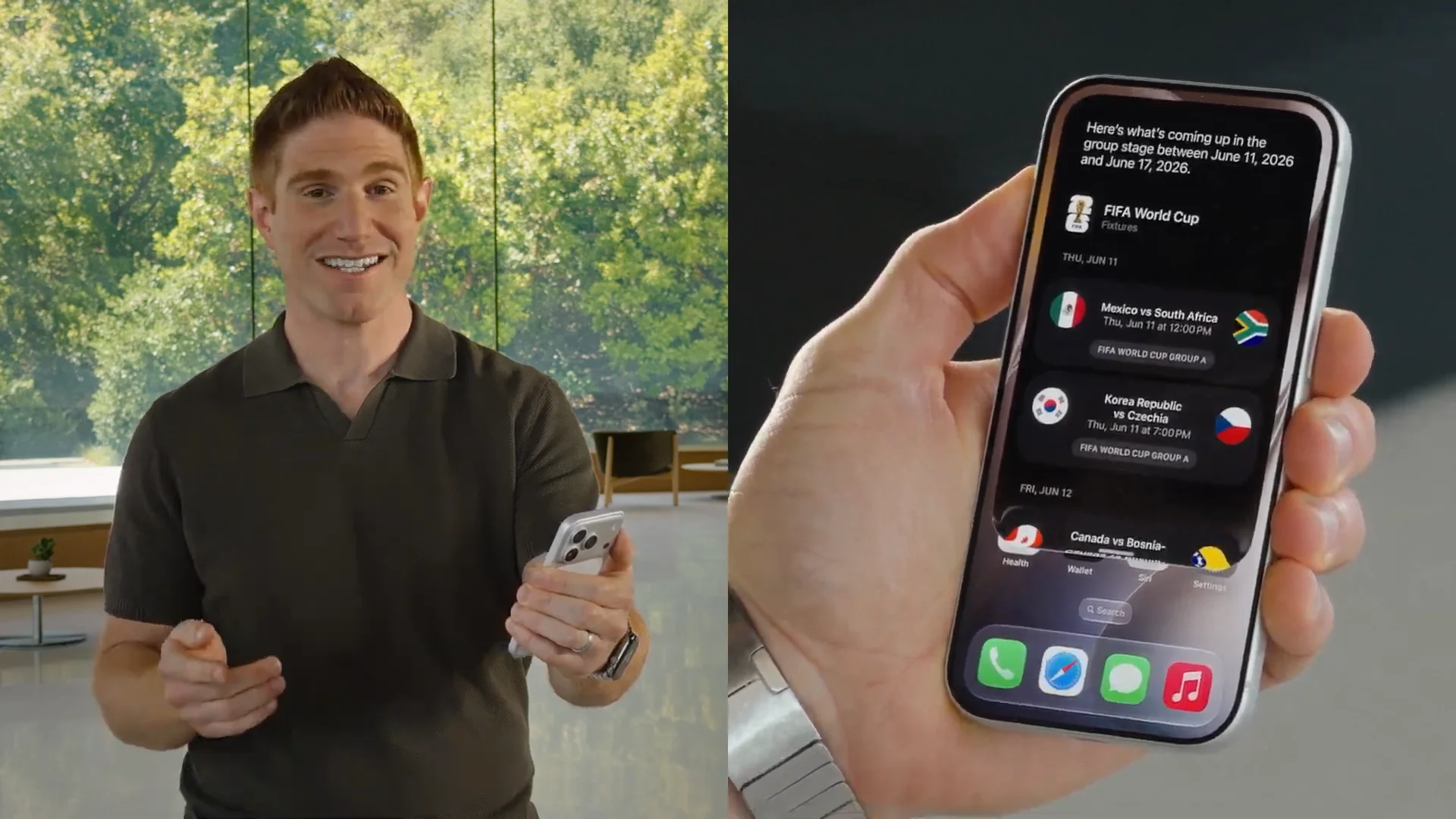
World knowledge: Draws on up-to-date information from the web via Private Cloud Compute. “What’s the schedule for opening weekend of the World Cup?” Answered inline with current info.
App actions: Drafts emails, sets reminders, adds calendar events, shares photos, all from a single Siri request.
On-screen awareness: Siri can identify what’s on your screen and take action. Looking at a photo from the Santa Cruz coast? Ask Siri where it is, then get directions with a stop at a contact’s address found in an old message.
READ ALSO: Apple Built Its New AI Foundation Models With Google
Richer Conversations
Siri AI supports extended back-and-forth. The demo showed planning a World Cup watch party: asking for iconic dishes from Brazil and Morocco, pulling a dessert a family member mentioned in Messages, assembling a themed menu, then composing and sending a group message, all in one Siri session without touching any other app.
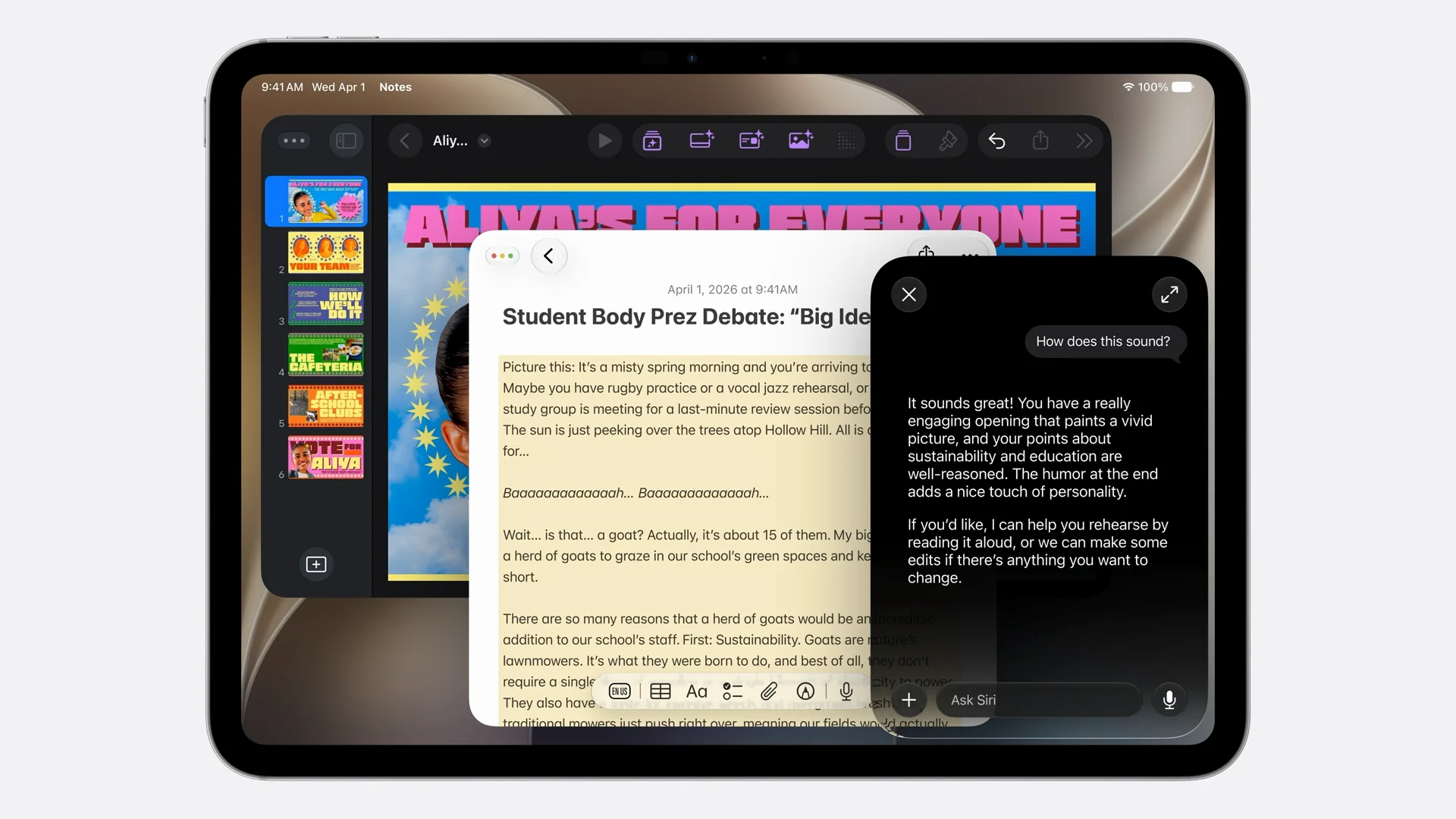
On iOS, swipe down from the Dynamic Island to start a typed conversation or use Hey Siri or the side button for voice. On macOS, Siri is now integrated into Spotlight. Type a query in Spotlight and it recognizes when you want Siri, then launches a full conversation panel. Control-click on any file, image, or text for a contextual Siri menu. The demo showed comparing multiple shed quotes across three files: “Compare these and help me pick one. Factor in an electrical problem my son mentioned.” Siri parsed all three PDFs and surfaced the right recommendation.
Dedicated Siri App
A new Siri app is available across iPhone, iPad, Mac, Apple Watch, and Vision Pro. It stores your full conversation history, privately synced via iCloud. Start a conversation on iPhone, continue on iPad, finish on Mac.
New Voice Experience
For the most capable Apple Silicon devices, Siri gets a new voice engine that is significantly more expressive and customizable. You can adjust expressivity and pace. The dictation system also gets a major accuracy upgrade: better spelling, punctuation, and capitalization, available system-wide including in third-party apps.
READ ALSO: Apple Rebuilds Siri From Scratch and Calls It Siri AI
Platform-Specific Siri
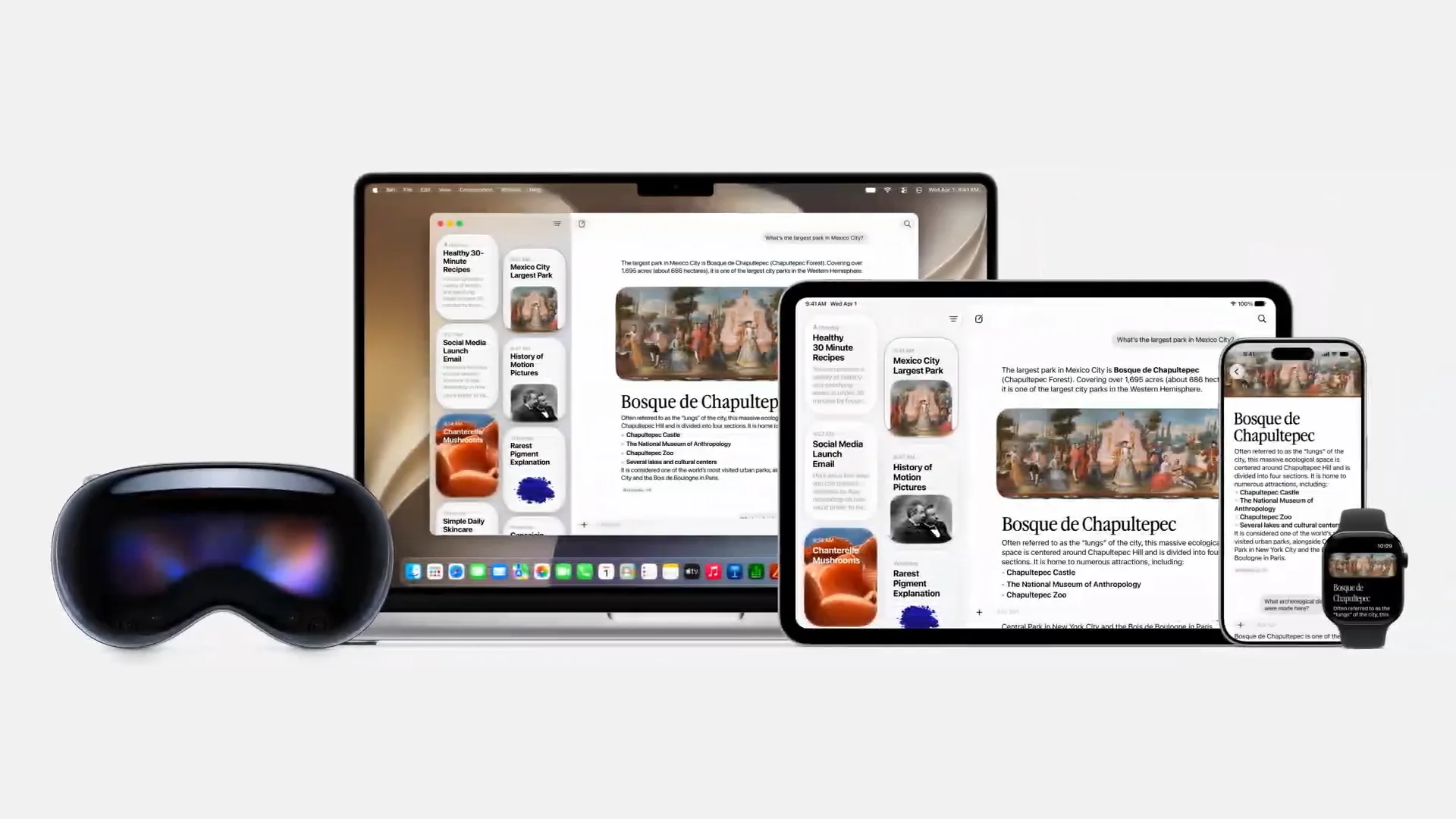
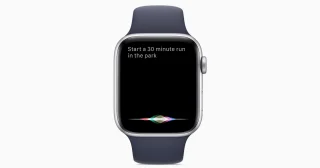
watchOS: Siri AI tailored for the wrist, accessible via voice or the new Apple Watch app grid.
visionOS: A 3D animated Siri orb you can place anywhere in your space. No Hey Siri required. Just look at the orb and start talking.
CarPlay and AirPods: Full Siri AI support.
Availability Caveats
Siri AI launches in English first, with more languages coming quickly.
Not available in the EU on iOS and iPadOS at launch. Apple is working on a path forward that preserves privacy and security.
Not available in China while Apple works through regulatory requirements.
Launching in beta later this year for customers. Developer preview is available today.
Visual Intelligence
Siri’s new visual intelligence is integrated across platforms.
iPhone Camera app: A new Siri mode lets you point the camera at anything and tap the shutter for real-time information. Point at a plate of food for nutritional insights. Point at a restaurant bill, select what you ordered, and split the total via Apple Cash. Images and conversations save to the Siri app.
macOS: A keyboard shortcut activates visual intelligence. Select any area on screen and type a question to Siri. Useful for selecting a schedule image and having Siri add all events to Calendar at once.
iPad: Visual intelligence is integrated into the screenshot flow.
visionOS: Ask about physical objects around you just by looking at them. The demo showed asking if a backpack fits airline carry-on requirements, then whether hiking boots would fit inside it. Siri used personal context from Mail to answer both.
READ ALSO: Apple Puts a Siri Camera Mode on iPhone, Visual Intelligence Across All Platforms
Writing Tools
Siri now powers writing assistance virtually anywhere you type.
Generate from scratch: Describe a document in natural language and Siri produces a draft.
Style matching: In Mail and Messages, Siri drafts in your usual tone for a specific recipient. If you normally send your manager bullet points, that is what you will get.
Writing feedback: Select text, ask Siri how it sounds, get specific suggestions.
Automatic proofreading system-wide, no extra step required, works in most third-party apps.
Safari
Tab organization: Apple Intelligence automatically groups tabs into topics like shopping, travel, and work, and keeps adding related tabs as you browse. Close an entire topic or save it as a tab group.
Notify Me: Tell Safari what change to watch on a page in natural language (“alert me when camp signups open”), then close the tab. Safari monitors in the background and notifies you.
Describe and Extension: Describe a custom browser behavior in natural language and Safari creates an extension for it. Example: add a toolbar button to save and rate recipes.
Passwords integration: Passwords uses Apple Intelligence and Safari to navigate websites and update weak or compromised passwords automatically with just a tap. Safari handles the sign-in flow. Your data stays on-device throughout.
Messages, Mail, Calendar, Phone
Messages: One-tap suggestions based on conversation context to create reminders, notes, and find photos. Smart photo search recognizes keywords, locations, and people mentioned in conversation.
Mail: More capable contextual suggestions. Quick-action to third-party apps based on email content.
Calendar: Add events by typing a natural language description. Calendar identifies contacts, locations, and titles automatically. Easier recurring event editing.
Phone: Call Context. When you call a business, the Phone app proactively surfaces relevant information from your apps, like finding a flight confirmation code in Mail before the airline picks up. Runs entirely on-device.
READ ALSO: Apple Intelligence Comes to Messages, Mail, Calendar, Phone App
Home App
Accessory notifications grouped into single continuous activities rather than a flood of individual pings.
AI-generated camera clip descriptions: The Home app can describe what happened in recorded clips from compatible cameras.
Semantic camera search: Search clips by what was captured, like “package delivery.” The Home app surfaces the most important clips at the top automatically.
4K resolution for recordings on supported cameras.
READ ALSO: watchOS 27 and visionOS 27 Get Siri AI and New Interfaces
Shortcuts
Shortcuts gets an AI-powered creation flow. Describe what you want in natural language and Shortcuts assembles all the steps automatically. Example: “When I’m leaving work, message Pedro I’m on my way with my ETA.” Shortcuts builds an automation that triggers on location, calculates ETA via Maps, and sends via Messages. Refine it by describing changes and Shortcuts makes the adjustment.
READ ALSO: Safari Gets AI Tab Organization, Notify Me, and Custom Extensions in iOS 27
Image Playground
Completely rebuilt with more powerful image models on Private Cloud Compute.
Photorealistic image generation in any style, including photo-realistic. Transform your own photos into any described style. Touch-based editing: circle an object to select it, then move, resize, or modify it via natural language. (“Add candles to the cake.”) Extent tool to expand images, adding breathing room around subjects or space to straighten a crooked horizon.
Dimension control: choose portrait, landscape, or custom aspect ratios for your output. Generates contact posters and lock screen wallpapers from your library and favorite locations. New Image Playground API for developers.
Photos: Spatial Reframing
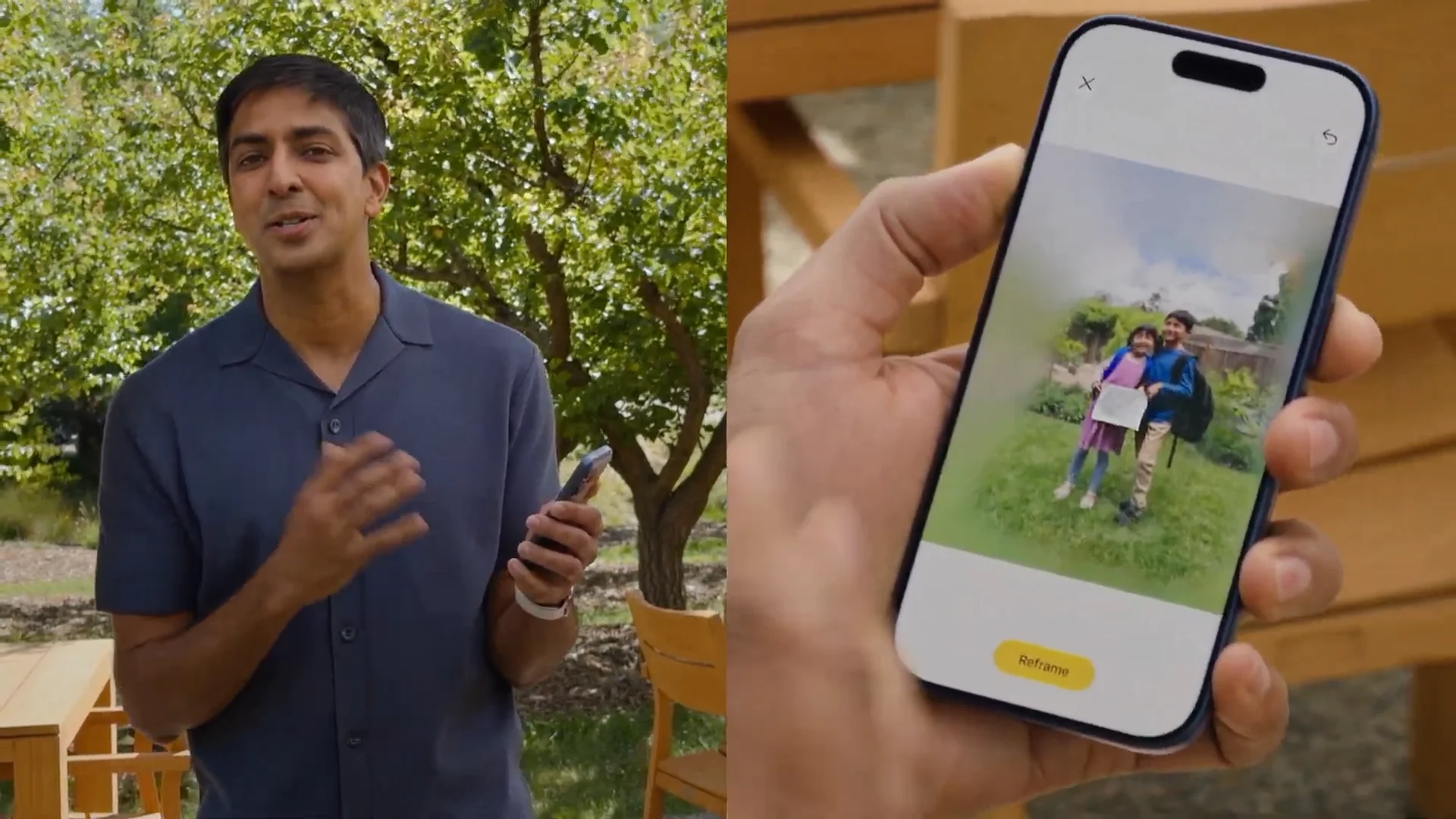
The biggest new Photos feature is Spatial Reframing. Using Apple’s on-device spatial models combined with Private Cloud Compute generative models, it lets you reposition the camera perspective after the photo was taken, as if you physically moved the camera left, right, up, or down in the original scene. Touch and drag to shift the viewpoint.
Generative models fill in what would have been outside the original frame. Works on almost any photo in your library, including old shots and photos from other cameras.
The Photos app also upgrades in two more areas.
Cleanup tool: Significantly better quality and more realistic in-fill, even in complex scenes.
Extend tool: Add space around a subject or fill in cropped edges, using the same infrastructure as Spatial Reframing.
READ ALSO: Image Playground, Photo Spacial Reframe and New Editing Tools in iOS 27
Developer Tools
Foundation Models framework: Images now supported as input alongside text, custom skills, and server-side model support, all through the same Swift API.
Core AI framework: A new framework for running any third-party ML model locally on Apple Silicon across all platforms.
Xcode updates: The coding assistant can now localize entire apps, interact with simulated devices, and support custom skills. You can choose your model and agent including Gemini, and connect to tools like Figma and GitHub.
Device Hub: A new unified interface in Xcode that brings every device, simulated and physical, into one view. Supports simulated multi-touch, one-click appearance changes, and dynamic resizing.
Usage Limits
Apple noted that some Apple Intelligence features, including image generation, have daily usage limits because they rely on powerful server models. Increased access is available with most iCloud+ subscription plans, which also include Apple Intelligence support for compatible home cameras.
Availability
iOS 27: iPhone 11 and later (same models as iOS 26)
iPadOS 27: All iPads supported on iPadOS 26
macOS Golden Gate: All Macs supported on macOS Sequoia
watchOS 27: Apple Watch series supported on watchOS 26
visionOS 27: Apple Vision Pro
tvOS 27: Apple TV
Developer betas are available now as of June 8, 2026. Public beta arrives next month. General availability is this fall.
WWDC 2026 continues through June 12 with technical sessions, live developer forums, and labs at Apple Park.






0 Comments
Leave a Reply