
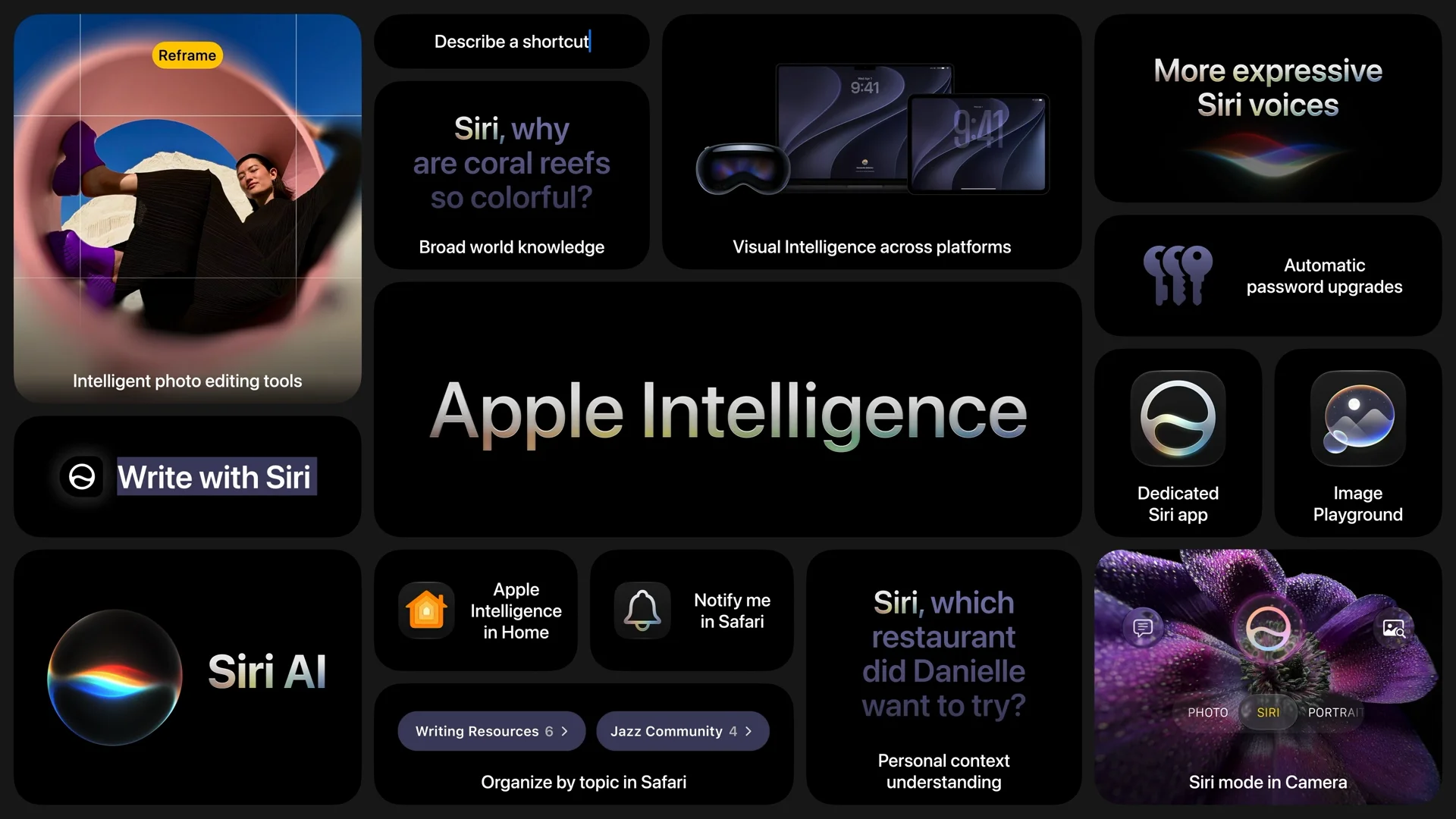
Apple Intelligence is not just about Siri and Safari. iOS 27 brings contextual AI features to four core apps you probably use every day.
Messages now uses Apple Intelligence to read your conversation and offer one-tap suggestions. If someone asks for photos, Messages recognizes that and helps you find the right ones, searching your library by keywords, locations, and people mentioned in the chat. Creating a reminder or note from a conversation is now a single tap.
Mail offers more capable action suggestions based on what an email is about. It can suggest quick actions using third-party apps, not just Apple’s own. The ranking of your top hits in search also improved.
Calendar can now create events from a natural language description as you type. Type “lunch with Elena at Starbucks Friday” and Calendar picks up the contact name, the place, and the day automatically. Editing recurring events is simpler too. Change a weekly meeting to every other week and Calendar adjusts the frequency for you.
The Phone app gets Call Context. When you call a business, the Phone app proactively surfaces relevant information from your other apps. Call an airline and it automatically finds your confirmation code in Mail before the call connects. All of this runs entirely on-device. Nothing is shared with Apple.
iOS 27 app intelligence features:
Messages: one-tap suggestions based on conversation context
Messages: smart photo search by keyword, location, and person
Messages: one-tap reminder and note creation from conversations
Mail: contextual action suggestions including third-party apps
Mail: improved search ranking for top hits
Calendar: create events from natural language as you type
Calendar: auto-detects contact names, locations, titles from descriptions
Calendar: simpler editing of recurring event frequencies
Phone: Call Context surfaces relevant info during business calls
Phone: finds confirmation codes in Mail before call connects
Phone: runs entirely on-device, no data shared with Apple
Apple Intelligence Comes to Home App and Shortcuts in iOS 27
Alongside this , two more apps got a meaningful Apple Intelligence upgrade in iOS 27: Home and Shortcuts.
The Home app now groups accessory notifications into single continuous activities. Instead of getting ten separate alerts when a door opens, a light turns on, and a camera detects motion, you get one notification that keeps updating as the activity unfolds.
Camera support gets a bigger jump. The Home app can now use Apple Intelligence to analyze recorded clips from compatible cameras and generate text descriptions of what happened. It understands what occurred in a video, connects related clips from multiple cameras, and lets you search through footage by what was captured. Ask for “package delivery” and it finds all relevant clips across your cameras. The most important clips are surfaced at the top before you even type. Supported cameras also now record at 4K resolution.
Shortcuts gets an AI-powered creation flow. Describe what you want in plain language and Shortcuts assembles all the steps for you. Type “when I’m leaving work, message Pedro I’m on my way with my ETA” and Shortcuts builds an automation that triggers on your work location, calculates an ETA via Maps, and sends the message. Refine it by describing changes. Shortcuts makes the adjustment.
Home app and Shortcuts features:
Home: grouped accessory notifications as single continuous activities
Home: Apple Intelligence generates descriptions of camera clip content
Home: search camera clips by what was captured
Home: most relevant clips surfaced automatically at top of search
Home: 4K recording on supported cameras
Home: seamless multi-camera clip playback for full context
Shortcuts: create automations by describing them in natural language
Shortcuts: assembles all required steps automatically
Shortcuts: refine by describing changes, Shortcuts adjusts in real time
Check also:
Apple Rebuilds Siri From Scratch and Calls It Siri AI
Apple Built Its New AI Foundation Models With Google
Image Playground, Photo Spacial Reframe and New Editing Tools in iOS 27
Apple Puts a Siri Camera Mode on iPhone, Visual Intelligence Across All Platforms
Safari Gets AI Tab Organization, Notify Me, and Custom Extensions in iOS 27
Apple Intelligence Comes to Messages, Mail, Calendar, Phone App
watchOS 27 and visionOS 27 Get Siri AI and New Interfaces
Apple Overhauls Child Safety with New Parental Controls in iOS 27
iOS 27 Performance Upgrades and still supports iPhone 11
iOS 27 Fixes Liquid Glass and Brings Design Refinements
macOS Golden Gate Is Apple’s New Desktop OS





0 Comments
Leave a Reply