
Image Playground Gets Photorealistic Generation and New Editing Tools in iOS 27

Image Playground in iOS 27 is a significant step up from what shipped in iOS 26. Apple rebuilt the experience around more powerful image models running on Private Cloud Compute.
Photorealistic image generation is now possible.

You can generate any style you want, including photos that look real. You can also transform your own photos into any described style. All image processing runs on Private Cloud Compute and your photos are never stored or shared, even with Apple.
The editing experience got more hands-on. Circle over any object in an image to select it, then move it, resize it, or change it by describing what you want. The demo showed selecting a cake and adding candles to it with a single description.
Output options expanded. You can now choose the aspect ratio before generating: portrait for flyers, landscape for websites, square for social media.
Image Playground now generates contact posters and lock screen wallpapers too, using your photos, favorite locations, and activities as inspiration.
Developers get access via the new Image Playground API.
Image Playground features in iOS 27:
Photorealistic image generation in any style
Transform your own photos into any described style
Touch-based object selection: circle to select
Move, resize, or modify selected objects via natural language description
Choose output dimensions: portrait, landscape, custom
Generates contact posters and lock screen wallpapers
Suggestions inspired by your photos, locations, and activities
Image Playground API available for third-party developers
All processing on Private Cloud Compute
Photos never stored or shared, including with Apple
Photos Gets Spatial Reframing and Major Editing Upgrades in iOS 27
Apple’s Photos app in iOS 27 gets three new editing tools powered by Apple Intelligence, and one of them is hard to believe until you see it.
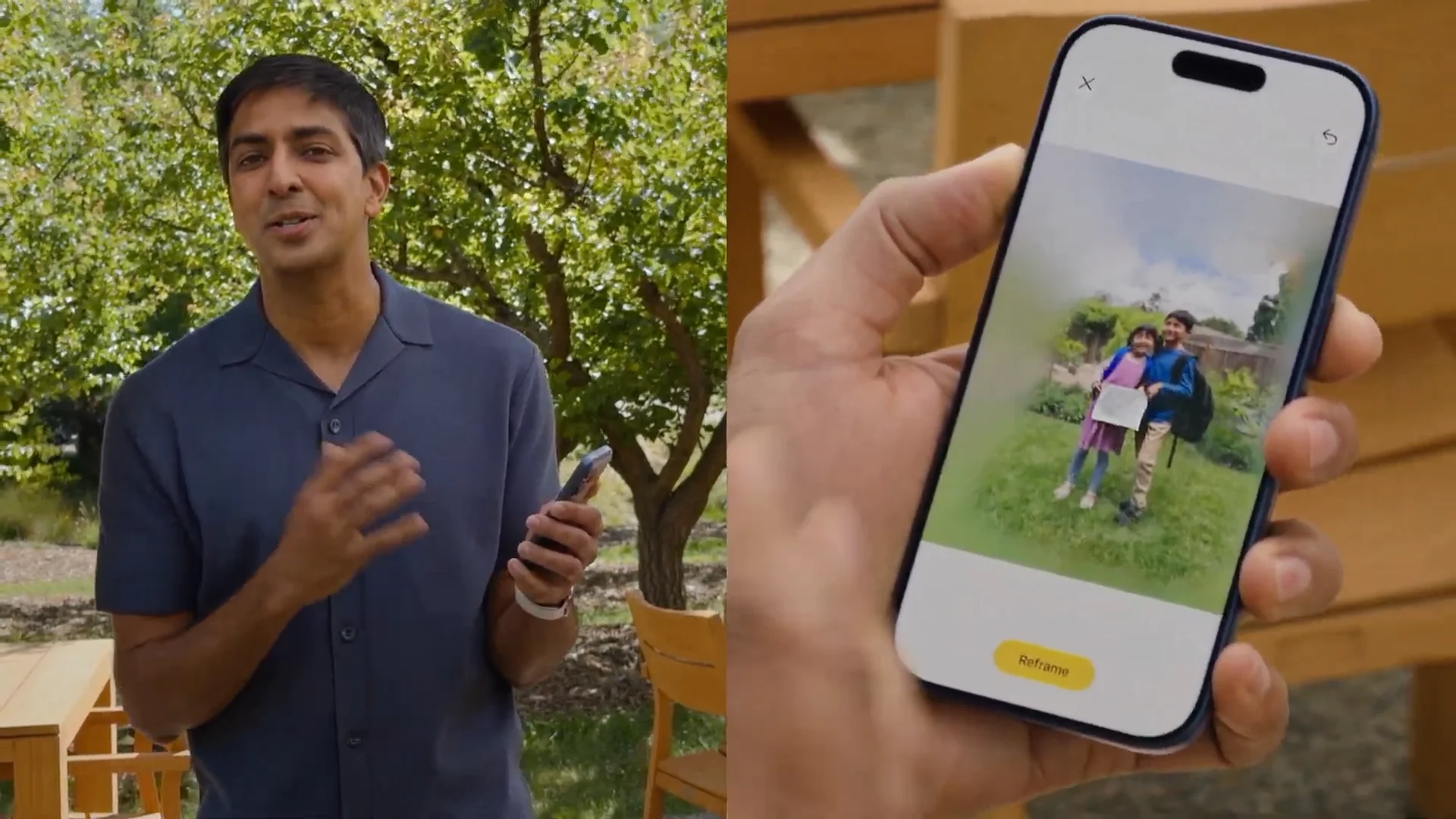
Spatial Reframing lets you change the camera angle of a photo after the fact. Touch and drag to shift the perspective as if you physically moved the camera left, right, up, or down in the original scene. On-device spatial models handle the perspective calculation in real time. Generative models on Private Cloud Compute fill in the areas that were originally outside the frame. The result is a reframed photo that looks consistent with the original scene. Works on almost any photo in your library, including old shots and photos taken with other cameras.
The Cleanup tool also gets a noticeable upgrade with better quality and more realistic fill-in, even in complex backgrounds. Removing a stranger from a group shot or a sign from behind someone’s head looks significantly better than before.
The Extend tool lets you add space around a subject or fill in the edges of a cropped photo. It is built on the same infrastructure as Spatial Reframing.
All three features show up in a new dedicated editing section inside Photos that groups every Apple Intelligence tool together.
Photos editing features in iOS 27:
Spatial Reframing: shift camera perspective on any photo post-capture
Touch and drag to reposition viewpoint in real time
On-device spatial models for real-time preview
Private Cloud Compute generative models fill in extended areas
Consistent fill: only generates content where perspective shifted
Works on almost any photo, including old photos and non-Apple cameras
Cleanup tool: upgraded with more realistic fill-in for complex scenes
Extend tool: add space around subjects or fill in cropped edges
All three tools in a new dedicated Apple Intelligence editing section in Photos
Check also:
Apple Rebuilds Siri From Scratch and Calls It Siri AI
Apple Built Its New AI Foundation Models With Google
Image Playground, Photo Spacial Reframe and New Editing Tools in iOS 27
Apple Puts a Siri Camera Mode on iPhone, Visual Intelligence Across All Platforms
Safari Gets AI Tab Organization, Notify Me, and Custom Extensions in iOS 27
Apple Intelligence Comes to Messages, Mail, Calendar, Phone App
watchOS 27 and visionOS 27 Get Siri AI and New Interfaces
Apple Overhauls Child Safety with New Parental Controls in iOS 27
iOS 27 Performance Upgrades and still supports iPhone 11
iOS 27 Fixes Liquid Glass and Brings Design Refinements
macOS Golden Gate Is Apple’s New Desktop OS







0 Comments
Leave a Reply