
Point your iPhone camera at something and ask Siri about it. That is the new Siri Camera Mode in iOS 27, and it works across more than just identifying objects.
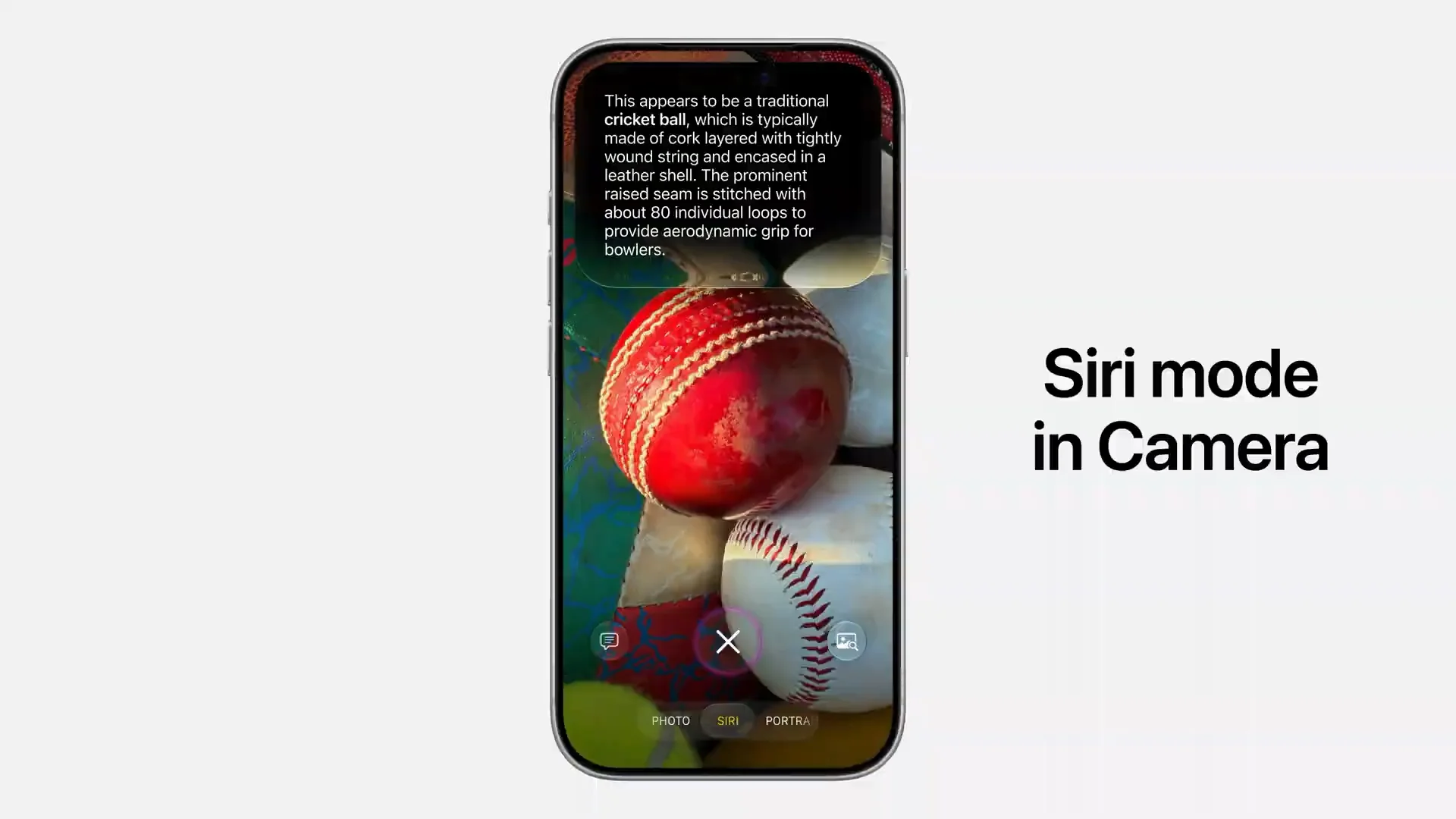
You can point at a plate of food and get nutritional information. You can point at a restaurant bill, tap what you ordered, and split the tab via Apple Cash. You can pull down for rich details and ask follow-up questions. Conversations and images save to the Siri app automatically.
On Mac, Apple added a keyboard shortcut to activate Visual Intelligence. You select any area of your screen and type a question to Siri. It can also suggest actions based on what it sees. If you select a schedule image, it offers to add all events to Calendar in one go.
On iPad, Visual Intelligence is integrated directly into the screenshot experience. On Vision Pro, you can ask about physical objects around you just by looking at them. The demo showed asking if a backpack fits airline carry-on requirements, then whether hiking boots fit inside it. Siri pulled the flight details from Mail to give a personalized answer.
All image processing for deep understanding runs on Private Cloud Compute to protect privacy.
Visual Intelligence features:
Siri Camera Mode in iPhone Camera app
Tap shutter button to let Siri see and respond
Pull down for details and follow-up questions
Point at food for nutritional insights
Point at bill, select items, split via Apple Cash
Conversations and images saved to Siri app
macOS: dedicated keyboard shortcut for Visual Intelligence
macOS: select any area on screen, ask Siri about it
macOS: suggests Calendar event additions from schedules on screen
iPad: Visual Intelligence integrated into screenshot experience
visionOS: ask about objects just by looking at them
visionOS: uses personal context for personalized answers
Powered by Apple Foundation Models on Private Cloud Compute
Siri Now Writes With You and Proofreads Everywhere in iOS 27
Siri also can now generate documents from scratch, match your writing tone, give feedback, and proofread automatically across the entire system.
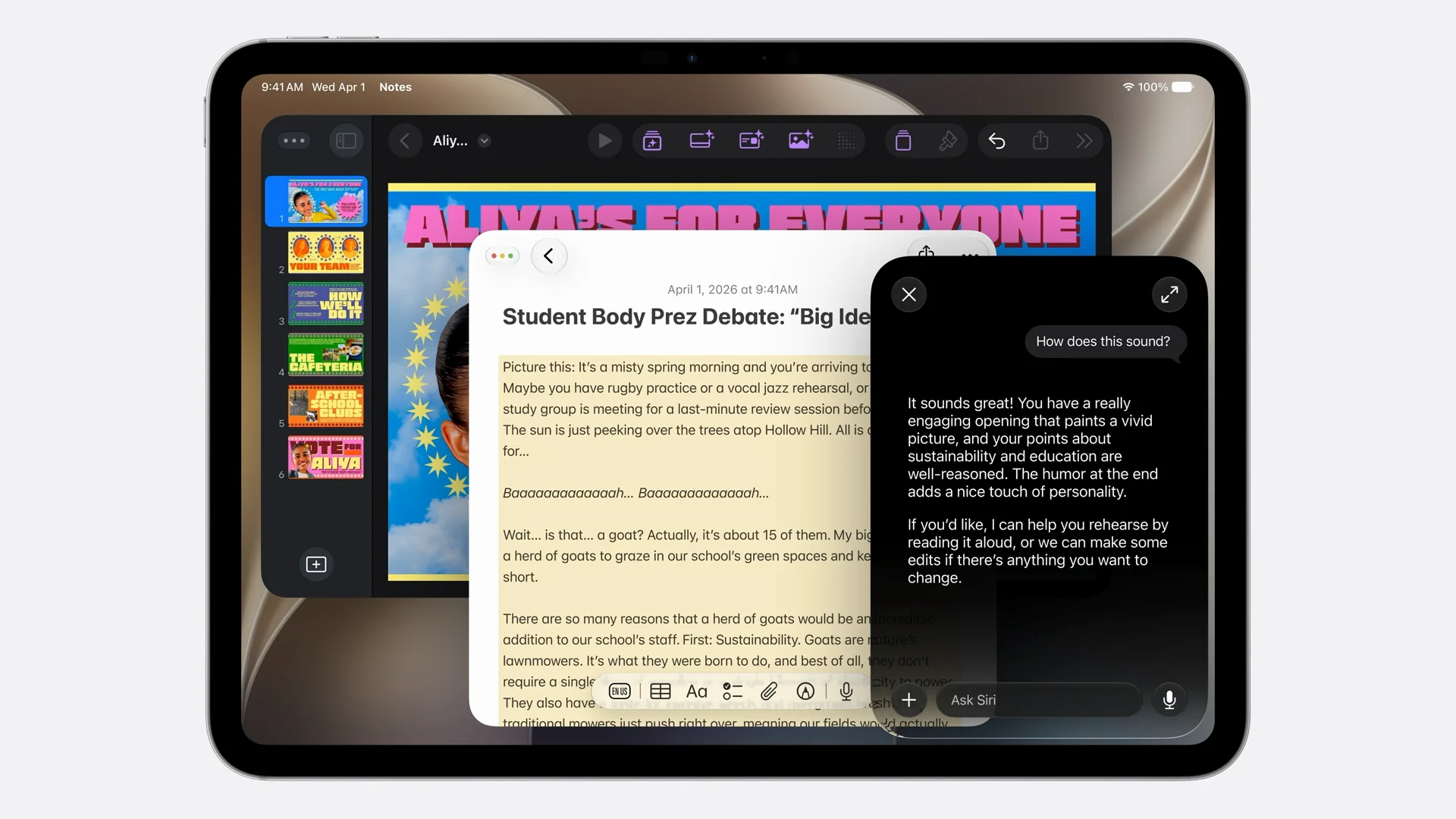
Ask Siri to write a draft and it generates one from your natural language description. No templates, no forms. Just describe what you need and it starts writing. In Mail and Messages, Siri adapts to how you usually communicate with a specific person. If you normally send your manager quick bullet points, that is what you get when you draft with Siri.
Feedback works on selected text. Highlight what you have written, ask Siri how it sounds, and you get specific suggestions. It does not just flag grammar, it tells you what to improve.
Automatic proofreading is the biggest daily driver here. It works system-wide with no extra steps, including in most third-party apps. No need to copy-paste into a separate tool.
Writing Tools features in iOS 27:
Generate document drafts from natural language descriptions
Style matching: adapts to how you usually write with a specific contact
Writing feedback: select text, ask Siri for improvement suggestions
Automatic proofreading: works system-wide without any extra steps
Proofreading available in most third-party apps
Available wherever you type on iPhone, iPad, and Mac
Check also:
Apple Rebuilds Siri From Scratch and Calls It Siri AI
Apple Built Its New AI Foundation Models With Google
Image Playground, Photo Spacial Reframe and New Editing Tools in iOS 27
Apple Puts a Siri Camera Mode on iPhone, Visual Intelligence Across All Platforms
Safari Gets AI Tab Organization, Notify Me, and Custom Extensions in iOS 27
Apple Intelligence Comes to Messages, Mail, Calendar, Phone App
watchOS 27 and visionOS 27 Get Siri AI and New Interfaces
Apple Overhauls Child Safety with New Parental Controls in iOS 27
iOS 27 Performance Upgrades and still supports iPhone 11
iOS 27 Fixes Liquid Glass and Brings Design Refinements
macOS Golden Gate Is Apple’s New Desktop OS







0 Comments
Leave a Reply