
iOS 26 introduced Liquid Glass and not everyone loved it. Apple heard the feedback. iOS 27 addresses the biggest complaints with a set of design refinements that make the whole system easier to read and use.
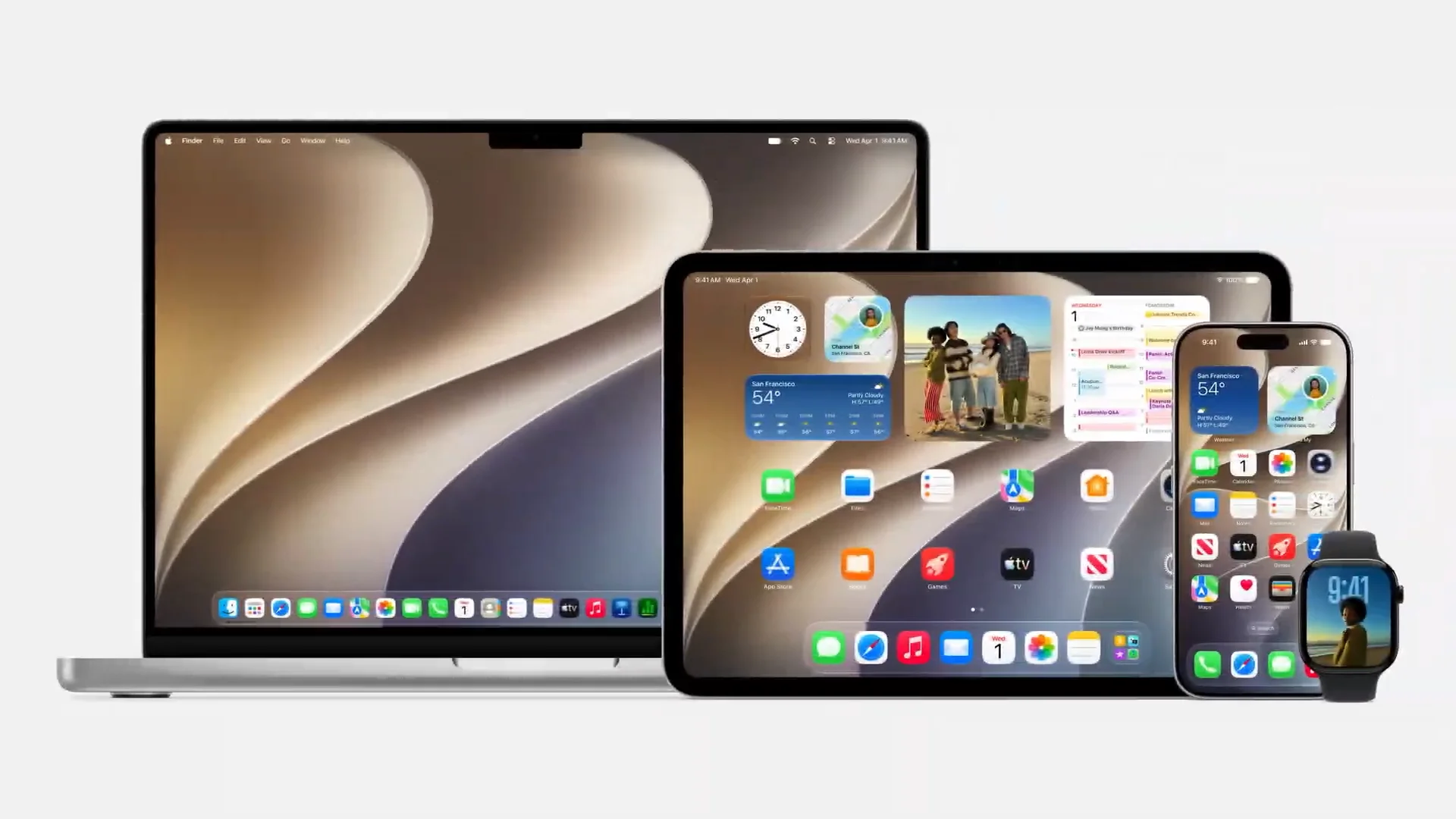
The standout addition is an opacity slider in Settings. You can set Liquid Glass anywhere from ultra-clear to fully tinted. Developers who already built apps with Liquid Glass get these customizations automatically, no update needed on their end.
Beyond the slider, Apple also retuned the blur itself. Liquid Glass now diffuses complex backgrounds more effectively, adding depth without sacrificing legibility. It is a more refined look compared to what shipped in iOS 26.
App icons got another pass too. Apple integrated additional layers of Liquid Glass directly into each icon, making them look sharper and more defined on the home screen and in the dock.
iOS 27 design changes:
Liquid Glass opacity slider in Settings (ultra-clear to fully tinted)
Retuned Liquid Glass blur for better readability
More depth and separation behind glass elements
App icons redesigned with layered Liquid Glass
Sharper, more defined icon appearance on home screen and dock
Consistent corner radius across all system apps
Developer apps inherit opacity customizations automatically
iOS 27 public beta: July 2026
Full release: Fall 2026
Free update for all devices running iOS 26.
Check also:
Apple Rebuilds Siri From Scratch and Calls It Siri AI
Apple Built Its New AI Foundation Models With Google
Image Playground, Photo Spacial Reframe and New Editing Tools in iOS 27
Apple Puts a Siri Camera Mode on iPhone, Visual Intelligence Across All Platforms
Safari Gets AI Tab Organization, Notify Me, and Custom Extensions in iOS 27
Apple Intelligence Comes to Messages, Mail, Calendar, Phone App
watchOS 27 and visionOS 27 Get Siri AI and New Interfaces
Apple Overhauls Child Safety with New Parental Controls in iOS 27
iOS 27 Performance Upgrades and still supports iPhone 11
iOS 27 Fixes Liquid Glass and Brings Design Refinements
macOS Golden Gate Is Apple’s New Desktop OS




0 Comments
Leave a Reply