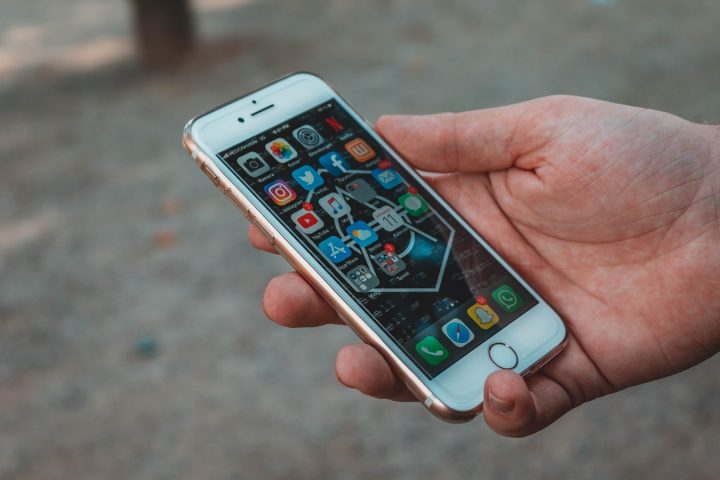

Clean up your storage General maintenance matters. So, uninstalling some apps and using cloud storage can help. When storage starts running out, you will see a substantial drop in device performance as you approach 80% of storage used. There are a few ways to clean up your storage. For iOS users, go to Settings>General>Usage to view the apps that are grinding away at your storage. For Android devices, go to Settings>Storage. Keep your phone clean Over time a mobile phone can become incredibly gross, mainly if they were never cleaned. On board is a Snapdragon 6s 4G Gen 2 chipset, configured with 4GB of RAM and 64GB of internal storage. Read more in our articles including "How to make your smartphone last longer" and "Best Budget Tablets for Back-to-School 2026 | Under P10,000".
Smartphones are more costly than ever before, most of us wish we could hold on…
Apr 23, 2020
A new school year means new projects, research papers, presentations, and online learning tasks. Whether…
Jun 14, 2026
With the announcement of the Xiaomi 17T series today, those hoping to upgrade from last…
May 29, 2026
Inflation is now (May 2026) at 7.2%, electricity rates at Php14.33/kWhr, and gas prices through…
May 28, 2026
GCash has expanded its in-app help tools and security features to address a growing number…
May 22, 2026
Smartphones today can handle all the basics. The real difference now is how well a…
Apr 30, 2026Clean up your storage General maintenance matters. So, uninstalling some apps and using cloud storage can help.
When storage starts running out, you will see a substantial drop in device performance as you approach 80% of storage used. There are a few ways to clean up your storage. For iOS users, go to Settings>General>Usage to view the apps that are grinding away at your storage.
Our coverage of Clean up storage includes: "How to make your smartphone last longer"; "Best Budget Tablets for Back-to-School 2026 | Under P10,000"; "Xiaomi 17T vs. Xiaomi 15T, what's different?". Each article provides unique insights and information.