
On iPhones running iOS 26.4 beta 2, encrypted RCS messages appear in the Messages app with a “Text Message · RCS” label and a lock icon indicating encryption. The company previously said end-to-end encryption for RCS would follow in a later update. Users can check by going to Settings > Messages > RCS Messaging and ensuring that “End-to-End Encryption (Beta)” is enabled. The update brings encryption to RCS, which replaces SMS and lets users send messages more privately across different devices. A lock icon will appear in chats to show when encryption is active for end-to-end protected conversations at all times. Read more in our articles including "Google, Apple begin testing encrypted RCS between Android and iOS 26.4" and "Apple Puts a Siri Camera Mode on iPhone, Visual Intelligence Across All Platforms".
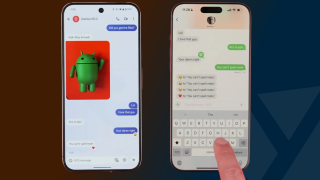
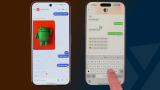
Google and Apple have started testing end-to-end encrypted RCS messaging between Android and iPhone users.…
Feb 26, 2026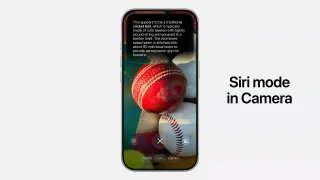
Point your iPhone camera at something and ask Siri about it. That is the new…
Jun 9, 2026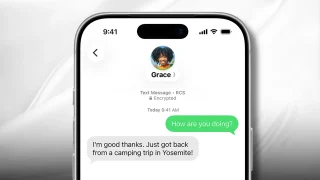
End-to-end encrypted Apple and Google RCS messaging is rolling out in beta after an effort…
May 12, 2026
MuMuPlayer has just launched v5.0, marking a major leap in Android emulation. Now the industry’s…
Aug 8, 2025AMD’s Accelerated Processing Unit (APU) has been around for quite some time already, but it’s…
Sep 25, 2014
OPPO has launched its 7.7 Sale. OPPO’s 7.7 Sale has discounts, freebies and raffle prizes…
Jul 4, 2026On iPhones running iOS 26.4 beta 2, encrypted RCS messages appear in the Messages app with a “Text Message · RCS” label and a lock icon indicating encryption. The company previously said end-to-end encryption for RCS would follow in a later update.
Users can check by going to Settings > Messages > RCS Messaging and ensuring that “End-to-End Encryption (Beta)” is enabled. The update brings encryption to RCS, which replaces SMS and lets users send messages more privately across different devices. A lock icon will appear in chats to show when encryption is active for end-to-end protected conversations at all times.
Our coverage of cross-platform encryption includes: "Google, Apple begin testing encrypted RCS between Android and iOS 26.4"; "Apple Puts a Siri Camera Mode on iPhone, Visual Intelligence Across All Platforms"; "Apple and Google begin rolling out end-to-end encrypted RCS beta across platforms". Each article provides unique insights and information.