

What makes the Yi Smart Dash Cam standout is its ability to connect to your smartphone via WiFi and with the help of the Yi Dashcam app. Just download the app, connect to the dashcam via its own WiFi SSD and you're good to go. It's really convenient as we don't have to remove the microSD card to view the recordings or tinker with the dashcam itself to adjust the settings. After all, it's a dashcam, not an action cam. Which I thought was gimmicky at first but after actually using it for this review, I’ve come to realize it’s a pretty great addition especially for solo videographers. Although we mostly only filmed short clips in multiple bursts for this review. A new accessory, the Viewfinder Remote, also expands usability by allowing live preview, framing control, zoom adjustment, and recording from a distance—useful for solo creators or mounted setups. One of the more practical additions is the Viewfinder Remote, which enables full remote control of the camera, including live preview and framing adjustments—ideal for solo shooting setups. Read more in our articles including "Watch: 70mai A810 4K HDR STARVIS 2 Dashcam Review" and "Yi Smart Dash Camera Hands-on".

The 70mai A810, a dash camera that shoots at a max resolution of 4K at…
Sep 12, 2024
Car owners will know that it’s a concrete jungle out there and a lot of…
Sep 1, 2018
The Canon EOS R6 V marks a new chapter in Canon’s video-first full-frame mirrorless lineup.…
Aug 4, 2026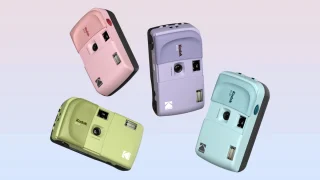
Kodak has announced the EC35, the brand’s newest reusable 35mm film camera. The Kodak EC35…
Jul 20, 2026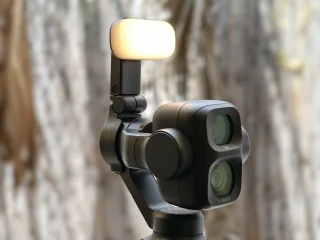
DJI’s Osmo Pocket series has long been one of the most popular options for creators…
Jul 14, 2026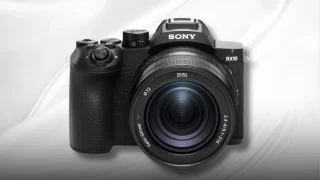
Sony officially unveils the RX10 V, its first bridge camera in nine years, since the…
Jul 10, 2026What makes the Yi Smart Dash Cam standout is its ability to connect to your smartphone via WiFi and with the help of the Yi Dashcam app. Just download the app, connect to the dashcam via its own WiFi SSD and you're good to go.
It's really convenient as we don't have to remove the microSD card to view the recordings or tinker with the dashcam itself to adjust the settings. After all, it's a dashcam, not an action cam. Which I thought was gimmicky at first but after actually using it for this review, I’ve come to realize it’s a pretty great addition especially for solo videographers.
Our coverage of dashcam review includes: "Watch: 70mai A810 4K HDR STARVIS 2 Dashcam Review"; "Yi Smart Dash Camera Hands-on"; "Canon EOS R6 V with RF 20-50mm f/4L IS USM PZ Review | A video content powerhouse!". Each article provides unique insights and information.