
If you either have a new iPhone 4 with iOS 4.0.2 pre-installed by default or upgraded to the new firmware without saving your SHSH blobs first, here's a trick that might allow you to downgrade to iOS 4.0.1 thus allowing you to jailbreak your iPhone via the JailbreakMe website. In a nutshell, you just have to slightly modify the official iOS 4.0.1 ipsw file, and then transfer all the contents to the iOS 4.0.2 ipsw file. This will allow you to fool your iPhone 4 and iTunes into believing that it's installing iOS 4.0.2 while the truth is its iOS 4.0.1. Read more in our articles including "Downgrade iPhone 4 from iOS 4.0.2 to 4.0.1 sans SHSH blobs to Jailbreak" and "The POCO M8 Power is now official".
If you either have a new iPhone 4 with iOS 4.0.2 pre-installed by default or…
Sep 17, 2010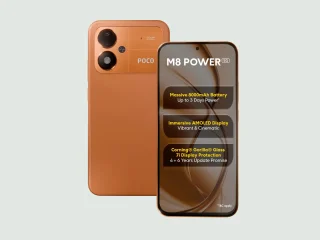
POCO has officially announced the POCO M8 Power, doubling down on battery life as the…
Aug 5, 2026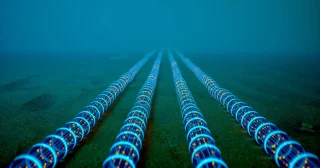
The big three local telcos: PLDT, Globe Telecom, and Converge ICT Solutions are teaming up…
Aug 5, 2026
For years, Netflix and Disney+ have stood as some of the most popular streaming services…
Aug 5, 2026
Last month we had some renders, but we finally have some official marketing leaks of…
Aug 5, 2026Apple today officially announced the next version of their popular mobile operating system, the iOS…
Jun 7, 2011If you either have a new iPhone 4 with iOS 4.0.2 pre-installed by default or upgraded to the new firmware without saving your SHSH blobs first, here's a trick that might allow you to downgrade to iOS 4.0.1 thus allowing you to jailbreak your iPhone via the JailbreakMe website. In a nutshell, you just have to slightly modify the official iOS 4.0.1 ipsw file, and then transfer all the contents to the iOS 4.0.2 ipsw file.
This will allow you to fool your iPhone 4 and iTunes into believing that it's installing iOS 4.0.2 while the truth is its iOS 4.0.1.
Our coverage of downgrade ios 4.0.2 includes: "Downgrade iPhone 4 from iOS 4.0.2 to 4.0.1 sans SHSH blobs to Jailbreak"; "The POCO M8 Power is now official"; "PH telco giants propose PHP 30B subsea network with earthquake sensors". Each article provides unique insights and information.