
If you've been using Facebook Groups, you'll notice that there's an option there to upload a file from your computer and share it with your peers. Facebook has now extended that feature, allowing you to share Dropbox files as well. All you need to do is link your Facebook account to your Dropbox account. To do this just login to Dropbox - go to Settings - Account settings - then connect with Facebook. Once finished, just click on 'Add File' and you can share documents, photos and videos directly from Dropbox. Your Facebook Groups members can then like or comment on whatever shared on the group's wall. Dropbox mentioned that they're already rolling out the feature and we should be able to use it soon. Facebook is launching a new game, Your Profile, Your Home where users can build their own virtual home on Facebook and learn how to personalize their account based on their preferences. Read more in our articles including "Share Dropbox files with Facebook Groups" and "Facebook launches Your Profile, Your Home game".
If you’ve been using Facebook Groups, you’ll notice that there’s an option there to upload…
Sep 27, 2012
Facebook is launching a new game, Your Profile, Your Home where users can build their…
May 20, 2022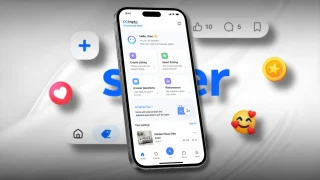
Meta just launched Seller, a new app designed to help Facebook Marketplace users manage and…
Jul 25, 2026
Meta launches Facebook Verified, a new free badge designed to show that a Facebook account…
Jul 25, 2026
Meta has announced new updates to its Teen Accounts program, expanding safety features for young…
Jun 19, 2026
Meta has announced the global rollout of new subscription plans for Facebook, Instagram, and WhatsApp,…
May 28, 2026If you've been using Facebook Groups, you'll notice that there's an option there to upload a file from your computer and share it with your peers. Facebook has now extended that feature, allowing you to share Dropbox files as well.
All you need to do is link your Facebook account to your Dropbox account. To do this just login to Dropbox - go to Settings - Account settings - then connect with Facebook. Once finished, just click on 'Add File' and you can share documents, photos and videos directly from Dropbox.
Our coverage of dropbox facebook includes: "Share Dropbox files with Facebook Groups"; "Facebook launches Your Profile, Your Home game"; "Meta launches AI-powered Seller app for Facebook Marketplace". Each article provides unique insights and information.