
Facebook has just rolled out a new feature called "Embedded Posts" which makes it possible for people to add public posts from the social networking site to their blog or website. When embedded, posts can include pictures, videos, hashtags and other content. People can also like and share the post directly from the embed. Do note that only posts set to public can be embedded on other websites. To embed a public post onto a website just follow these steps: 1. Click the boxed "v" icon in the top right of the post and select Embed Post 3. Copy and paste the code that appears and add it to your own website or web page If you've embedded a post onto a website but then change the audience from Public, a message saying the embedded post is no longer available will appear on the website. The Embedded Posts feature is currently being rolled out so expect it to be available soon. Read more in our articles including "Facebook introduces Embedded Posts" and "Facebook launches Your Profile, Your Home game".
Facebook has just rolled out a new feature called “Embedded Posts” which makes it possible…
Aug 1, 2013
Facebook is launching a new game, Your Profile, Your Home where users can build their…
May 20, 2022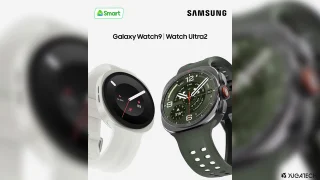
Smart is offering pre-order deals for the Samsung Galaxy Watch9 and Galaxy Watch Ultra2 through…
Aug 1, 2026
Smart Communications has opened pre-orders for Samsung’s latest foldable smartphones in the Philippines, offering customers…
Jul 27, 2026
Meta just launched Seller, a new app designed to help Facebook Marketplace users manage and…
Jul 25, 2026
Meta launches Facebook Verified, a new free badge designed to show that a Facebook account…
Jul 25, 2026Facebook has just rolled out a new feature called "Embedded Posts" which makes it possible for people to add public posts from the social networking site to their blog or website. When embedded, posts can include pictures, videos, hashtags and other content.
People can also like and share the post directly from the embed. Do note that only posts set to public can be embedded on other websites. To embed a public post onto a website just follow these steps: 1.
Our coverage of facebook embed post includes: "Facebook introduces Embedded Posts"; "Facebook launches Your Profile, Your Home game"; "Galaxy Watch9, Watch Ultra2 now up for pre-order via Smart Postpaid". Each article provides unique insights and information.