
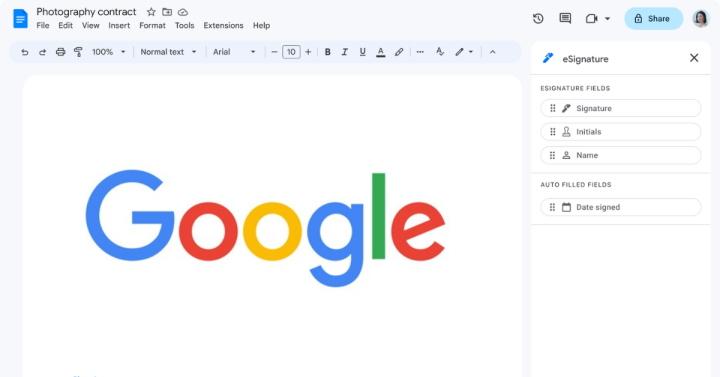
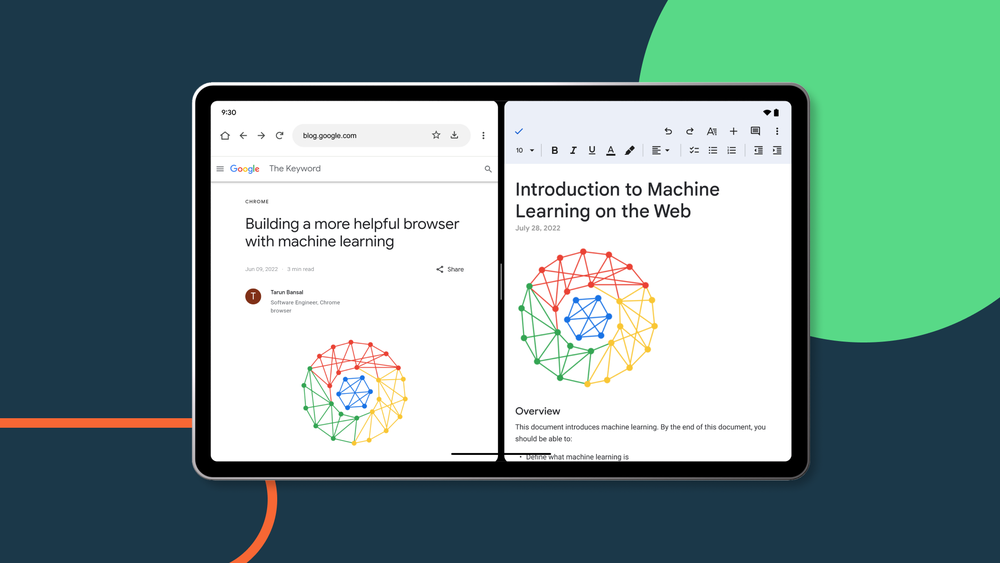



Google has just announced that it will be introducing a new redesign on Android devices for three of its most popular productivity apps that is Google Docs, Google Sheets, and Google Slides. Google says that in the coming weeks, Android users will soon notice a new look in things such as the editing toolbar, icons, background colors, and more that look similar to the same apps on the web or browser. Google doesn't explicitly say Android tablets, but based on the photo given, it's safe to assume that its main focus is that. Moreover, Google also announced that it has made it easier to get started with smart canvas in Google Sheets as users will now automatically see "Type @ to insert" to start using smart canvas features on Google Sheets. Google has just announced that they are now introducing eSignatures for both Google Docs and Google Drive. Some use cases Google's eSignature feature will enable users to quickly request signatures, see the status of pending signatures, and find complete contracts. Users will now be able to officially sign contracts right on Google Drive and create a new copy of a contract for each request and initiate multiple eSignature requests. There will also be other features to come within the year such as an audit trail, the ability to request signatures from more than one user and non-Gmail users, and to initiate eSignatures on PDF files on Google Drive. Read more in our articles including "Google Docs, Sheets, & Slides redesigned on Android to match web experience" and "Google Docs and Drive now have support for eSignatures".
Google has just announced that it will be introducing a new redesign on Android devices…
Aug 20, 2023
Google has just announced that they are now introducing eSignatures for both Google Docs and…
Aug 13, 2023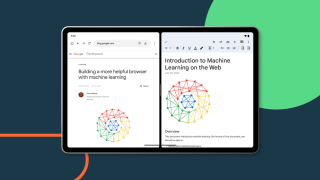
Google Workspace apps such as Google Drive, Docs, Sheets, Slides, and Keep will now be…
Jul 26, 2022
Google Docs is getting a handy feature in the ability to select and edit multiple…
May 29, 2022
Google is not contented with Google Docs just being an alternative to Microsoft Word, they’re…
May 4, 2022
Google announced on its Workspace Updates that it will help users improve the quality of…
Apr 3, 2022Google has just announced that it will be introducing a new redesign on Android devices for three of its most popular productivity apps that is Google Docs, Google Sheets, and Google Slides. Google says that in the coming weeks, Android users will soon notice a new look in things such as the editing toolbar, icons, background colors, and more that look similar to the same apps on the web or browser.
Google doesn't explicitly say Android tablets, but based on the photo given, it's safe to assume that its main focus is that. Moreover, Google also announced that it has made it easier to get started with smart canvas in Google Sheets as users will now automatically see "Type @ to insert" to start using smart canvas features on Google Sheets. Google has just announced that they are now introducing eSignatures for both Google Docs and Google Drive.
Our coverage of google docs includes: "Google Docs, Sheets, & Slides redesigned on Android to match web experience"; "Google Docs and Drive now have support for eSignatures"; "Google Workspace Apps are now being optimized for Android Tablets". Each article provides unique insights and information.