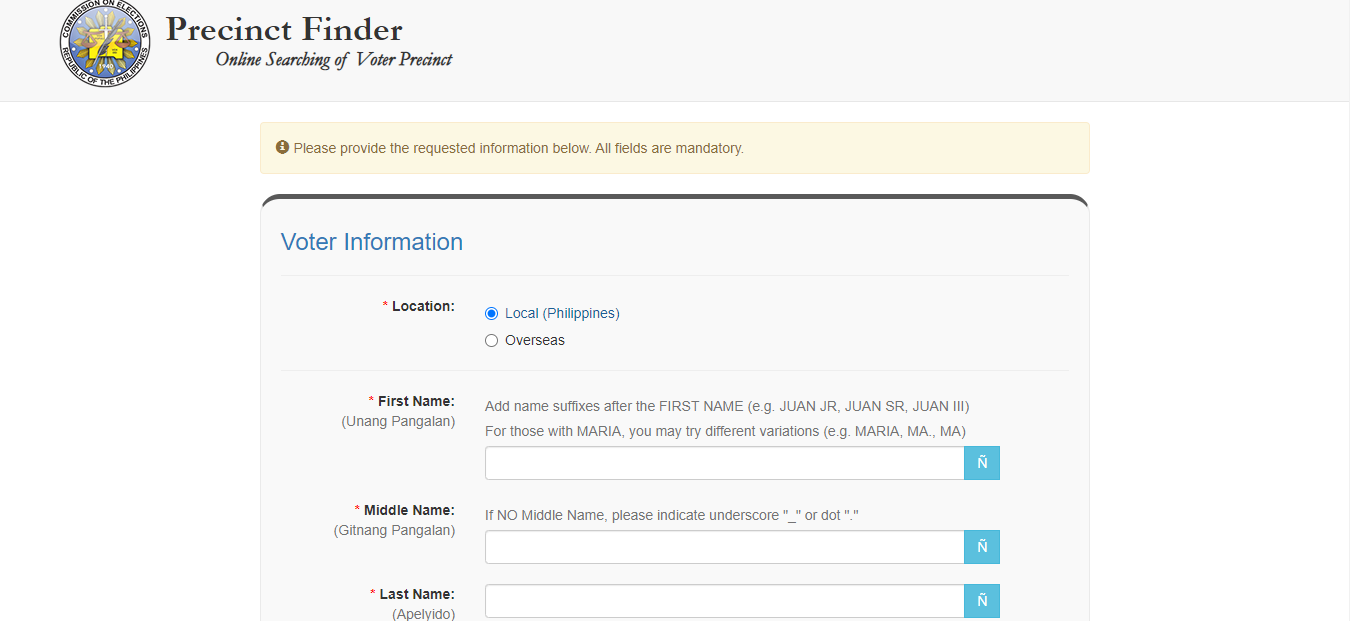

Step 1 Visit the official COMELEC Precinct Finder website online at https://voterverifier.comelec.gov.ph/voter_precinct Step 2 Once you have loaded the page, select your location (Philippines or overseas), and fill in a few key details such as your complete name, and the place (province, city/municipality) where you are registered as a voter. The voter precinct finder has been launched on April 22, 2022 in coordination with the Department of Information and Communications Technology (DICT), which hosts cloud services for COMELEC for this year's elections. Read more in our articles including "How to find your election precinct online today" and "How to activate Globe GPRS".

Traditionally, Filipino voters would have to go to their respective voting centers and manually check…
Apr 22, 2022How to activate GPRS for Globe and TM (Touch Mobile) For a complete listing of…
Jun 10, 2011Update: See Election Results here. Find Your Precinct Online this coming Philippines Election 2010. As…
May 8, 2010
Coming in hot in the entry-level segment is the new Infinix HOT 70, and for…
Jun 25, 2026
The TECNO POVA Curve 2 5G has arrived. It’s a slim, lightweight phone, and yet…
Jun 12, 2026
Everything Apple Announced at WWDC 2026: New Siri AI, iOS 27, macOS Golden Gate, and…
Jun 9, 2026Step 1 Visit the official COMELEC Precinct Finder website online at https://voterverifier.comelec.gov.ph/voter_precinct Step 2 Once you have loaded the page, select your location (Philippines or overseas), and fill in a few key details such as your complete name, and the place (province, city/municipality) where you are registered as a voter. The voter precinct finder has been launched on April 22, 2022 in coordination with the Department of Information and Communications Technology (DICT), which hosts cloud services for COMELEC for this year's elections.
Our coverage of how to find precinct number in comelec online 2022 includes: "How to find your election precinct online today"; "How to activate Globe GPRS"; "Precinct Finder Philippines: May 2010 Elections". Each article provides unique insights and information.
Our article "How to find your election precinct online today" published on April 22, 2022 covers the latest information about how to find precinct number in comelec online 2022. Check it out for the most current details.