

Infrared (IR) and Bluetooth wireless technologies are commonly used for short-range wireless communication between electronic devices. Bluetooth remotes work the same way as Infrared remotes, but instead of sending light pulses, they send the codes to the device via radio waves. Furthermore, unlike Infrared, Bluetooth also allows transmission even through walls and other objects, and there is no need to point the remote to the device, as it does not require to be in the line of sight. Connectivity In terms of operation, a Bluetooth-enabled device can connect with multiple devices at a given time, while Infrared usually connects on a one-to-one basis. However, since Infrared handles a one-to-one connection, the chance of interference in data transmission from other connected devices is lower than the chance that Bluetooth might experience. However, Bluetooth remotes take an advantage over Infrared in effective range, and it doesn't need line-of-sight to function, providing more flexibility and convenience. In this guide, we’ll walk you through some simple steps to add essential features to your PC —- including Wi-Fi, Bluetooth, NFC, and Infrared. Turn on WiFi and try to connect to a network, pair your computer with a Bluetooth speaker, test NFC connectivity with a compatible device, and use the Infrared to remotely control your PC. Read more in our articles including "Infrared vs Bluetooth remotes: Which is better?" and "How to: Install Wi-Fi, Bluetooth, NFC, Infrared on Your PC".
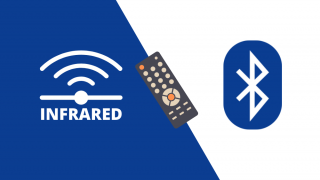
Infrared (IR) and Bluetooth wireless technologies are commonly used for short-range wireless communication between electronic…
Aug 30, 2021
Does your desktop PC lack connectivity features such as WiFi and Bluetooth? In this guide,…
Apr 19, 2023
Does your PC lack essential features such as Wi-Fi and Bluetooth connectivity? We got you…
Apr 18, 2023
In an increasingly wireless world, new technologies emerge to ensure people are connected. Among the…
Sep 12, 2022We’ve reviewed a handful of portable Bluetooth speakers in the past, but this one from…
Dec 30, 2014People have different tastes especially when it comes to music. That’s why the hardware we…
Dec 14, 2014Infrared (IR) and Bluetooth wireless technologies are commonly used for short-range wireless communication between electronic devices. Bluetooth remotes work the same way as Infrared remotes, but instead of sending light pulses, they send the codes to the device via radio waves.
Furthermore, unlike Infrared, Bluetooth also allows transmission even through walls and other objects, and there is no need to point the remote to the device, as it does not require to be in the line of sight. Connectivity In terms of operation, a Bluetooth-enabled device can connect with multiple devices at a given time, while Infrared usually connects on a one-to-one basis. However, since Infrared handles a one-to-one connection, the chance of interference in data transmission from other connected devices is lower than the chance that Bluetooth might experience.
Our coverage of Infrared Bluetooth difference includes: "Infrared vs Bluetooth remotes: Which is better?"; "How to: Install Wi-Fi, Bluetooth, NFC, Infrared on Your PC"; "WATCH: How to Install Wi-Fi, Bluetooth, NFC, Infrared to Your PC?". Each article provides unique insights and information.