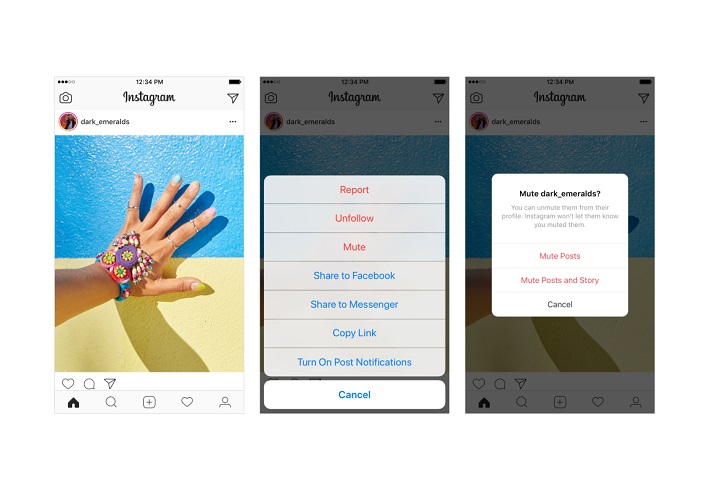

Instagram has introduced a new feature that lets you mute an account to hide posts in your feed from certain accounts, without unfollowing them. When you mute an account, you can still see posts on their profile page and get notified about comments or posts you’re tagged in. The accounts you mute will not be aware that you’ve muted them. You can always unmute an account to get their posts back in your feed. To mute an account, just tap the … menu in the corner of the post. From there you will see an option to Mute an account in addition to Report and Unfollow. You can also mute posts and stories by pressing and holding on a story in your tray, or from a profile. Read more in our articles including "Instagram introduces Mute in feed" and "Meta launches AI-powered Seller app for Facebook Marketplace".

Instagram has introduced a new feature that lets you mute an account to hide posts…
May 23, 2018
Meta just launched Seller, a new app designed to help Facebook Marketplace users manage and…
Jul 25, 2026
YouTube is rolling out custom thumbnail support for Shorts, giving creators more control over how…
Jul 25, 2026
X (formerly, Twitter) has rolled out a rebuilt version of its Android app after nearly…
Jul 22, 2026
Smart glasses that are capable of video recording, meshing your everyday life with AI,…
Jul 1, 2026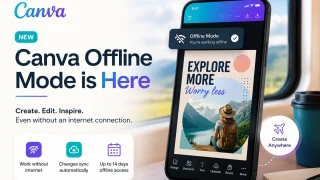
Canva has officially launched Offline Mode, allowing users to create and edit designs without an…
Jun 10, 2026Instagram has introduced a new feature that lets you mute an account to hide posts in your feed from certain accounts, without unfollowing them. When you mute an account, you can still see posts on their profile page and get notified about comments or posts you’re tagged in.
The accounts you mute will not be aware that you’ve muted them. You can always unmute an account to get their posts back in your feed. To mute an account, just tap the … menu in the corner of the post.
Our coverage of instagram mute includes: "Instagram introduces Mute in feed"; "Meta launches AI-powered Seller app for Facebook Marketplace"; "YouTube brings custom thumbnails and AI tool to Shorts". Each article provides unique insights and information.