
Schedule Instagram Post If you are a content creator, you can plan what you need to post and schedule them without the need to use reminders, alarms, and third-party apps. STEP 1: Search for Facebook Creator Studio (yes Facebook has it too) STEP 2: You will see two icons on the top of the webpage, Facebook and Instagram, click on the Instagram icon STEP 3: Now your Instagram will open, and you can add and schedule your posts Hide Tagged Photos There may be some photos on Instagram where you might have been tagged. However, it will not remove the posts from Instagram, but it will only remove these from your profile so that you or others cannot access it. STEP 1: Go to your profile STEP 2: Open Settings STEP 3: Click Account STEP 4: Click “Your Activity” STEP 5: Click “Set Daily Reminder” Copy-Paste Photos It is a super quick and straightforward way to put an extra photo or GIF onto your Instagram story post. Instagram Story Share Background Is it possible to add your background when sharing a feed post? Go to apps4lifehost.com, put your caption, then click convert, go back to your Instagram post or bio and paste it. Instagram has rolled out a new feature that allows creators to add unique captions to individual slides within a carousel post. Read more in our articles including "Instagram Hacks: Tips and Tricks you wish you knew sooner" and "Instagram introduces Multiple Captions for Carousel Posts".

Instagram is one of the most popular social media platforms out there, and you’re probably…
Apr 2, 2020
Instagram has rolled out a new feature that allows creators to add unique captions to…
Jun 20, 2026
Instagram has rolled out a new feature that allows users to rearrange posts on their…
Jun 9, 2026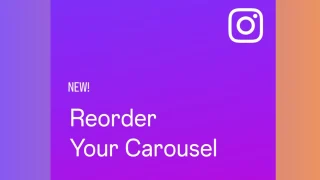
Instagram is rolling out a long-requested feature that allows users to reorder photos and videos…
Mar 24, 2026
It seems like it was only yesterday when 2026 started, but now we’re already halfway…
Jul 12, 2026
With June quickly coming to a close, we think it’s time to look back and…
Jul 12, 2026Schedule Instagram Post If you are a content creator, you can plan what you need to post and schedule them without the need to use reminders, alarms, and third-party apps. STEP 1: Search for Facebook Creator Studio (yes Facebook has it too) STEP 2: You will see two icons on the top of the webpage, Facebook and Instagram, click on the Instagram icon STEP 3: Now your Instagram will open, and you can add and schedule your posts Hide Tagged Photos There may be some photos on Instagram where you might have been tagged.
However, it will not remove the posts from Instagram, but it will only remove these from your profile so that you or others cannot access it. STEP 1: Go to your profile STEP 2: Open Settings STEP 3: Click Account STEP 4: Click “Your Activity” STEP 5: Click “Set Daily Reminder” Copy-Paste Photos It is a super quick and straightforward way to put an extra photo or GIF onto your Instagram story post. Instagram Story Share Background Is it possible to add your background when sharing a feed post?
Our coverage of Instagram Schedule Post includes: "Instagram Hacks: Tips and Tricks you wish you knew sooner"; "Instagram introduces Multiple Captions for Carousel Posts"; "Instagram now lets users reorder their posts on their profile". Each article provides unique insights and information.