

YouTube is adding a new dark theme to its mobile apps, starting with iOS today, and arriving soon after on Android. The tech giant says its dark theme will cut down on glare and allow viewers to take in the true colors of the videos they watch on mobile. You may not see the new dark theme available as an option right away, but it should be rolling out to all iOS users over the course of the day. To enable the dark theme on iOS, tap the account icon, then go to Settings and toggle the Dark theme to turn the setting on and off. As mentioned, the dark mode feature is available today on iPhone/iPad devices, and will arrive on Android soon. Read more in our articles including "YouTube Dark Mode now available on iOS devices" and "Apple announces iOS 5 at WWDC 2011".
YouTube is adding a new dark theme to its mobile apps, starting with iOS today, and…
Mar 14, 2018Apple today officially announced the next version of their popular mobile operating system, the iOS…
Jun 7, 2011We don’t know how widespread the problem is, but there reports coming in that users…
Sep 17, 2010If you either have a new iPhone 4 with iOS 4.0.2 pre-installed by default or…
Sep 17, 2010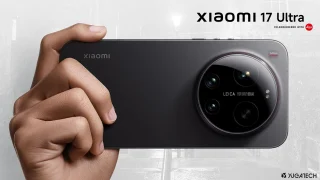
Xiaomi’s top-of-the-line flagship, the Xiaomi 17 Ultra, is now available on the Leica Store Philippines.…
Aug 1, 2026
TECNO has officially unveiled the TECNO POVA 8 Pro. One of the main highlights is…
Jul 22, 2026YouTube is adding a new dark theme to its mobile apps, starting with iOS today, and arriving soon after on Android. The tech giant says its dark theme will cut down on glare and allow viewers to take in the true colors of the videos they watch on mobile. You may not see the new dark theme available as an option right away, but it should be rolling out to all iOS users over the course of the day.
To enable the dark theme on iOS, tap the account icon, then go to Settings and toggle the Dark theme to turn the setting on and off. As mentioned, the dark mode feature is available today on iPhone/iPad devices, and will arrive on Android soon.
Our coverage of iOS YouTube Dark Mode includes: "YouTube Dark Mode now available on iOS devices"; "Apple announces iOS 5 at WWDC 2011"; "iPhone 4 jailbreak (JailbreakMe) website Alternatives". Each article provides unique insights and information.