


2-factor authentication is where a user is prompted to authenticate their login. Facebook To turn on 2-factor authentication on Facebook follow these steps: Go to Settings > Security and Login. For mobile go to Account Settings > Security and Login. Code Generator -- Use a random code generator in your Facebook app to reset your password and generate login codes. Authorized logins -- This option will open a list of devices you have authorized that no longer need a 2-factor authentication to access Facebook. Click on the checkbox beside Verify login requests. A pop-up will show explaining how login verifications work, click Start and verify your password. Twitter will then send a code to your phone number for additional verification. Drag the slider to turn on Login Verification. Read more in our articles including "Infographic: What is 2FA?" and "Guide to Activating Two-Factor Authentication on All Your Online Accounts".

With technology developing day by day, it’s getting increasingly difficult to protect our identities online.…
Jan 25, 2019
A password is your number one ally when it comes to securing your accounts. It…
Dec 10, 2017
A new school year means new projects, research papers, presentations, and online learning tasks. Whether…
Jun 14, 2026
With the announcement of the Xiaomi 17T series today, those hoping to upgrade from last…
May 29, 2026
Inflation is now (May 2026) at 7.2%, electricity rates at Php14.33/kWhr, and gas prices through…
May 28, 2026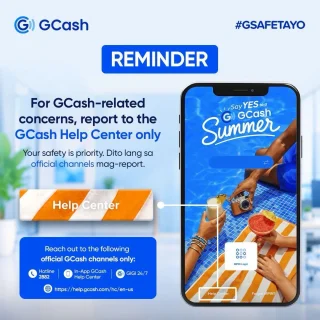
GCash has expanded its in-app help tools and security features to address a growing number…
May 22, 20262-factor authentication is where a user is prompted to authenticate their login. Facebook To turn on 2-factor authentication on Facebook follow these steps: Go to Settings > Security and Login. For mobile go to Account Settings > Security and Login.
Code Generator -- Use a random code generator in your Facebook app to reset your password and generate login codes. Authorized logins -- This option will open a list of devices you have authorized that no longer need a 2-factor authentication to access Facebook. Click on the checkbox beside Verify login requests.
Our coverage of login verification includes: "Infographic: What is 2FA?"; "Guide to Activating Two-Factor Authentication on All Your Online Accounts"; "Best Budget Tablets for Back-to-School 2026 | Under P10,000". Each article provides unique insights and information.