

The "unsend" feature of the Facebook Messenger has finally arrived in its mobile application. Last year, reports of Mark Zuckerberg, Facebook CEO, was seen deleting his old messages which hinted the arrival of the "unsend" feature. To remove a message, just simply long-press or tap the message and press "Remove for Everyone" to delete the message on both ends or press "Remove for You" to delete it on your end only. Just in time for the holidays, Facebook introduced a new app called Stickered for Messenger which allows you to add cute stickers to your photos to make your Facebook messages more interesting. Take a look at the screenshots below: Along with the new app are a few new holiday features for Messenger: A festive frame for your New Year’s Eve selfies Snow globe chat heads Holiday inspired sticker packs The Stickered for Messenger app will be available for download on Google Play Store later today will be coming soon to the Apple App Store. Read more in our articles including "Facebook rolls out Messenger unsend feature" and "Facebook introduces Stickered for Messenger".

The “unsend” feature of the Facebook Messenger has finally arrived in its mobile application. Last…
Feb 6, 2019Just in time for the holidays, Facebook introduced a new app called Stickered for Messenger…
Dec 20, 2014
After being spotted in Lazada, the Infinix HOT 70 is now available in the Philippines.…
Jun 24, 2026
Apple has released the second developer beta of iOS 27. It brings several new features…
Jun 23, 2026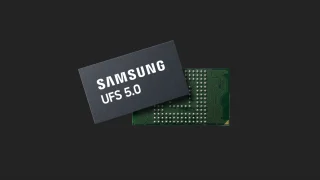
Samsung has announced the development of UFS 5.0. The brand states that UFS 5.0 is…
Jun 23, 2026
realme Philippines has officially launched the realme C100 Series, bringing two new budget smartphones with…
Jun 18, 2026The "unsend" feature of the Facebook Messenger has finally arrived in its mobile application. Last year, reports of Mark Zuckerberg, Facebook CEO, was seen deleting his old messages which hinted the arrival of the "unsend" feature.
To remove a message, just simply long-press or tap the message and press "Remove for Everyone" to delete the message on both ends or press "Remove for You" to delete it on your end only. Just in time for the holidays, Facebook introduced a new app called Stickered for Messenger which allows you to add cute stickers to your photos to make your Facebook messages more interesting. Take a look at the screenshots below: Along with the new app are a few new holiday features for Messenger: A festive frame for your New Year’s Eve selfies Snow globe chat heads Holiday inspired sticker packs The Stickered for Messenger app will be available for download on Google Play Store later today will be coming soon to the Apple App Store.
Our coverage of Messenger delete message feature includes: "Facebook rolls out Messenger unsend feature"; "Facebook introduces Stickered for Messenger"; "Infinix HOT 70 now available with Dynamic Shine design". Each article provides unique insights and information.