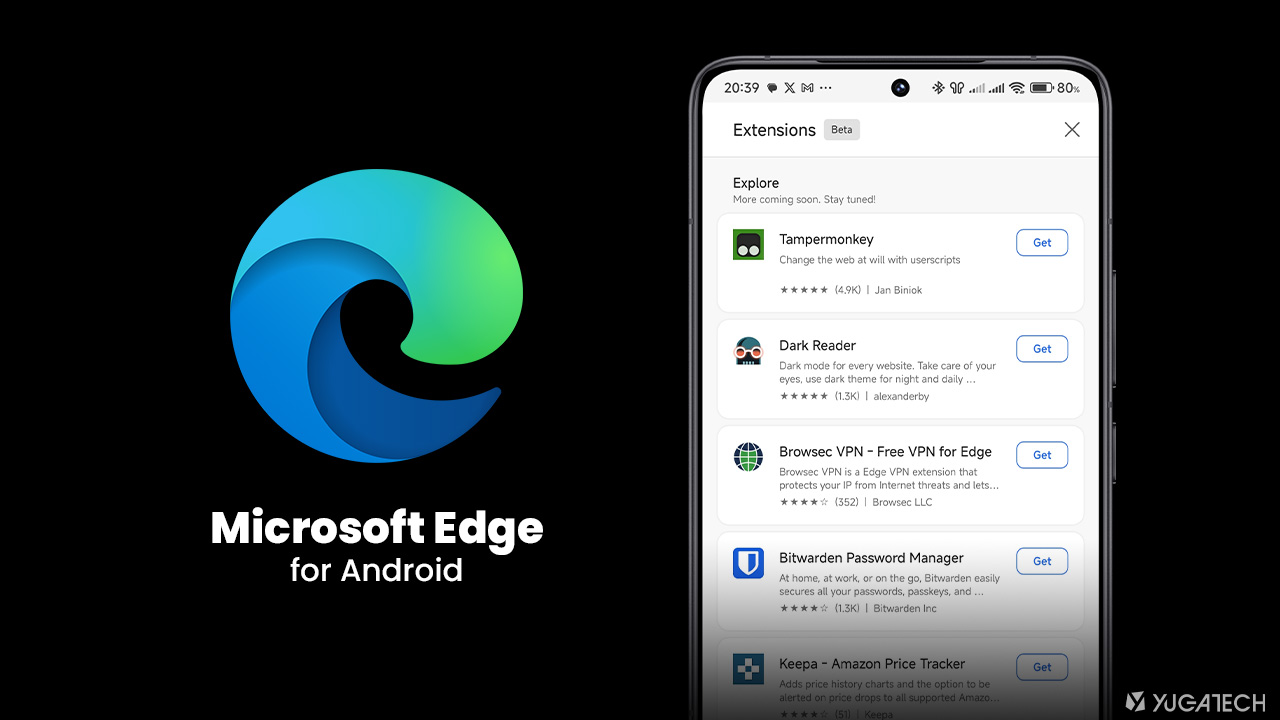

Microsoft Edge on Android now supports extensions, catching up with Firefox which added the feature in 2023. Meanwhile, the latest update to Edge for Android makes extensions available for users. Microsoft has been working on this feature since 2024, starting with a limited number of extensions in early builds. [gallery columns="2" size="full" link="none" ids="392862,392864"] To add extensions on Edge for Android, follow these steps: Open Microsoft Edge > tap the menu icon (three horizontal lines) in the bottom right. Currently, Edge offers 22 extensions, with the "Explore" section hinting that more will be available soon. Read more in our articles including "Microsoft Edge on Android gets extensions support" and "Microsoft to end Adobe Flash support for Windows 10 in July".

Microsoft Edge on Android now supports extensions, catching up with Firefox which added the feature…
Mar 15, 2025
Microsoft has announced to completely remove the Adobe Flash component from Windows through the KB4577586…
May 5, 2021
The last quarter numbers from Microsoft are out and it’s not looking very good. As…
Jan 23, 2009
Meta launches Facebook Verified, a new free badge designed to show that a Facebook account…
Jul 25, 2026
Instagram finally lets its users replace the background music for published posts and carousels without…
Jul 22, 2026Microsoft Edge on Android now supports extensions, catching up with Firefox which added the feature in 2023. Meanwhile, the latest update to Edge for Android makes extensions available for users.
Microsoft has been working on this feature since 2024, starting with a limited number of extensions in early builds. [gallery columns="2" size="full" link="none" ids="392862,392864"] To add extensions on Edge for Android, follow these steps: Open Microsoft Edge > tap the menu icon (three horizontal lines) in the bottom right. Currently, Edge offers 22 extensions, with the "Explore" section hinting that more will be available soon.
Our coverage of microsoft edge extensions includes: "Microsoft Edge on Android gets extensions support"; "Microsoft to end Adobe Flash support for Windows 10 in July"; "Microsoft Windows 7 support to end in 2020". Each article provides unique insights and information.