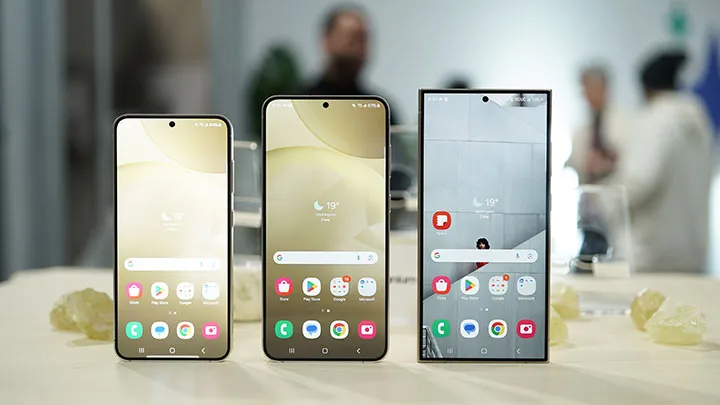

One UI 7 will have a system-level toggle for Super HDR content on Galaxy devices. The new Super HDR toggle can be found in the advanced features section under Settings. When it’s off, the display is kept from showing the full range of colors and contrast in HDR-enabled content. Notably, Samsung’s Super HDR uses Google Ultra’s HDR format. What do you guys think about the new Super HDR toggle? Read more in our articles including "One UI 7 to bring system-level toggle for Super HDR content" and "The POCO M8 Power is now official".

One UI 7 will have a system-level toggle for Super HDR content on Galaxy devices.…
Dec 28, 2024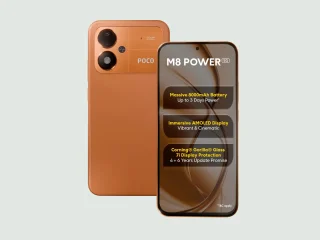
POCO has officially announced the POCO M8 Power, doubling down on battery life as the…
Aug 5, 2026
The big three local telcos: PLDT, Globe Telecom, and Converge ICT Solutions are teaming up…
Aug 5, 2026
For years, Netflix and Disney+ have stood as some of the most popular streaming services…
Aug 5, 2026
Last month we had some renders, but we finally have some official marketing leaks of…
Aug 5, 2026After over two weeks of using the iPhone 3G, I can fairly say I have…
Sep 13, 2008One UI 7 will have a system-level toggle for Super HDR content on Galaxy devices. The new Super HDR toggle can be found in the advanced features section under Settings.
When it’s off, the display is kept from showing the full range of colors and contrast in HDR-enabled content. Notably, Samsung’s Super HDR uses Google Ultra’s HDR format. What do you guys think about the new Super HDR toggle?
Our coverage of One UI 7 Super HDR content includes: "One UI 7 to bring system-level toggle for Super HDR content"; "The POCO M8 Power is now official"; "PH telco giants propose PHP 30B subsea network with earthquake sensors". Each article provides unique insights and information.