

There's a new mobile bank in the Philippines called OwnBank. OwnBank, known as The Rural Bank of Cavite City, has been founded in 1956 and had a transformative shift to digital in 2021. OwnBank claims that their top goal is keeping users safe, which is why they use multi-factor authentication, AI-driven security technologies, and strict compliance guidelines. Interested users can download the OwnBank application through the Google Play Store and Apple App Store. We provide some of the simplest ways to safeguard your bank accounts from untoward incidents like these. Keep your passwords and PINs to yourself only Your online account passwords and card PINs are the keys to everything you have in your bank accounts. Activate your instant notifications A cool security feature banks implement nowadays is to immediately notify you of online account logins, updates, and posted transactions via SMS and email. One reason is your bank will never ask for your personal information online because you already filled them up when you applied, and another is, it doesn't take matters online as banks are strictly regulated to acquiring account details via landline or a personal visit to your bank. Read more in our articles including "OwnBank, a new mobile bank, offers 8% interest p.a" and "Tips to keep your bank accounts safe".

There’s a new mobile bank in the Philippines called OwnBank. They are currently offering an…
Dec 8, 2023
With the recent increase in fraudulent incidents among bank transactions such as in BDO, how…
Jan 11, 2018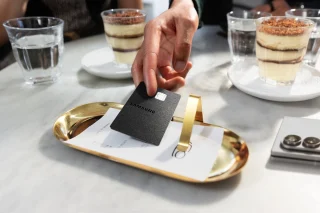
Samsung Electronics has announced the Samsung Galaxy Card. The Samsung Galaxy Card is the company’s…
Jul 21, 2026
Asia United Bank (AUB) will waive InstaPay and PESONet transfer fees for local fund transfers…
Jul 17, 2026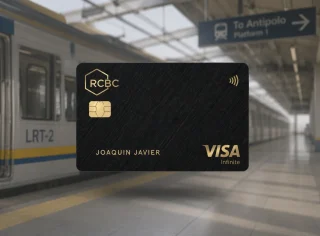
Commuters on the LRT-2 can now pay their fares using contactless payment methods after RCBC,…
Jul 14, 2026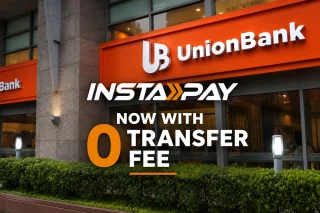
UnionBank has removed transaction fees for person-to-person fund transfers made through InstaPay, with the new…
Jul 7, 2026There's a new mobile bank in the Philippines called OwnBank. OwnBank, known as The Rural Bank of Cavite City, has been founded in 1956 and had a transformative shift to digital in 2021.
OwnBank claims that their top goal is keeping users safe, which is why they use multi-factor authentication, AI-driven security technologies, and strict compliance guidelines. Interested users can download the OwnBank application through the Google Play Store and Apple App Store. We provide some of the simplest ways to safeguard your bank accounts from untoward incidents like these.
Our coverage of ownbank account includes: "OwnBank, a new mobile bank, offers 8% interest p.a"; "Tips to keep your bank accounts safe"; "Samsung announces Galaxy Card". Each article provides unique insights and information.