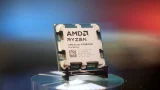

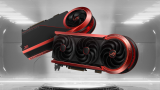

But all our lives, we know that the best practice for this, is to find the 'Safely Remove Hardware' or 'Eject' button in the task bar before removing our external media. However, the 'Safely Remove Hardware' option can show you a pop-up that says the drive is still in use, and to close all programs before removing it. At this point, it's a matter of "better safe than sorry", so if you aren't fond of hitting 'Safely Remove Hardware', then the least you can do is close all programs or windows that directly involve your external drive. That matters because every previous Chinese GPU attempt stumbled on software, not hardware. It features a lineup of PC hardware and accessories inspired by the series. Read more in our articles including "AMD unveils Ryzen 9 9950X3D2 with dual 3D V-Cache" and "ASUS unveils ROG Matrix RTX 5090 30th Anniversary Edition in PH".
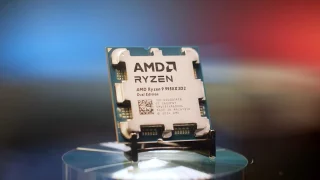
AMD has announced the new Ryzen 9 9950X3D2, a high-end desktop processor with dual 3D…
Mar 29, 2026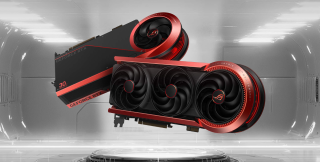
ASUS has officially brought its most extreme graphics card yet to the Philippine market with…
Jan 9, 2026
In a move to future-proof their platforms, MSI announced BIOS updates that will enable support…
Jan 14, 2024
We’ve all been here before. You’re transferring a file from your Windows computer to your…
Oct 8, 2018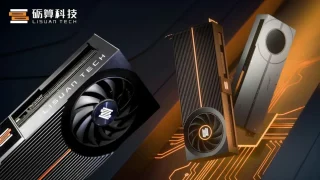
China finally put a consumer gaming GPU on store shelves, and buyers didn’t hesitate. Lisuan…
May 26, 2026
MSI has announced a new collaboration with the anime Frieren: Beyond Journey’s End. It features…
Mar 13, 2026But all our lives, we know that the best practice for this, is to find the 'Safely Remove Hardware' or 'Eject' button in the task bar before removing our external media. However, the 'Safely Remove Hardware' option can show you a pop-up that says the drive is still in use, and to close all programs before removing it.
At this point, it's a matter of "better safe than sorry", so if you aren't fond of hitting 'Safely Remove Hardware', then the least you can do is close all programs or windows that directly involve your external drive. That matters because every previous Chinese GPU attempt stumbled on software, not hardware. It features a lineup of PC hardware and accessories inspired by the series.
Our coverage of PC hardware includes: "AMD unveils Ryzen 9 9950X3D2 with dual 3D V-Cache"; "ASUS unveils ROG Matrix RTX 5090 30th Anniversary Edition in PH"; "MSI Launched 14th Gen Intel Support on 700 Series Motherboards". Each article provides unique insights and information.