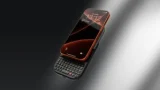

Clicks is heading to CES 2026 with its first smartphone and a new physical keyboard, both designed for people who miss real buttons and want fewer distractions. The company announced that it will unveil the Clicks Communicator, its first phone, along with a new accessory called the Power Keyboard. The Clicks Communicator has a physical keyboard, a 4-inch OLED screen, and runs Android 16. Alongside the phone, Clicks is launching the Power Keyboard, a Bluetooth QWERTY keyboard that attaches to phones using MagSafe or Qi2. This is the first time Baybayin is available as a built-in system keyboard on iPhone, without needing to buy a third-party app from the App Store. How to Enable the Baybayin Keyboard on iOS 27 Install the iOS 27 Developer Beta on your iPhone Open Settings Go to General Tap Keyboard Tap Keyboards Tap Add New Keyboard Scroll to Filipino (Tagalog) Select the Baybayin script layout Tap Done What Is Baybayin? Apple tried to solve this by using the headphone as the physical control using single or double clicks to navigate songs forward. Read more in our articles including "Clicks introduces new smartphone and bluetooth keyboard" and "iOS 27 Adds Native Baybayin Keyboard to iPhone: Here is How to Enable It".
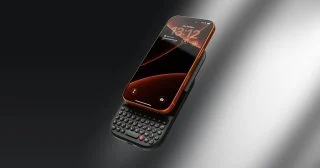
Clicks is heading to CES 2026 with its first smartphone and a new physical keyboard,…
Jan 3, 2026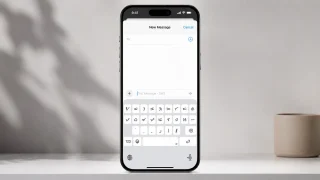
Apple quietly included a Baybayin keyboard layout in iOS 27, announced at WWDC 2026. This…
Jun 9, 2026While every iPhone fans are waiting for the supposed August/September release of the iPhone 3G…
Jul 27, 2008After over two weeks of using the iPhone 3G, I can fairly say I have…
Sep 13, 2008Update: Check out our iPhone 3G Review. Globe drops iPhone 3G Price Exclusive: iPhone 3G…
Aug 15, 2008Apparently, there’s still money to be made from old iPhones since demand for it from…
Jul 20, 2008Clicks is heading to CES 2026 with its first smartphone and a new physical keyboard, both designed for people who miss real buttons and want fewer distractions. The company announced that it will unveil the Clicks Communicator, its first phone, along with a new accessory called the Power Keyboard.
The Clicks Communicator has a physical keyboard, a 4-inch OLED screen, and runs Android 16. Alongside the phone, Clicks is launching the Power Keyboard, a Bluetooth QWERTY keyboard that attaches to phones using MagSafe or Qi2. This is the first time Baybayin is available as a built-in system keyboard on iPhone, without needing to buy a third-party app from the App Store.
Our coverage of physical keyboard phone includes: "Clicks introduces new smartphone and bluetooth keyboard"; "iOS 27 Adds Native Baybayin Keyboard to iPhone: Here is How to Enable It"; "Top iPhone 3G Alternatives". Each article provides unique insights and information.