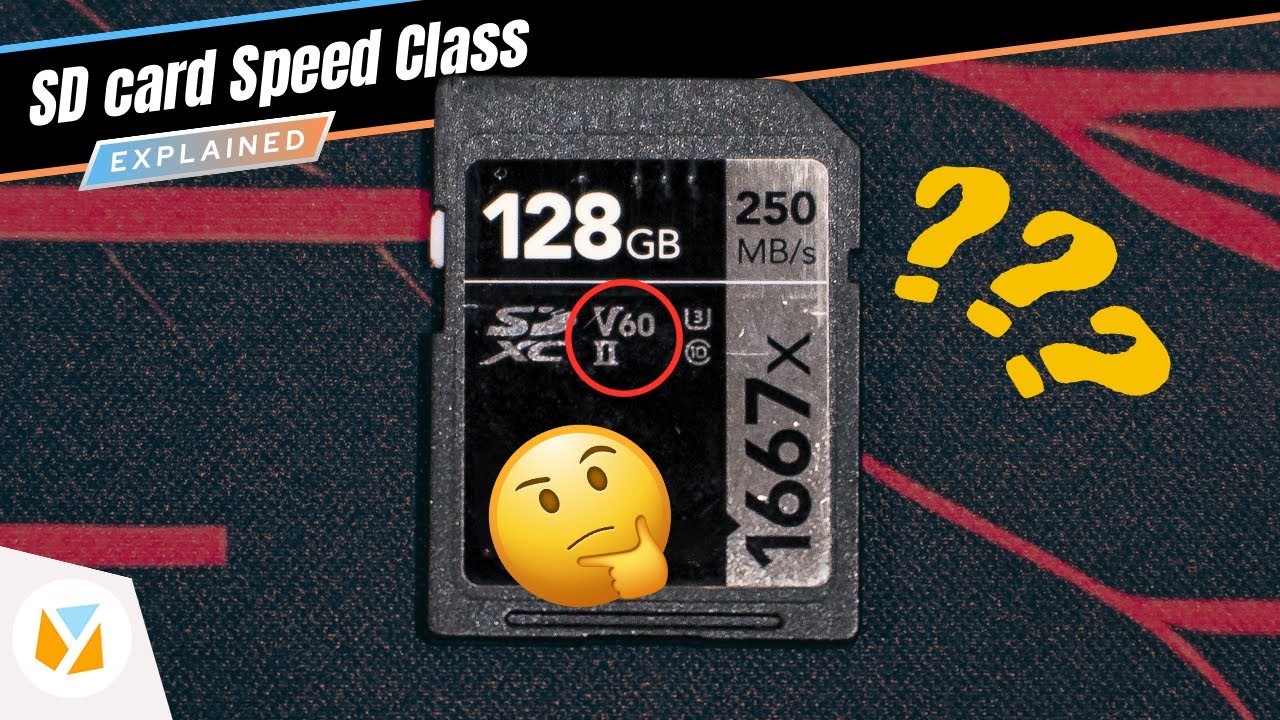

In this video, we break down SD card speed classes and why they matter when choosing a memory card for your device. Meanwhile, the Application Performance Class (A1, A2) is designed for running apps directly from an SD card, perfect for Android devices. Picking the right SD card can improve performance, reduce lag, and ensure smooth video capture, but using the wrong one could slow things down. To set it up, pinch on the Home screen > tap "Cards" > choose any widget you want to place > then add another widget of the same size and lay it directly on top of the first one. And on top of 0:25that, we're giving you guys some tips 0:28and tricks to make the most out of your 0:30Xiaomi, Redmi, or Poco devices. Anyways, I found a fix for that, 1:15and I'm going to spill the sauce later 1:17when we get to our tips and tricks. Let's finally talk about the 4:19tips and tricks that we came up with. 11:08So, do you have your own tips or tricks 11:10to share? Read more in our articles including "Watch: What do the symbols on my SD card mean?" and "HONOR MagicOS 10: Tips & Tricks".

If you’ve ever bought an SD card, you’ve probably seen labels with C, U, or…
Feb 7, 2025
We’ve spent weeks using the HONOR 600 Series as our daily drivers to get a…
Jul 23, 2026
We explore the new features, hidden tricks, and real-world performance of Xiaomi's HyperOS 3. Watch…
Dec 9, 2025
The Google Gemini AI integration offers a lot of benefits for those that can make…
Aug 30, 2024I’ve been an avid fan of the Moo cards ever since they went online. The…
Jul 22, 2008
RAMmageddon. There’s no other way to call this recent and drastic price increases of smartphones…
Jun 12, 2026In this video, we break down SD card speed classes and why they matter when choosing a memory card for your device. Meanwhile, the Application Performance Class (A1, A2) is designed for running apps directly from an SD card, perfect for Android devices.
Picking the right SD card can improve performance, reduce lag, and ensure smooth video capture, but using the wrong one could slow things down. To set it up, pinch on the Home screen > tap "Cards" > choose any widget you want to place > then add another widget of the same size and lay it directly on top of the first one. And on top of 0:25that, we're giving you guys some tips 0:28and tricks to make the most out of your 0:30Xiaomi, Redmi, or Poco devices.
Our coverage of SD card tips and tricks includes: "Watch: What do the symbols on my SD card mean?"; "HONOR MagicOS 10: Tips & Tricks"; "Watch: HyperOS 3 has arrived! | What's New + Tips and Tricks". Each article provides unique insights and information.