

Now that today's smartphones are capable of doing a bunch of things, from replying to emails to checking out your daily feed on social media, you can also turn it into a fully functional computer. Here's a guide on how to turn your smartphone into a desktop PC. Author's Note: Turning your smartphone into a desktop PC needs the following main components: an external monitor, keyboard, mouse, and some dongles. Connecting a Keyboard and Mouse Photo by: PCWorld Most people are used to typing on a touchscreen on their smartphone, but nothing can take away the feeling of typing on a regular keyboard– particularly when you need to be efficient. This process for Android smartphones is pretty straightforward, but there's no way to use an iPhone with a wired keyboard or mouse. External Display: Cast to a Larger Display Now, the issue lies in the fact that not all smartphones offer the mirror display function using a Bluetooth or wired connection. But for some newer phones, they have their own custom desktop experience when they're connected to an external display that doesn't require any sort of cable or dock to access. That's the only downside, but the vast majority of Android smartphones are compatible with projecting their displays using a Chromecast. Read more in our articles including "Turn your Smartphone into a Desktop PC" and "Best Budget Tablets for Back-to-School 2026 | Under P10,000".
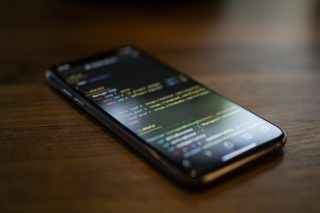
Now that today’s smartphones are capable of doing a bunch of things, from replying to…
Jul 21, 2020
A new school year means new projects, research papers, presentations, and online learning tasks. Whether…
Jun 14, 2026
With the announcement of the Xiaomi 17T series today, those hoping to upgrade from last…
May 29, 2026
Inflation is now (May 2026) at 7.2%, electricity rates at Php14.33/kWhr, and gas prices through…
May 28, 2026
GCash has expanded its in-app help tools and security features to address a growing number…
May 22, 2026
Smartphones today can handle all the basics. The real difference now is how well a…
Apr 30, 2026Now that today's smartphones are capable of doing a bunch of things, from replying to emails to checking out your daily feed on social media, you can also turn it into a fully functional computer. Here's a guide on how to turn your smartphone into a desktop PC.
Author's Note: Turning your smartphone into a desktop PC needs the following main components: an external monitor, keyboard, mouse, and some dongles. Connecting a Keyboard and Mouse Photo by: PCWorld Most people are used to typing on a touchscreen on their smartphone, but nothing can take away the feeling of typing on a regular keyboard– particularly when you need to be efficient. This process for Android smartphones is pretty straightforward, but there's no way to use an iPhone with a wired keyboard or mouse.
Our coverage of Smartphone desktop includes: "Turn your Smartphone into a Desktop PC"; "Best Budget Tablets for Back-to-School 2026 | Under P10,000"; "Xiaomi 17T vs. Xiaomi 15T, what's different?". Each article provides unique insights and information.