

We've been using several routers at home (2 ISP issued + 3 routers/AP and a mesh) and in our office studio (1 ISP issued + 4 routers/AP and mesh ). We've used the Synology RT2600ac since 2021 and still very satisfied with it until now (it is currently hooked up to one of our 2 fiber connections at home). So, getting to try and test out its big brother -- the Synology RT6600AX -- got us a little bit excited. This means though that you have to replace the ISP-issued routers with the Synology router and make the WAN configuration from there (we will do a separate post about this once we're done with the testing). You can do it via the web browser of your PC (using the SRM by going to router.synology.com) or if you have the DS Router app on your smartphone. Just like the DiskStation Manager (DSM) for their NAS, the Synology Router Manager (SRM) is one of the easiest and most intuitive management tool for routers we've ever tried (and we've tried the ones from Asus, Cisco, LinkSys, TPLink, Xiaomi, Huawei, ZTE, Tenda, D-Link, Zyxel). After exploring as many features of the Synology RT6600ax, there's still a lot more in there that needs tinkering around. Read more in our articles including "Synology RT6600ax Router Review" and "Seagate and Synology partner up to offer personal cloud solutions to the Philippines".

Households and offices are becoming more and more connected as new devices are added into…
Mar 12, 2023
Mighty storage combo!
Aug 29, 2018
PLDT releases more information about the availability of the ASUS WiFi 6 routers available for…
Nov 25, 2020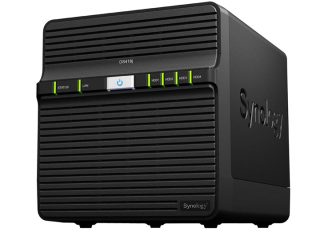
Synology has recently launched the DiskStation DS418j in Taiwan. Synology’s DS418J has a 64-bit dual-core CPU,…
Aug 15, 2017
The Canon EOS R6 V marks a new chapter in Canon’s video-first full-frame mirrorless lineup.…
Aug 4, 2026
And we’re back with another robot vacuum review, but this time, we’re looking at one…
Aug 3, 2026We've been using several routers at home (2 ISP issued + 3 routers/AP and a mesh) and in our office studio (1 ISP issued + 4 routers/AP and mesh ). We've used the Synology RT2600ac since 2021 and still very satisfied with it until now (it is currently hooked up to one of our 2 fiber connections at home).
So, getting to try and test out its big brother -- the Synology RT6600AX -- got us a little bit excited. This means though that you have to replace the ISP-issued routers with the Synology router and make the WAN configuration from there (we will do a separate post about this once we're done with the testing). You can do it via the web browser of your PC (using the SRM by going to router.synology.com) or if you have the DS Router app on your smartphone.
Our coverage of synology routers includes: "Synology RT6600ax Router Review"; "Seagate and Synology partner up to offer personal cloud solutions to the Philippines"; "PLDT Home Fibr plans with ASUS WiFi 6 routers". Each article provides unique insights and information.