

Google is taking strides in ensuring the safety and privacy of its users with the implementation of "unknown tracker alerts" for Android devices. [gallery type="rectangular" columns="2" size="full" ids="342272,342273"] Unknown tracker alerts: Get notified automatically Once an Android phone detects a tracker, users receive a notification and can view a map showing the tracker's location relative to the user. Manually scan Users can also do a manual scan of their surroundings to check for trackers. To do so, go to Settings > Safety & Emergency > Unknown Tracker Alerts, and tap "Scan Now". According to Google, the scanning process will take 10 seconds, and lists trackers nearby. Read more in our articles including "New Android security feature: Get alerts when unknown trackers are near you" and "Infinix launches 7.7 sale with discounts and concert ticket giveaway".

Google is taking strides in ensuring the safety and privacy of its users with the…
Aug 11, 2023
Infinix has launched its 7.7 Sale across Shopee, Lazada, and TikTok Shop, offering discounts on…
Jul 7, 2026
The Department of Information and Communications Technology (DICT) and the National Bureau of Investigation (NBI)…
Jul 7, 2026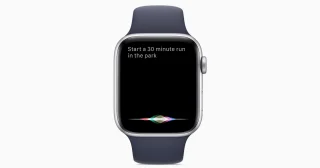
Apple has released watchOS 27 beta 3 for developers, bringing its upgraded Siri AI experience…
Jul 7, 2026
UnionBank has removed transaction fees for person-to-person fund transfers made through InstaPay, with the new…
Jul 7, 2026
The Land Bank of the Philippines (LandBank) will stop charging fees for InstaPay and PESONet…
Jul 6, 2026Google is taking strides in ensuring the safety and privacy of its users with the implementation of "unknown tracker alerts" for Android devices. [gallery type="rectangular" columns="2" size="full" ids="342272,342273"] Unknown tracker alerts: Get notified automatically Once an Android phone detects a tracker, users receive a notification and can view a map showing the tracker's location relative to the user.
Manually scan Users can also do a manual scan of their surroundings to check for trackers. To do so, go to Settings > Safety & Emergency > Unknown Tracker Alerts, and tap "Scan Now". According to Google, the scanning process will take 10 seconds, and lists trackers nearby.
Our coverage of unknown trackers includes: "New Android security feature: Get alerts when unknown trackers are near you"; "Infinix launches 7.7 sale with discounts and concert ticket giveaway"; "NBI eClearance renewal now available on eGovPH". Each article provides unique insights and information.