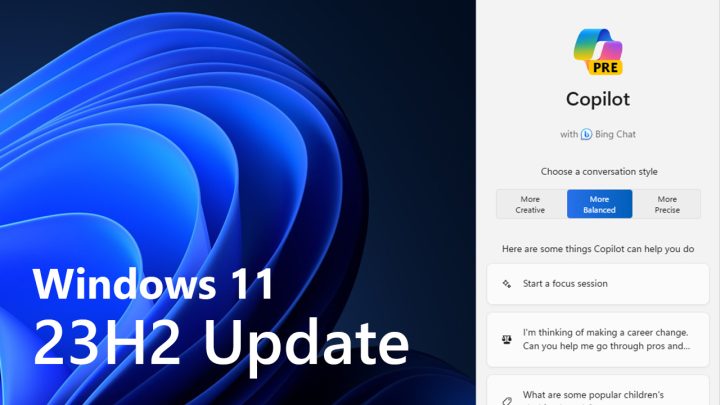

Microsoft has officially released the Windows 11 23H2 update bringing new features and design changes to more users. In late September, said features are already out as part of the Windows 11 22H2 “Moment 4” update. But users like the author of this article have only recently got access to these features through the 23H2 update. Here are the new key features inside the Windows 11 version 23H2: Copilot: ChatGPT, Bing integrated to Windows Windows Copilot gets integrated to Windows 11. Once the 23H2 is installed, the Copilot appears on the taskbar, and a sidebar will appear if clicked. It doesn't even have glass aesthetics, which is shown throughout Windows 11 OS, making a design inconsistency. The address bar gets relocated at the top and now follows Windows 11’s aesthetics. There’s a new keyboard shortcut (Windows key + Ctrl + V) for faster access to volume mixer. Read more in our articles including "Microsoft officially rolls out Windows 11 23H2 update" and "Windows 7 Preview: Less of the Same".

Microsoft has officially released the Windows 11 23H2 update bringing new features and design changes…
Nov 6, 2023I’ve had the beta version of Windows 7 installed on my Intel Core 2 Quad,…
Jan 15, 2009Microsoft has finally announced the SKUs of their upcoming OS, Windows 7. The line-up didn’t…
Feb 4, 2009

Insta360 has officially launched the Luna Ultra in the Philippines. The camera is co-engineered with…
Jun 24, 2026
After being spotted in Lazada, the Infinix HOT 70 is now available in the Philippines.…
Jun 24, 2026Microsoft has officially released the Windows 11 23H2 update bringing new features and design changes to more users. In late September, said features are already out as part of the Windows 11 22H2 “Moment 4” update.
But users like the author of this article have only recently got access to these features through the 23H2 update. Here are the new key features inside the Windows 11 version 23H2: Copilot: ChatGPT, Bing integrated to Windows Windows Copilot gets integrated to Windows 11. Once the 23H2 is installed, the Copilot appears on the taskbar, and a sidebar will appear if clicked.
Our coverage of Windows 11 23H2 includes: "Microsoft officially rolls out Windows 11 23H2 update"; "Windows 7 Preview: Less of the Same"; "The 6 flavors of Windows 7". Each article provides unique insights and information.