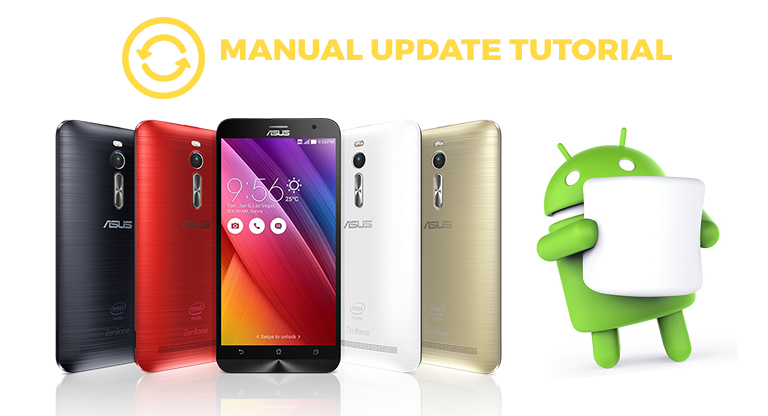

ASUS has began rolling out its Android 6.0 Marshmallow update for the ZenFone 2, ZenFone 2 Laser 5.0/5.5, ZenFone Max and ZenFone Selfie, which means it will eventually hit all devices as an over-the-air (OTA) update. The good news is that you can download the official FOTA update straight from ASUS website and manually install it yourself. Do note that only the ZenFone 2 (ZE551ML/ZE550ML), ZenFone 2 Laser (ZE500KL/ZE550KL) and ZenFone Selfie (ZD551KL) devices are currently supported for the manual update, the full firmware of the ZenFone Max is not yet available. In this tutorial, I will teach you how to manually update your ZenFone 2 into the latest Android 6.0 Marshmallow. ZenFone 2 (Mirror Link / Beta Update) - ZE551ML ZE550ML ZenFone 2 Laser - ZE500KL ZE550KL ZenFone Selfie - ZD551KL Note: After the download has been completed, just leave the firmware on the root storage of your device OR if you are using your computer to download, copy the file also to the root storage. Read more in our articles including "Tutorial: How to manually update ZenFone 2 devices into Android 6.0 Marshmallow" and "Xiaomi Ecosystem: It just works, too".

ASUS has began rolling out its Android 6.0 Marshmallow update for the ZenFone 2, ZenFone 2 Laser…
Jun 13, 2016
We all know that Apple and its closed ecosystem is arguably THE best one out…
Aug 1, 2026
We’ve spent weeks using the HONOR 600 Series as our daily drivers to get a…
Jul 23, 2026
So, you just got a shiny new phone, and what’s exactly the first thing you’d…
Jul 23, 2026
It seems like it was only yesterday when 2026 started, but now we’re already halfway…
Jul 12, 2026
With June quickly coming to a close, we think it’s time to look back and…
Jul 12, 2026ASUS has began rolling out its Android 6.0 Marshmallow update for the ZenFone 2, ZenFone 2 Laser 5.0/5.5, ZenFone Max and ZenFone Selfie, which means it will eventually hit all devices as an over-the-air (OTA) update. The good news is that you can download the official FOTA update straight from ASUS website and manually install it yourself.
Do note that only the ZenFone 2 (ZE551ML/ZE550ML), ZenFone 2 Laser (ZE500KL/ZE550KL) and ZenFone Selfie (ZD551KL) devices are currently supported for the manual update, the full firmware of the ZenFone Max is not yet available. In this tutorial, I will teach you how to manually update your ZenFone 2 into the latest Android 6.0 Marshmallow. ZenFone 2 (Mirror Link / Beta Update) - ZE551ML ZE550ML ZenFone 2 Laser - ZE500KL ZE550KL ZenFone Selfie - ZD551KL Note: After the download has been completed, just leave the firmware on the root storage of your device OR if you are using your computer to download, copy the file also to the root storage.
Our coverage of zenfone 2 manual update includes: "Tutorial: How to manually update ZenFone 2 devices into Android 6.0 Marshmallow"; "Xiaomi Ecosystem: It just works, too"; "HONOR MagicOS 10: Tips & Tricks". Each article provides unique insights and information.