
The MERCUSYS MC210 is one of the latest offerings from the smart home solutions provider. This home security Wi-Fi camera packs a ton of features to help users oversee their home.
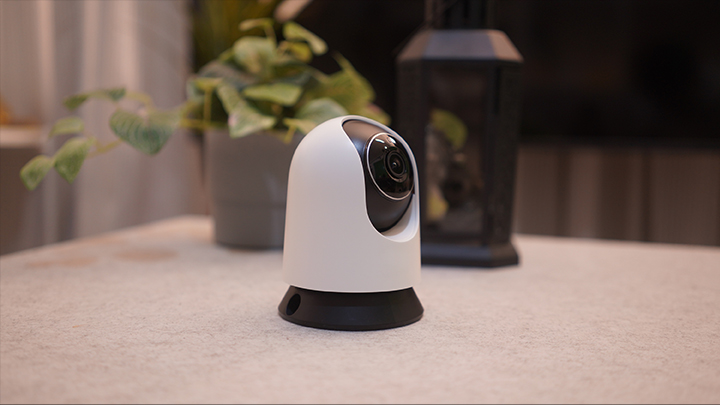
Its highlights include high definition video, pan/tilt 360-degree wide coverage, and smart detection for people, motion, and crying newborns. It also offers things like two-way audio with voice control and even night vision.
Not only that, it’s quite budget-friendly, priced at just under PHP 1,000. We managed to snag a review unit to help readers be better informed prior to making a purchasing decision.
At first glance, however, it’s looking pretty good given its capabilities. Let’s dive right in to see how reliable MERCUSYS’ new security camera can be.
Box Content, Design, & Construction
Out of the box, users are greeted with the camera, a manual, a sticker, screws, and the power adapter. The MC210 has a simple, dome-shaped design in black and white.
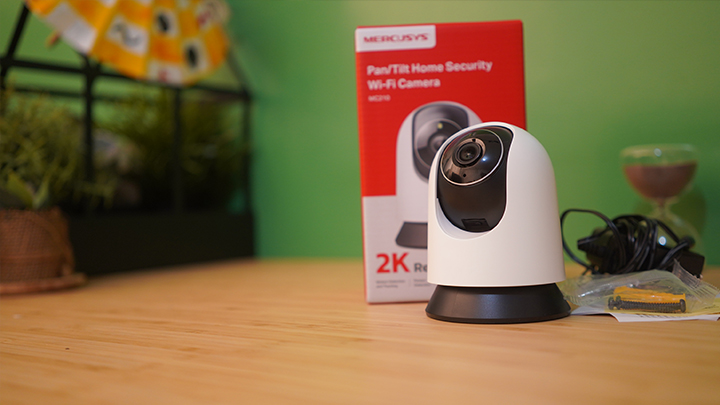
The 3-megapixel sensor can be found at the center, along with an LED light situated just above it. If users are trying to find where to input the microSD card, it’s underneath the sensor.
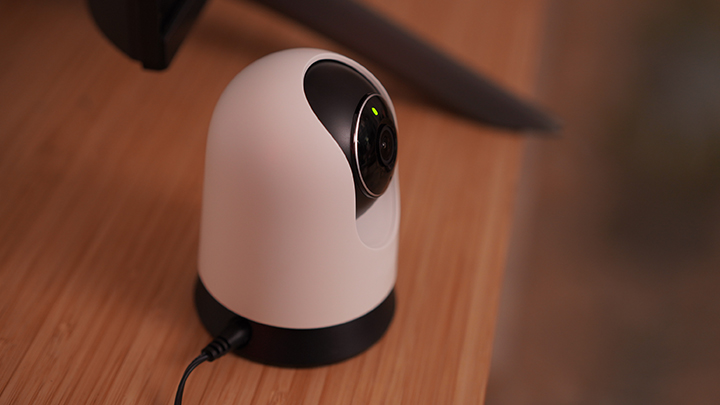
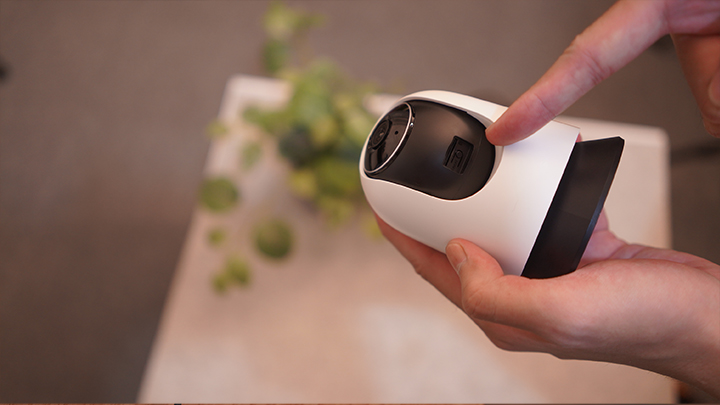
You may also find the reset button situated here, which is quite subtle in my opinion. I think most people would look for the card slot and reset button behind the device instead.
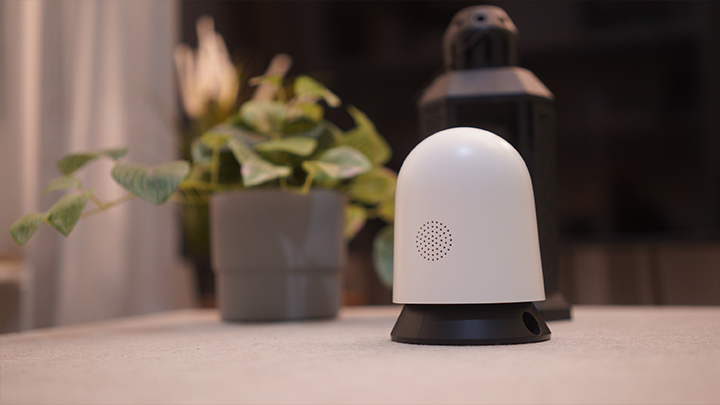
Behind the camera, you may also find the device’s speaker and the DC port. The top white part is capable of rotating at a 360-degree angle, making for great coverage indoors.
The camera is fairly light, so users won’t have any issues with moving it from place to place. That is, unless some users intend to screw it in place or station it somewhere more open.
Setup and App Interface
The camera’s setup is straightforward, and we started by scanning the QR code on the side of the box. This lets users quickly download the MERCUSYS app, available for download on the Play Store and App store.
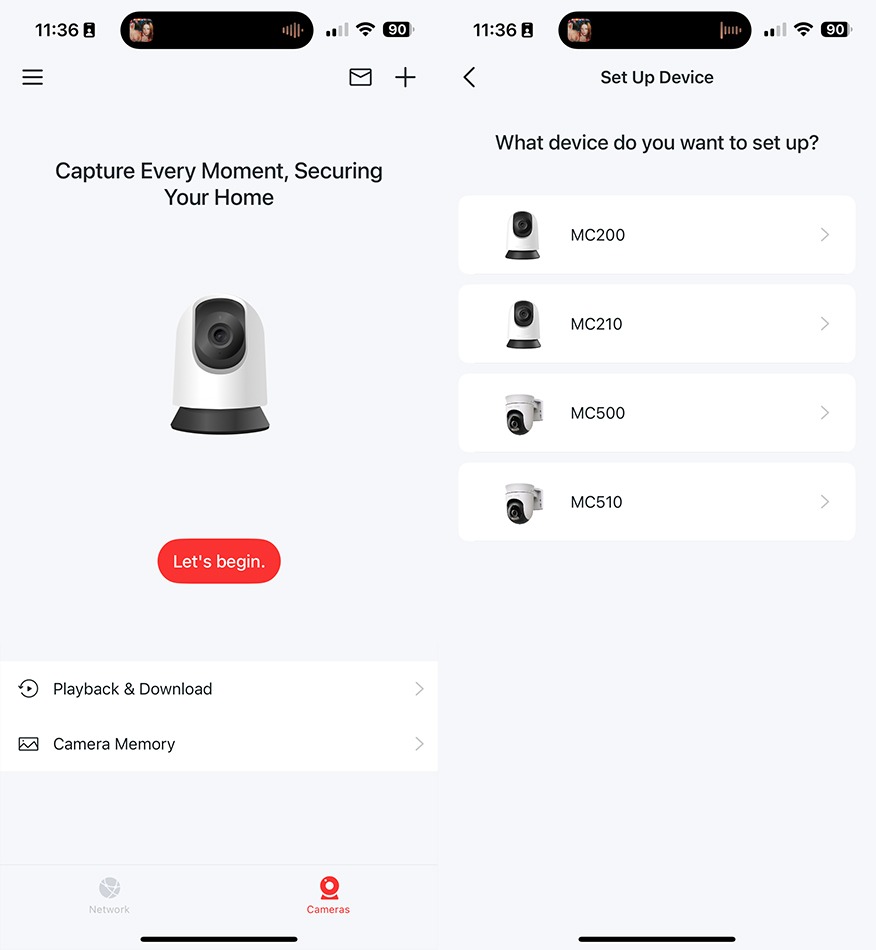
Registration only requires a user’s email, and then a code will be sent asking for activation. Once that’s ready, just log in and proceed to the next step.
From here, plug the camera into a power socket. The LED indicators should flash green and red. This implies it’s ready to connect with your device as internet configurations have yet to be set.
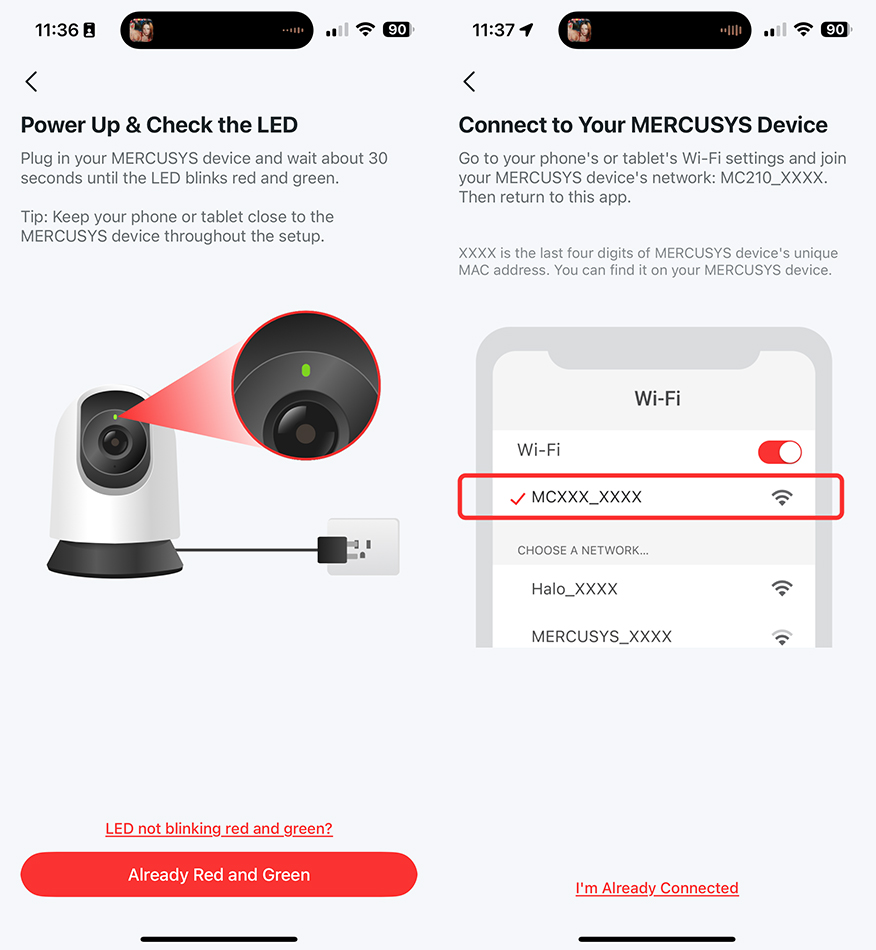
To pair your device, you have to go to your Wi-Fi under settings and connect to the camera itself. The app will offer you proceeding steps either way.
Once your device is connected to the camera, you can look for a network to connect to with the app. Notably, the device asks you when you want firmware updates to be installed.
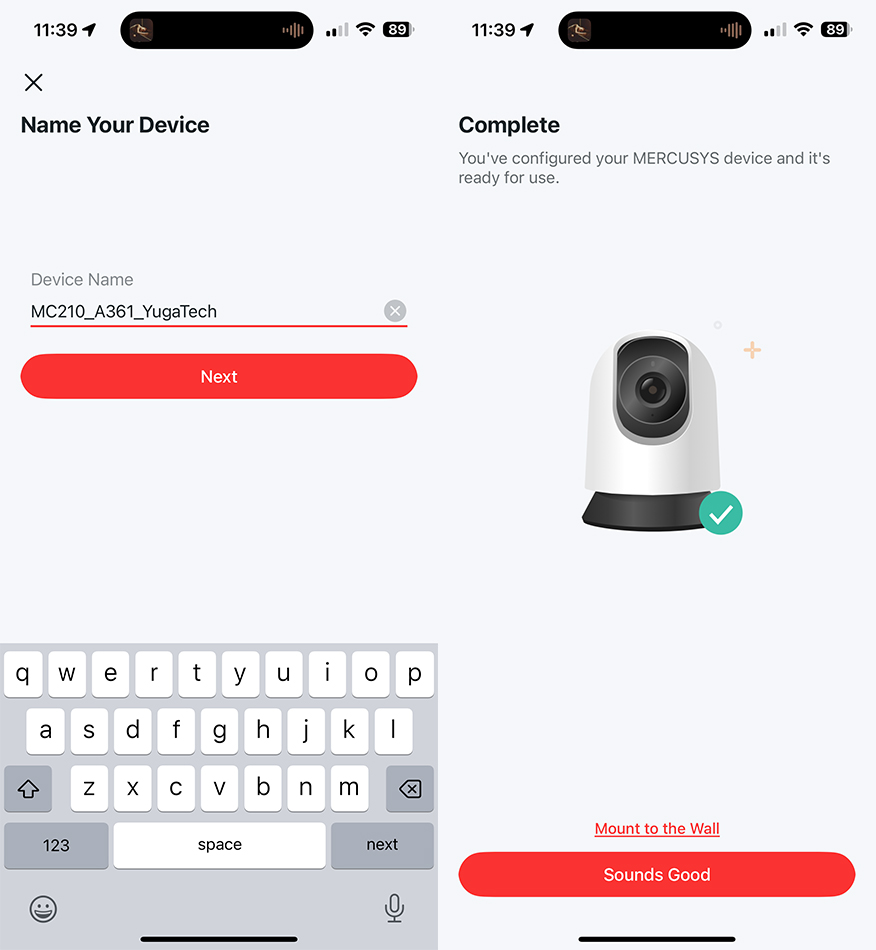
After naming your device, you should be all set and ready to go. The light should be green, which signals that it’s currently operating as intended.
For the interface, you’re greeted with options for Home Mode, Away Mode, and the camera’s footage. There’s also options underneath to check out Playback and Downloads from the camera along with its Memory.
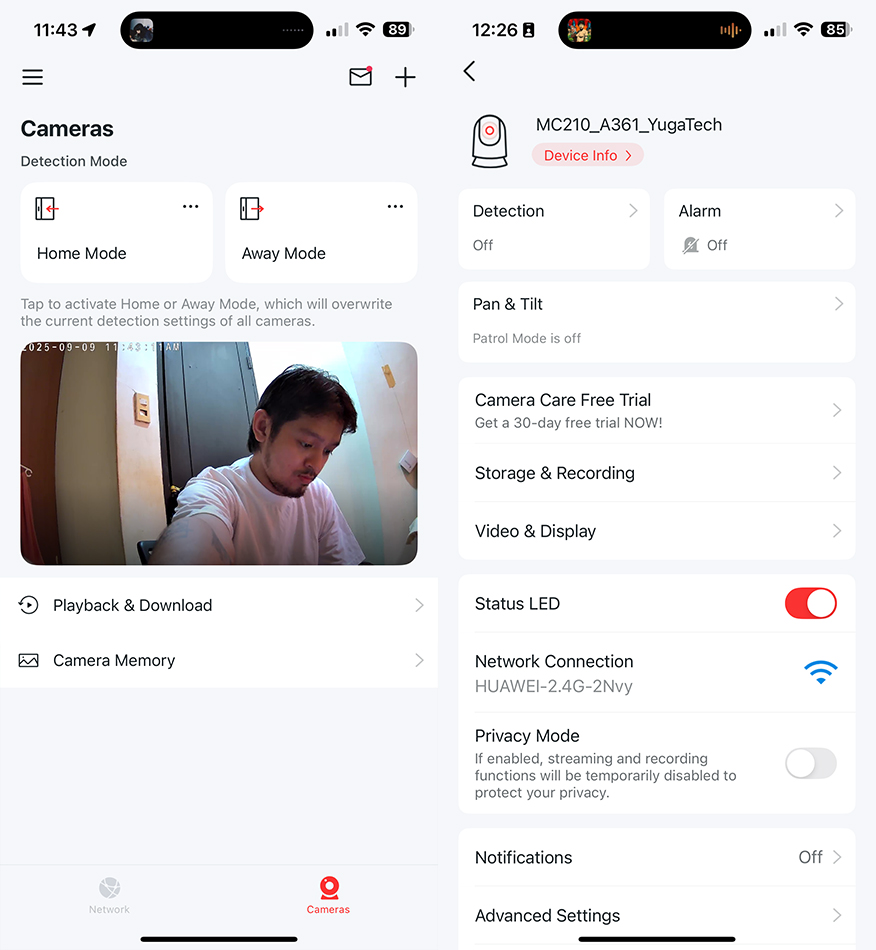
From here, you can see photos or videos taken with the camera. I initially set the device up at home, but I’ll show readers some samples later in the article.
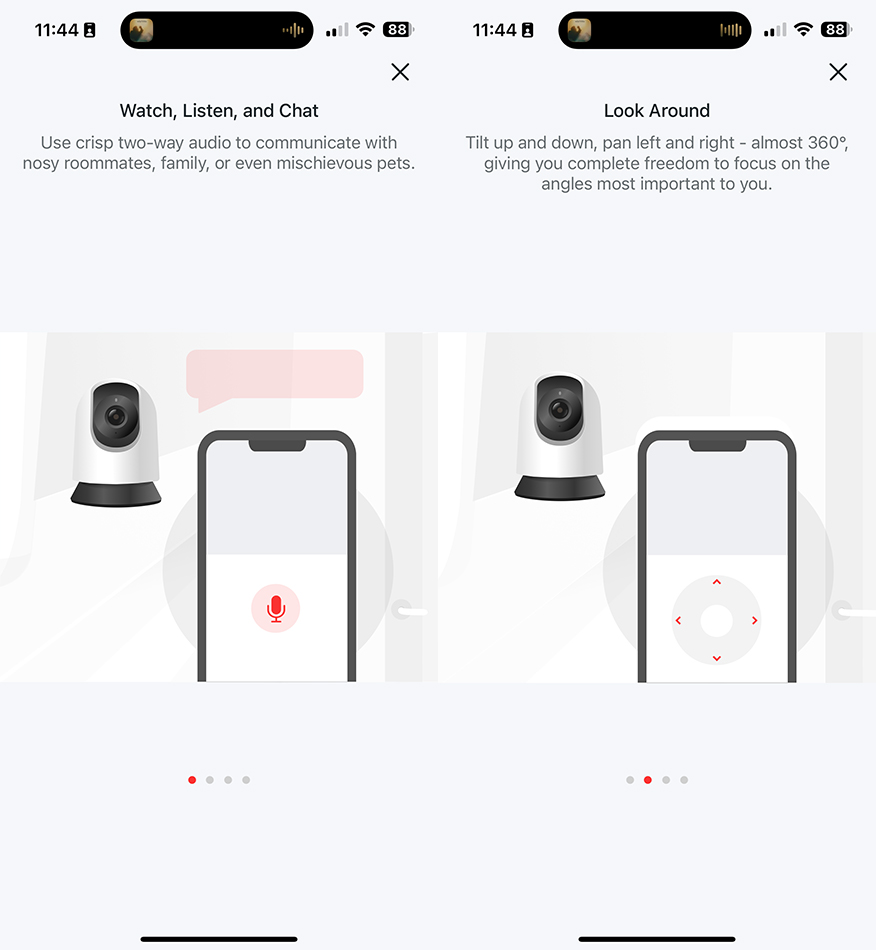
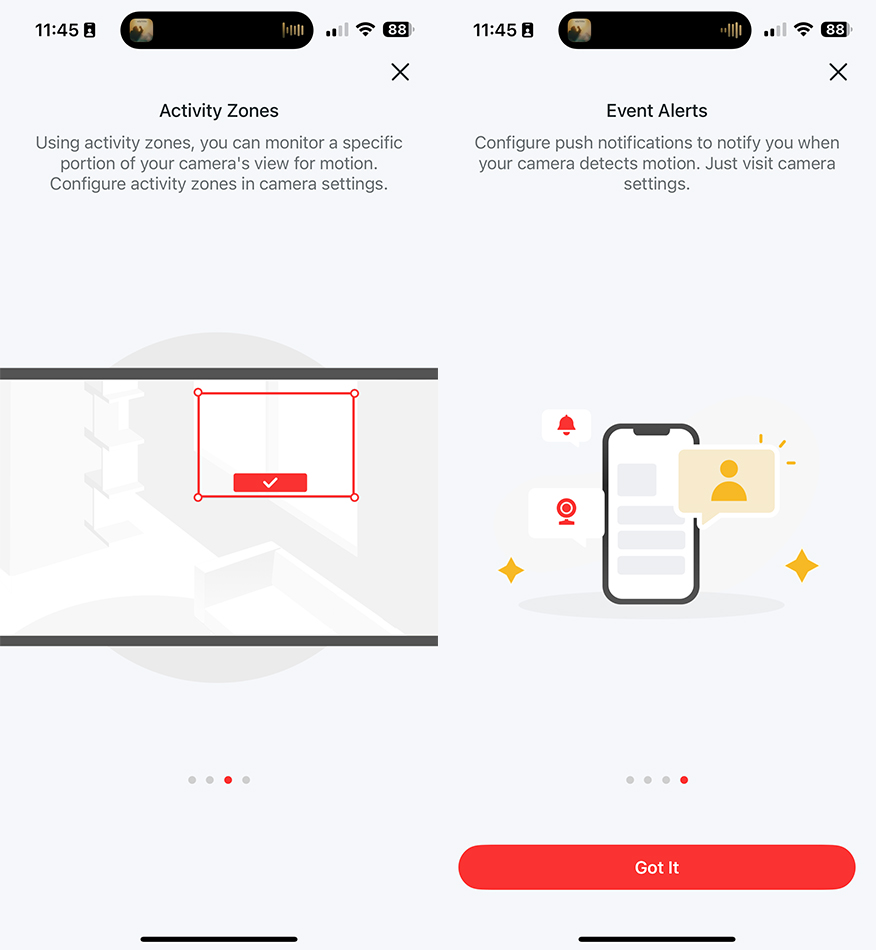
Once you try to manage the footage, the camera will give you a quick overview of features through slides. This includes two-way audio, panning and tilting with a 360-degree angle, activity zones, and event alerts.
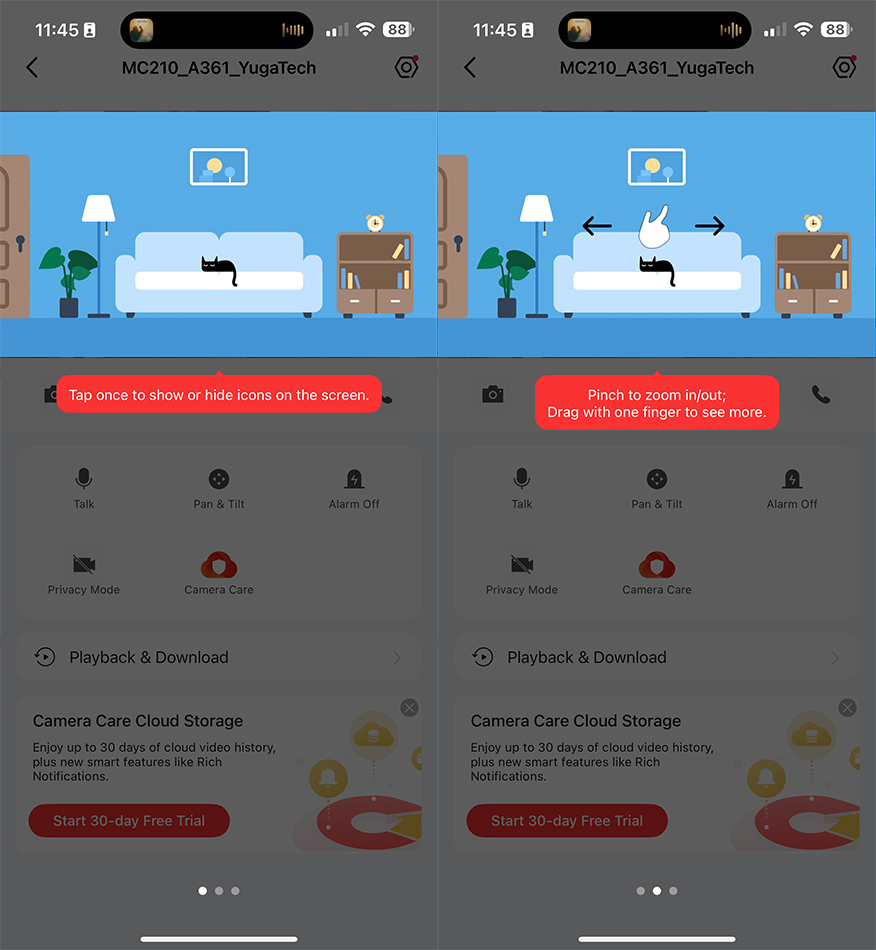
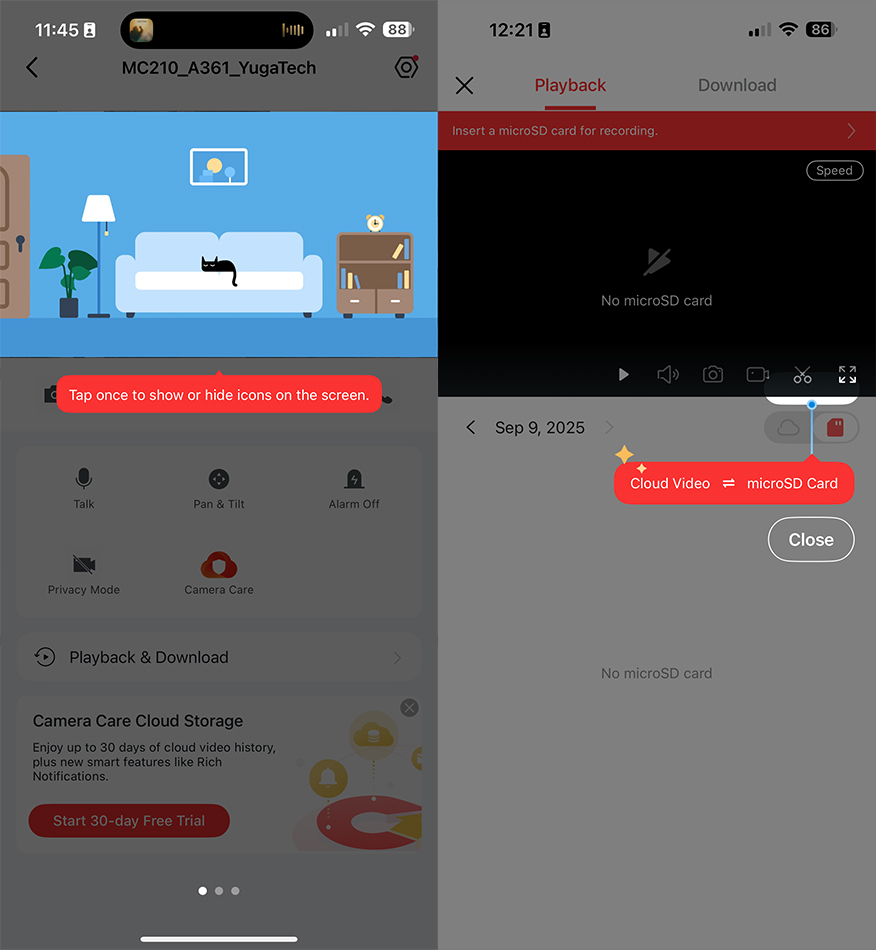
Users can tap once to show or hide icons on the screen. You can also pinch to zoom in and out, or drag with one finger to move around. Double tapping lets users zoom in quickly, and double tapping again zooms you out.
Below, you can also check out some of the device’s controls. Talk is self-explanatory, letting you communicate with people in your camera’s vicinity.
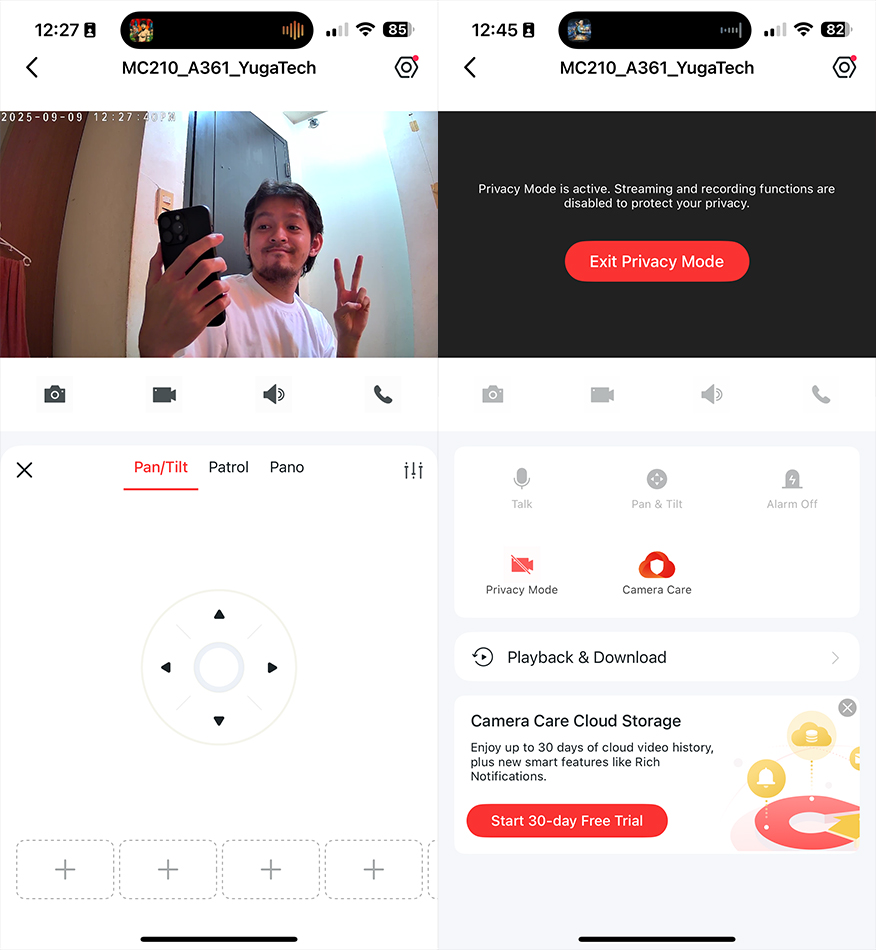
Then, there’s Pan & Tilt, which offers some directional arrows below along with toggles for Patrol and Pano. Users may also turn the Alarm or Privacy Mode on or off. Privacy Mode, while active, disables streaming and recording functions.
Talking or moving the camera around comes with a one second delay. In addition, the alarm volume is set to low by default.
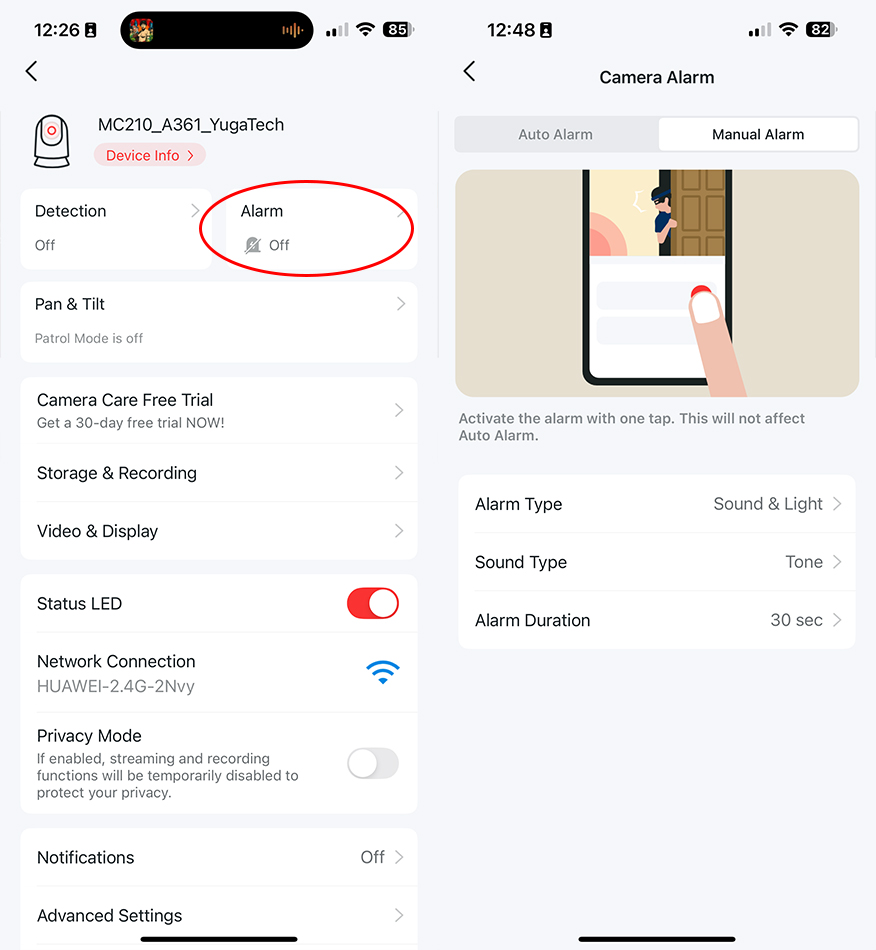
We recommend users to bump it up to medium or high with the sound type set to Siren. In addition, the duration is set to 30 seconds out of the box. For reference, users can bump this up to as long as 10 minutes.
There’s also a couple more things worth noting about the camera. First is about if you’ve already established a connection with your phone, network, and the MC210.
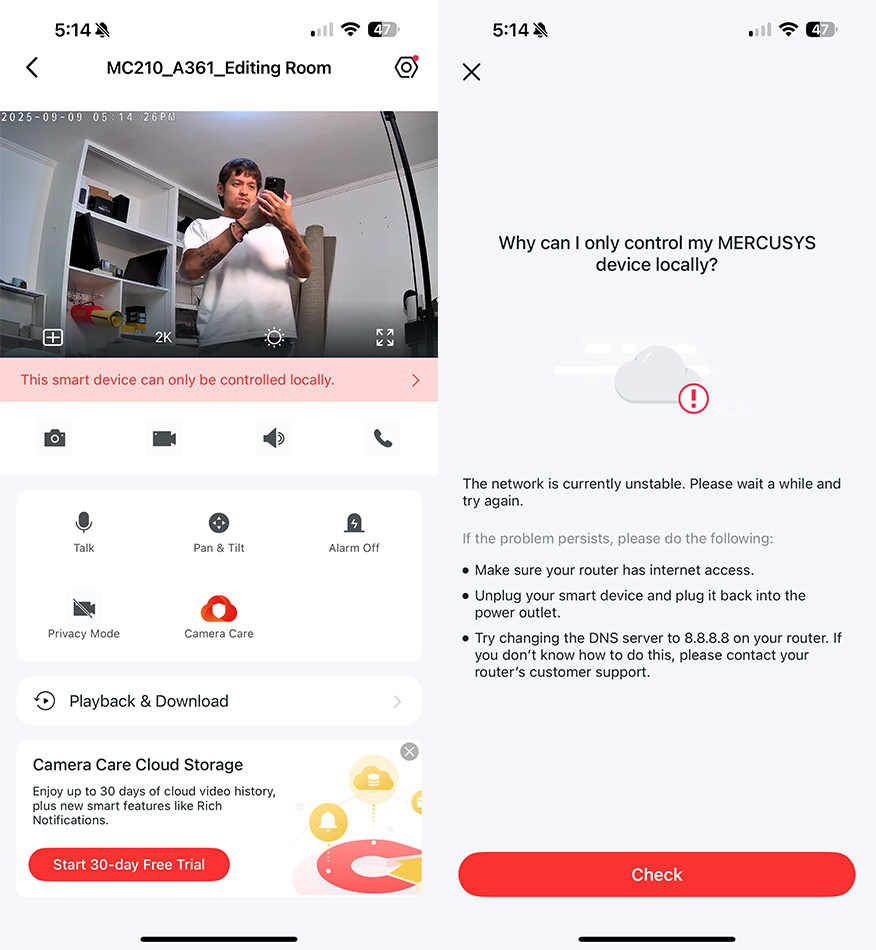
If you have the camera connected to an unstable network, it will notify you that it’s still operational albeit controlled locally. It also gives you some tips on how to remedy this matter.
In addition, we tried connecting the camera to a mobile hotspot. The camera won’t detect your device if it’s 5GHz, so make sure that your network is 2.4GHz.
Performance and Features
For performance, the MC210 can shoot at 2K resolution (2306 x 1296). By default, footage taken is at 15 fps, but users can bump this up to 30 fps.
For reference, most cameras are often fixed at 15-20 fps. At under PHP 1,000, MERCUSYS is offering more clarity and smoothness. Here are some sample photos below.
MERCUSYS MC210 Sample Photos
Tuesday, Sep 9, 2025

If readers are wondering why some photos are in black and white, it’s because the camera supports infrared night vision.
This feature offers good, detailed visibility even in darkness.
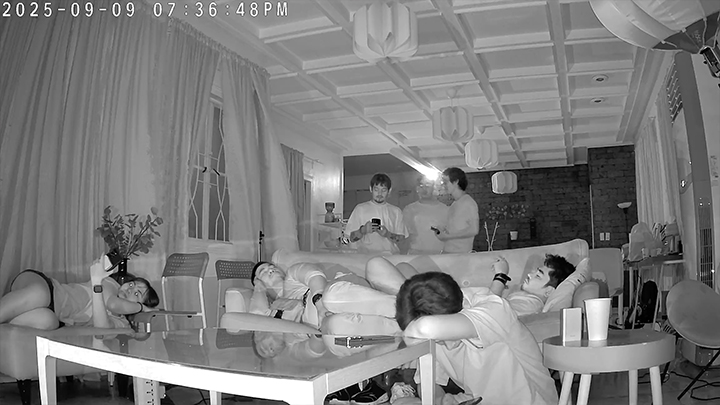
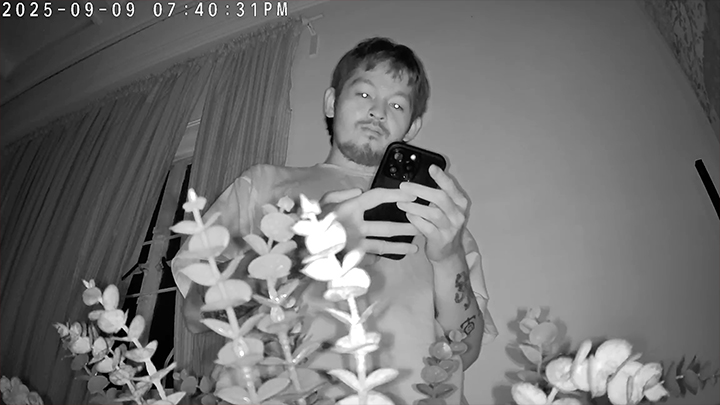
During one photo, we even tested how motion tracking worked. It followed me as I got closer to it, even focusing on me. The camera can zoom in (up to 10.8x) remotely to focus on me (or specific areas) without having to move it.
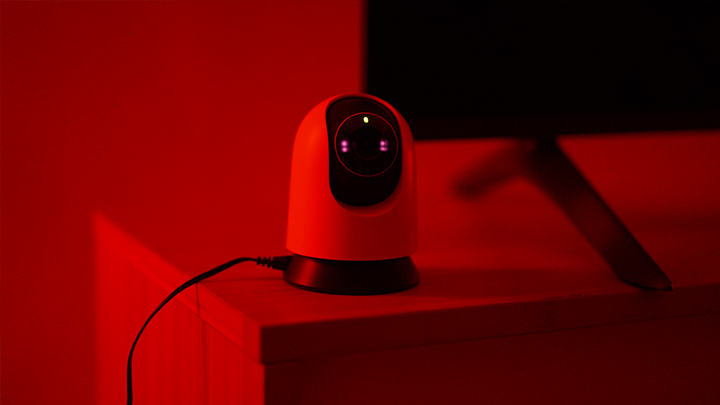
The camera leverages AI to identify its subjects, capable of tracking them 24/7. It’s a worry-free solution for ensuring subjects stay in view, while staving off false alarms from dust, light, or insects.
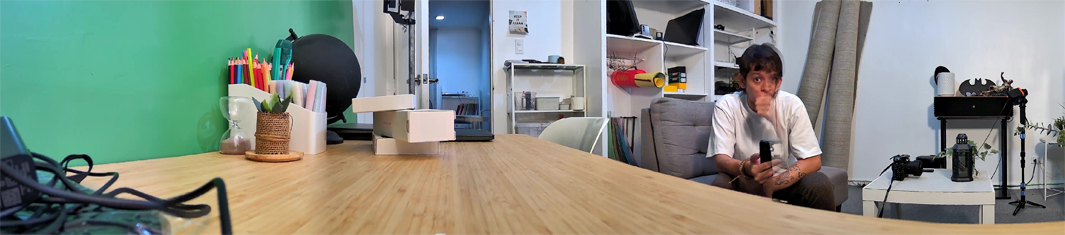
I even took one panorama shot (where I couldn’t resist moving) in our equipment room. This helped showcase its 360-degree imaging unlike fixed cameras.
The camera can also be tinkered with if ever there’s an area that a user doesn’t want coverage of. This is called the privacy or activity zone, where you can block off unwanted views hassle-free.

For places where you want to give more focus, the camera comes with a built-in mic and speaker. This lets you interact with family, pets, and possible intruders.
On the topic of family, the camera can also detect when a baby is crying. Its AI-powered system recognizes this sound, instantly sending notifications to your phone.
Parents or caregivers can certainly see the value of this feature, especially if you want real-time updates.
The AI-powered system detects the unique sound of a baby crying and instantly sends notifications to your phone, making it perfect for parents or caregivers who want real-time awareness and peace of mind.
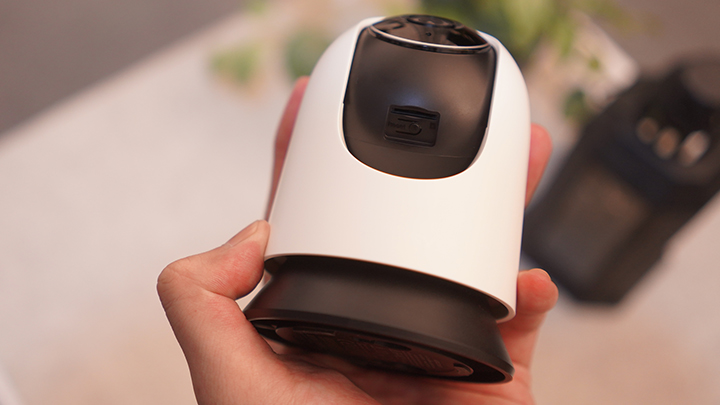
Last, but certainly not least, the camera supports microSD card use up to 512GB. You can find the slot below the sensor, just above the reset button.
On setup, you’ll also get a notification that informs you of subscribing to MERCUSYS Camera Care. This is essentially a free trial for their cloud service, which you can check out if you want more storage.
Pricing and Conclusion
The MERCUSYS MC210 is a reliable, feature-packed home security camera that stands out with its AI-powered integrations. It also takes notice of detecting crying babies, can zoom up to 10.8x, and can shoot at 2K up to 30 fps.

Among our best highlights are its night vision quality, motion tracking, and pan/tilt 360-degree wide coverage. Again, this is a budget-friendly offering, which makes for a great security investment whether you’re at home or work.
The MERCUSYS MC210 is now available in the Philippines, priced at just PHP 999. Interested readers can find it at leading e-commerce platforms like Lazada and Shopee. It’s also available via MERCUSYS-authorized partner retailers.
What we liked about it:
Price
Easy setup
User-friendly interface
AI motion tracking
2K resolution
IR night vision
360-degree coverage
What we did not like:
Remote control delay (pan and tilt)
2.4GHz-specific network requirement
MERCUSYS MC210 | Pan/Tilt Home Security Wi-Fi Camera specs:
3MP ⅓-inch Progressive Scan CMOS sensor (4mm, f/2.0)
87-degree diagonal FoV
74-degree horizontal FoV
40-degree vertical FoV
850nm IR LED night vision (Up to 40ft / 12m)
microSD card support (1 slot, up to 512GB)
2306 x 1296 px max resolution
Up to 30 fps (15 fps by default)
Up to 10.8x zoom
H.264 video compression
Live View support
Built-in microphone and speaker
2-way audio support
88dB siren volume (At 4-inch / 10cm distance)
MERCUSYS Camera Care Cloud Storage Services (subscription required)
128-bit AES encryption with SSL / TLS
AI motion detection
AI person detection
AI baby crying detection
Wi-Fi 802.11 b/g/n
9V DC power adapter
100-240VAC, 50 / 60Hz, 0.3A input voltage
9.0V / 0.6A output voltage
Google Assistant, Amazon Alexa support
78.4 x 78.4 x 105.6mm (dimensions)



0 Comments
Leave a Reply