

After a long hiatus, vivo Philippines finally reintroduced its flagship model in the country with the X200 Pro earlier this year.
It had everything we expected from a flagship vivo device – amazing Zeiss cameras, a powerful chipset, a long-lasting battery, and a beautiful display with an equally appealing design. If you want to read our opinion on that phone, you can check it out here.
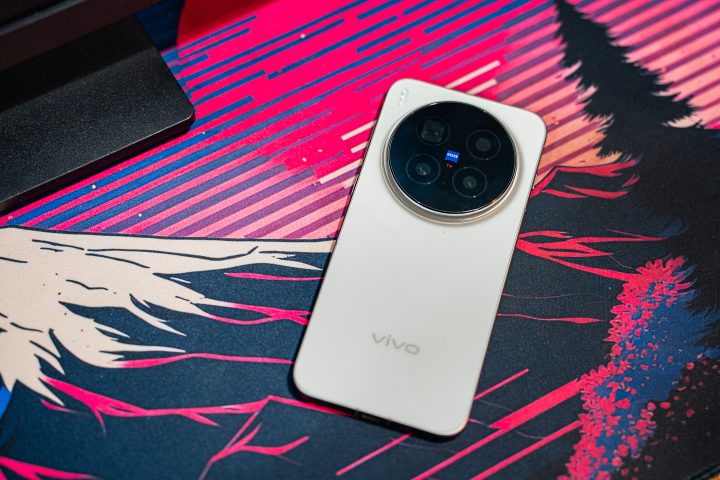
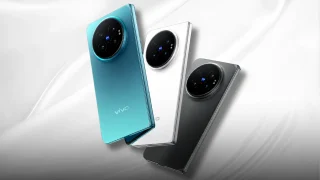
It’s been less than a year since the X200 Pro was introduced, but now its successor is already here – meet the vivo X300 Pro. On the outside, it looks almost identical to its predecessor, featuring a minimalist design with the large circular camera island being the center of attention.
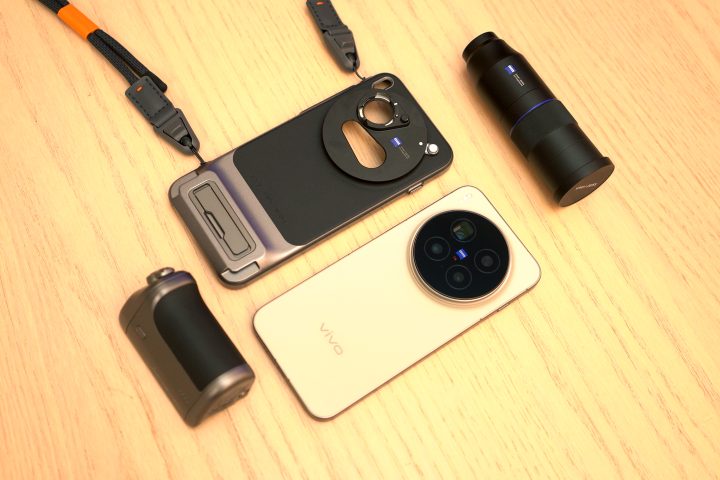
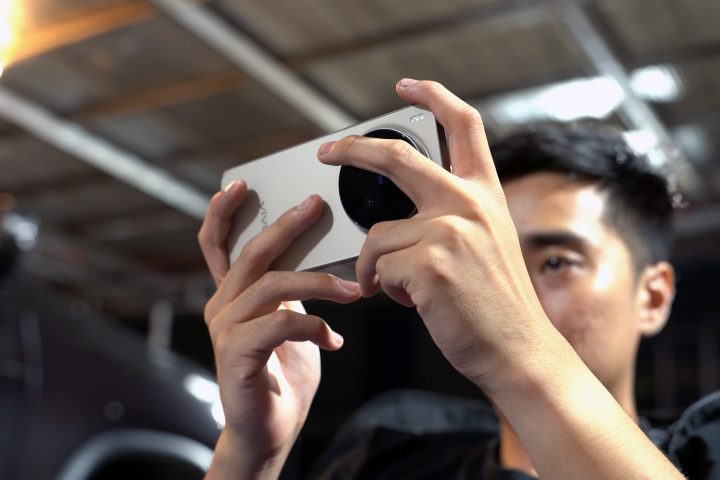
However, vivo is offering something different for the new X300 Pro, mainly for photographers and videographers: the Photographer Kit. Included in the Photographer Kit is a Zeiss telephoto lens, a camera grip with functional buttons, and even a case and strap to make it easier to bring around.
So while the entire package leans more towards the content creators, photographers, and videographers, is the vivo X300 Pro a phone you should consider even if you aren’t one? More importantly, how does it perform overall as a phone? Well, let’s find out in this review.
Design and Construction
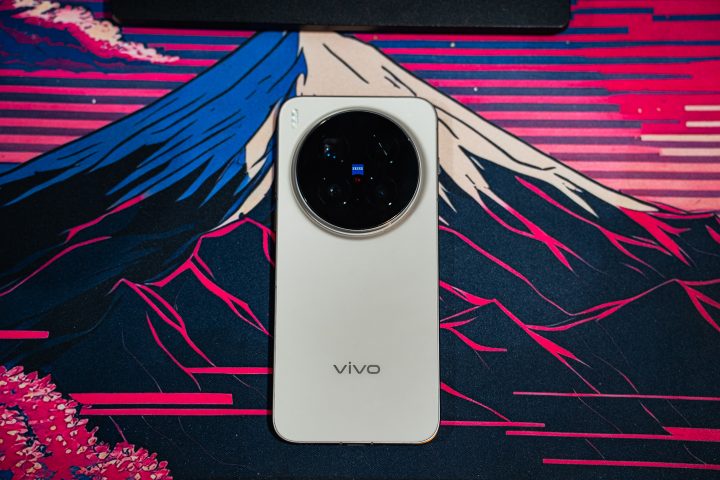
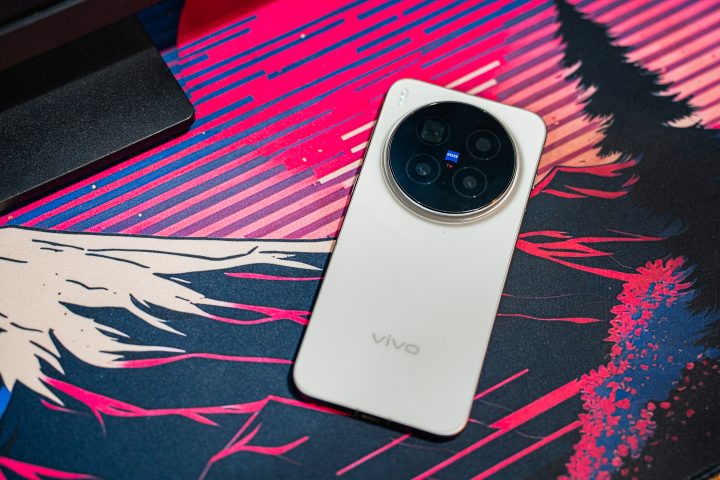
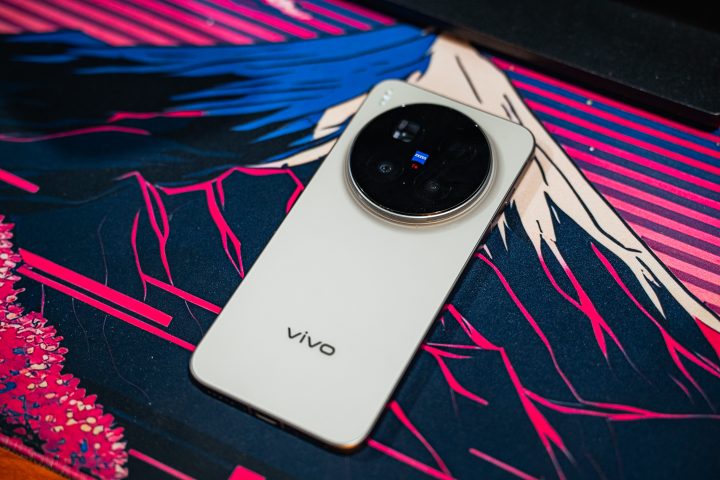
On the outside, the vivo X300 Pro features a minimalist design. At the back, there’s still a large circular camera island at the top that houses the triple rear cameras with the Zeiss logo at the center. Compared to its predecessor, the bezel is a lot simpler and minimalistic. Instead, the vario-apo sonnar wording is a bit more hidden.
Aside from the slightly redesigned camera island, the only other change vivo made to the X300 Pro is the location of the flash. It’s not situated in the upper left corner of the phone, instead of the upper right.
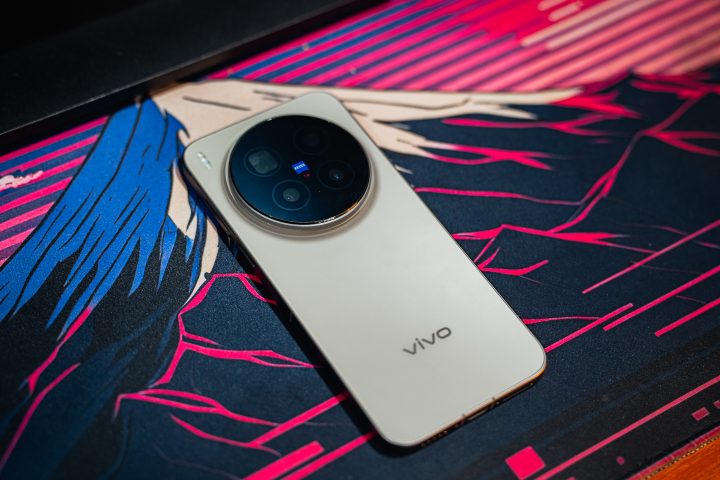
At the bottom, there’s the vivo logo and that’s very much it. There are two colors to choose from: Phantom Black and Dune Brown. Our unit is in Dune Brown, and the earth tone looks great on this phone.
Although it may not seem like it, the back panel is made out of glass, while the frame is made out of metal. While most phones these days are becoming slimmer, the same can’t be said for the X300 Pro. It’s still 7.99mm thick, and that doesn’t even account for the protruding camera island. Thankfully, it’s not that heavy, weighing only 226 grams.
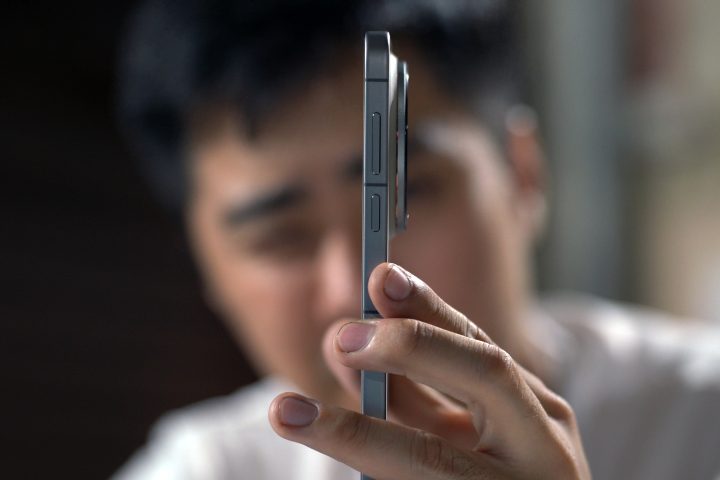
In terms of ergonomics, the volume rocker and power button are located on the right side of the phone. However, the volume rocker is positioned a bit higher than usual. This means you will need to adjust your grip to raise or lower the volume if you’re using the phone with one hand.
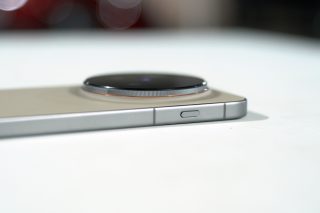
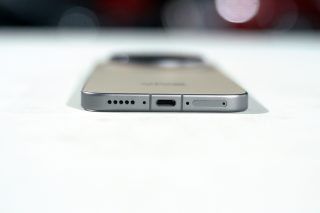
On the left side, there is a shortcut button similar to the iPhone 16 series. It is fully customizable, which we’ll talk more about later on. At the bottom, you’ll find the USB-C port, the dual-SIM card slot, and one of two loudspeakers. Lastly, at the top, you’ll find the other loudspeaker.
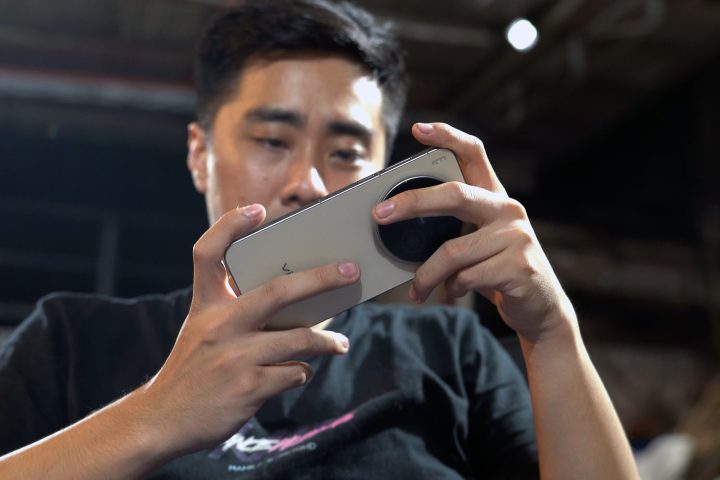
Due to the large camera island, we also found it a bit hard to play games. This makes it a bit hard to grip for when holding the phone horizontally, especially if you’re not using the case. Not to mention all the fingerprints left behind on the camera lenses.
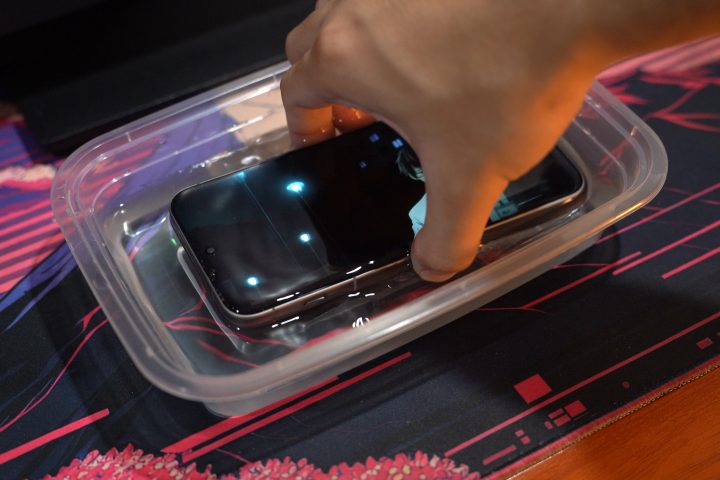
It’s well protected too, featuring an IP68 and IP69 rating for dust and water resistance. So yes, you can submerge this in water, get it wet, and it will still work, no problem whatsoever. But as always, salt water is a different issue.
Display and Multimedia
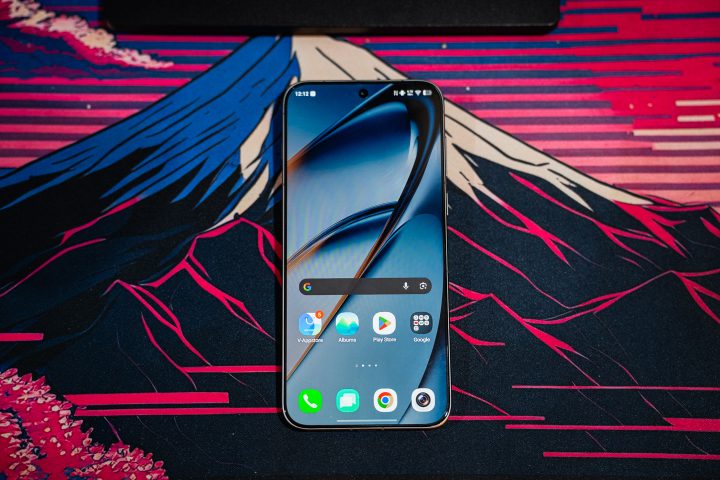
Moving on to the front of the vivo X300 Pro, it features a 6.78-inch 1.5K LTPO AMOLED panel with a 120Hz refresh rate and up to 4500 nits of peak brightness. Not to mention support for HDR10+, HDR Vivid, and even Dolby Vision. If the specs sound familiar, that’s because it’s identical to the one used on the X200 Pro.

There’s nothing wrong with the display being carried over. The display on the X200 Pro is beautiful, and that’s also the case with the one on the X300 Pro. You get amazing colors and smooth animations, even when you’re just playing around with the themes and settings in the menu.
When you’re watching movies or series, you can fully immerse yourself in the display. This being an AMOLED panel, you also get great viewing angles. I could spend my entire time watching videos on this phone, with no problem whatsoever.
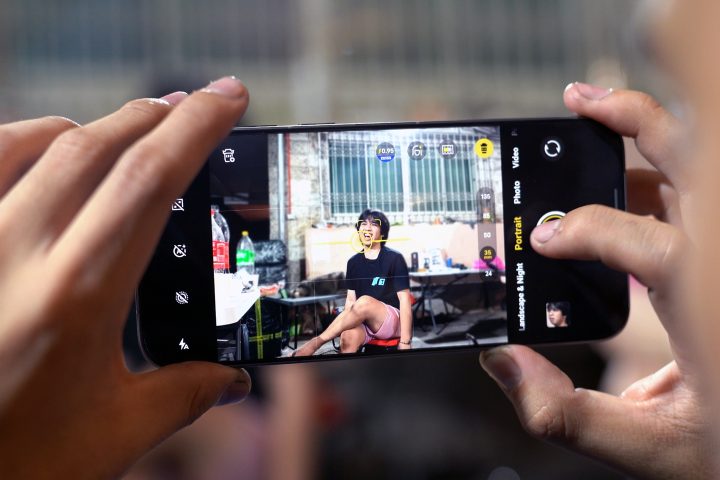
But of course, this is best utilized for taking photos and videos. With the 4500 nit peak brightness, you’ll be able to see everything clearly, even when it’s really sunny outside. So no matter where you are or what the weather conditions are, you can use it easily.
Meanwhile, the 120Hz refresh rate will be beneficial for gamers the most, especially if they play games that can utilize it. But of course, more on that later when we talk about performance.
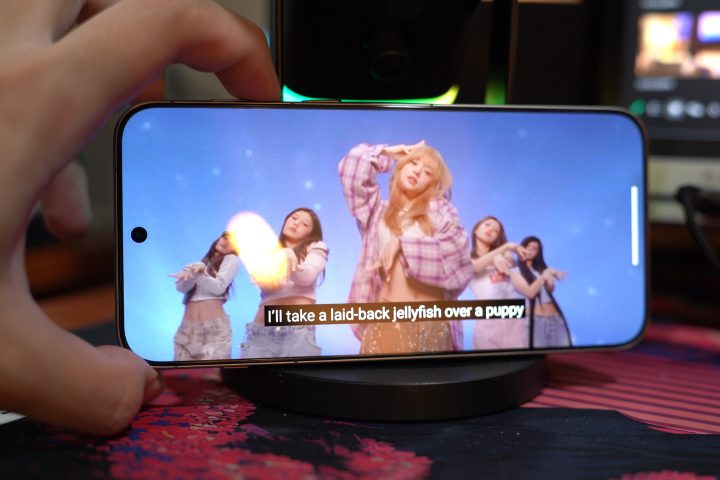
As for the speakers, it’s decent at best. There isn’t too much separation between the mids and trebles, and there’s also a lack of bass. As such, the vocals can come off a bit muddied. There’s no doubt that other flagship phones have better speakers.
I was also surprised to find out that there is no support for Dolby Atmos. Even the website says there’s no Hi-Fi support. It’s interesting since the screen supports Dolby Vision, but unfortunately, there’s nothing for the audio. With that, it’s best to use your favorite Bluetooth earphones for a better listening experience.
Cameras
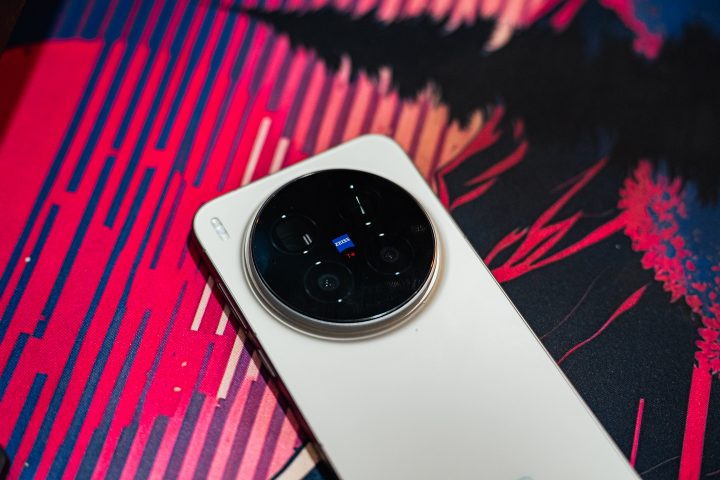
The main highlight of the vivo X300 Pro are the amazing cameras. It features a triple rear camera system composed of a 50MP main shooter with PDAF, OIS, a 50MP ultrawide, and a 200MP periscope-telephoto lens. Not to mention, all three are co-engineered with Zeiss. Yes, the same Zeiss that makes amazing camera lenses.
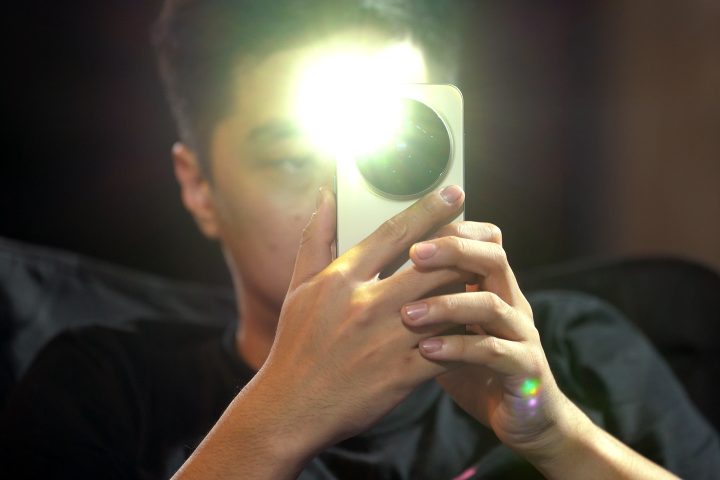
At the front, there’s a 50MP camera for taking selfies, and it can record video up to 4K@60FPS. With that, you will have consistent quality video whether you’re using the front or rear cameras on the X300 Pro.
Our review unit also came with the Pro Photography Kit, which includes a Zeiss telephoto lens, a camera grip with a shutter button, video record button, and even a zoom button. This kit allows you to take long-distance photos similar to using a 200-600mm zoom lens on a camera.
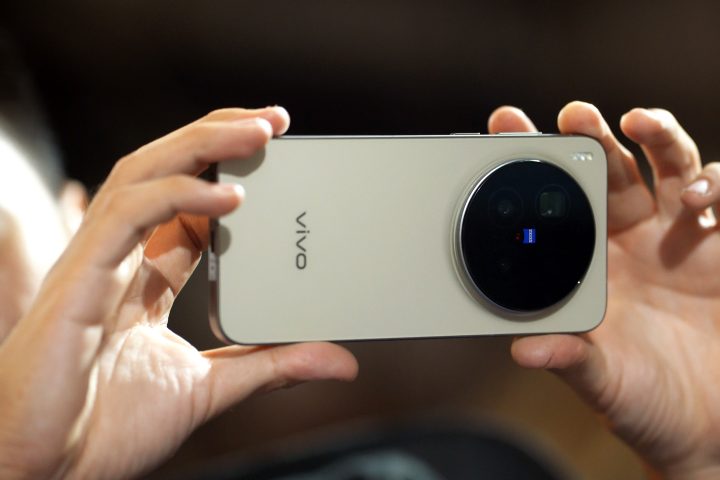
We’ve already done a full video showcasing the amazing camera capabilities of the vivo X300 Pro, and if you haven’t, you definitely should. But to keep things short, it’s amazing for photos and videos.
For those of you interested in a more in-depth look at its camera system, check out our dedicated video below.
There are a lot of neat features you can play around with, and some users could even use it as a stepping stone into photography and videography. With that, check out the gallery below to see for yourself.
vivo X300 Pro Sample Photos
Jul 1 – Nov 16, 2025


Performance and Benchmarks
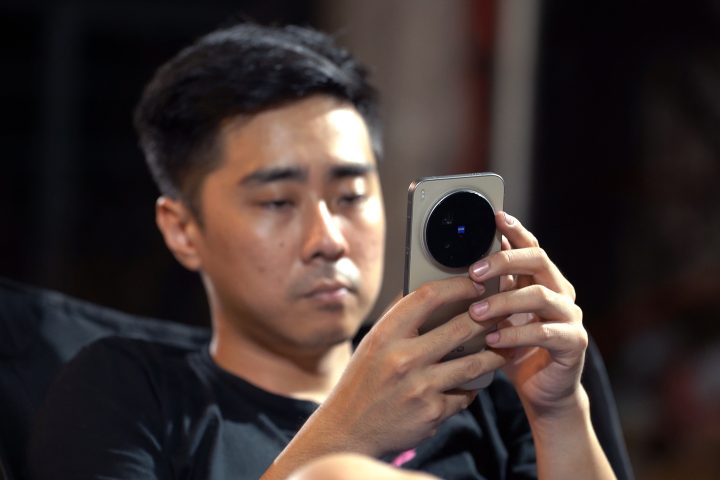
Under the hood, the vivo X300 Pro runs on a MediaTek Dimensity 9500 chipset. Our review unit comes with 16GB of RAM and 512GB of SSD storage. There’s no question that you can run almost anything and everything you want on this phone, and more.
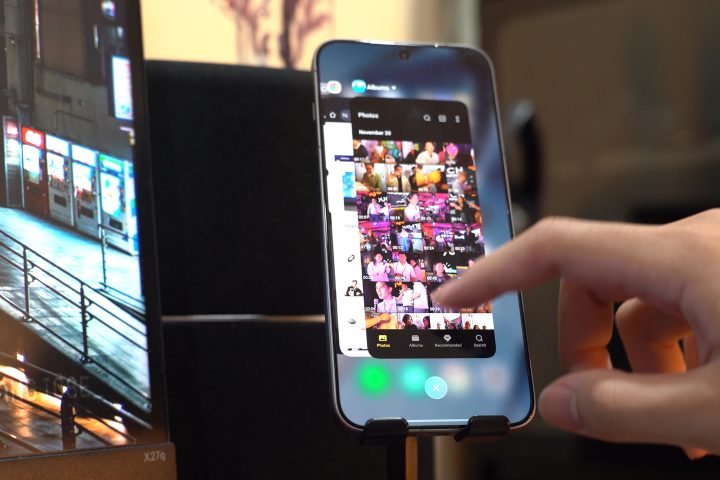
If you need to get a lot of work done, you can leave all of the apps running in the background, no problem. You can switch back and forth between them too, and they’ll pick up from where you left off. So if you need to send documents or work on emails, these are not problems for the X300 Pro.
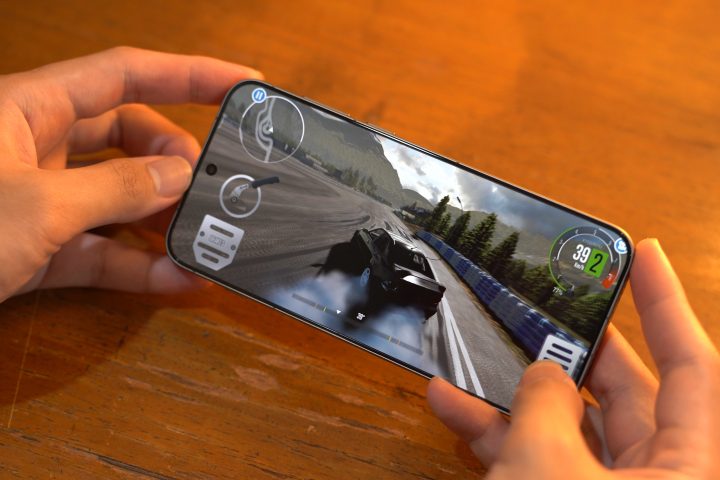
Where you’ll definitely feel the power of the Dimensity 9500 chipset the most is when you’re playing games. Our baseline game, Genshin Impact, runs on the highest settings at 60 FPS without any issues. Whether you’re exploring the new areas or clearing the Spiral Abyss, the device handles them like a breeze.
Even when you’re playing more graphics-intensive titles like CarX, the graphics settings can be set to the highest, and you won’t experience any lag or framerate drops.
As for the benchmarks, they scored really high as well, and you can check them out below.
| Device: | vivo X300 Pro |
|---|---|
| Chipset: | Mediatek Dimensity 9500 |
| RAM | 16GB |
| Antutu v11.0.5 | 3,408,689 |
| Antutu Storage v11.0.5 | 149,156 |
| Antutu Storage (Read) | 4,057.1 MB/s |
| Antutu Storage (Write) | 3730.8 MB/s |
| Geekbench Single-Core | 3,257 |
| Geekbench Multi-Core | 9,458 |
| Geekbench OpenCL | 22,222 |
| Geekbench Vulkan | 26,894 |
| 3D Mark Wild Life | Maxxed Out! (Maxed Out! Avg fps) |
| 3D Mark Wild Life Extreme | 7,032 (42.11 Avg fps) |
| PCMark Work 3.0 | 13,898 |
OS, Apps, and UI
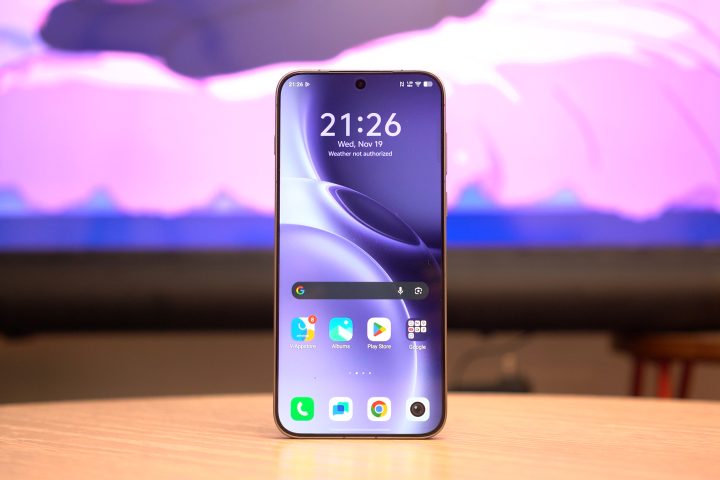
Moving on to the software side of things, the vivo X300 Pro runs on the brand’s latest operating system, OriginOS 6. It’s based on Android 16, and it features the full suite of vivo’s global features with a more premium look and feel.
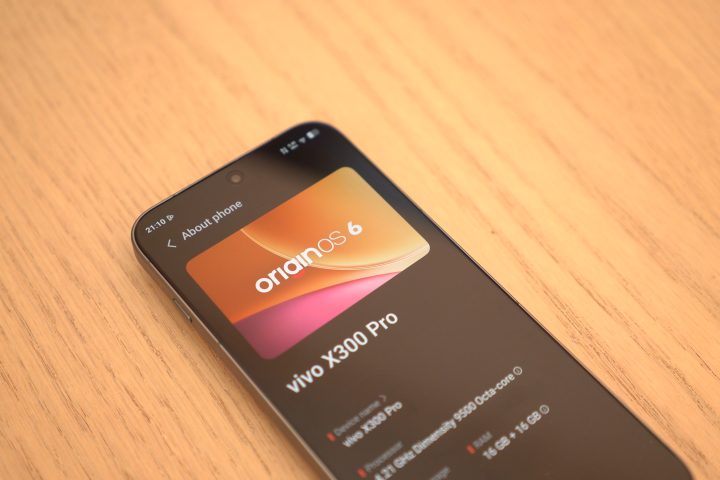
The lock screen alone already feels a lot more premium, giving users more customizability and personalization options. Add widgets or leave it with a clean look, it’s all up to you. Since I like minimalism, I kept the lock screen quite simple.
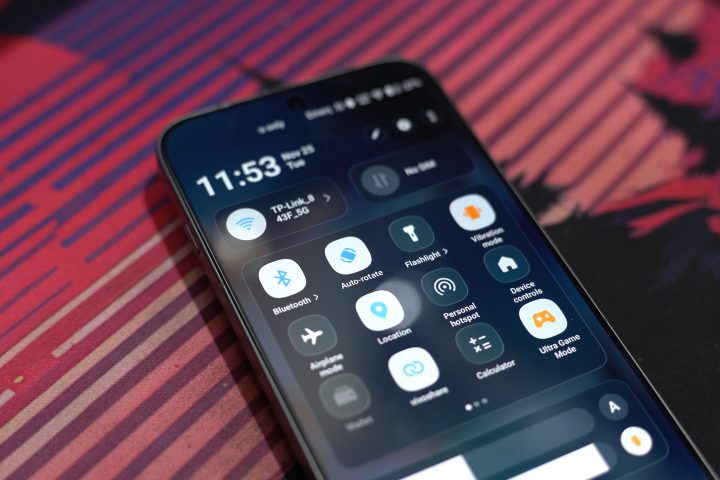
Of course, you also get the frosted glass look, which is quite popular with most OS these days. Not to mention the addition of Origin Island, similar to that on the iPhone. But it’s not just Origin Island that seems to be directly inspired by the iPhone 16 series. There’s also the shortcut button, which acts in a similar way.
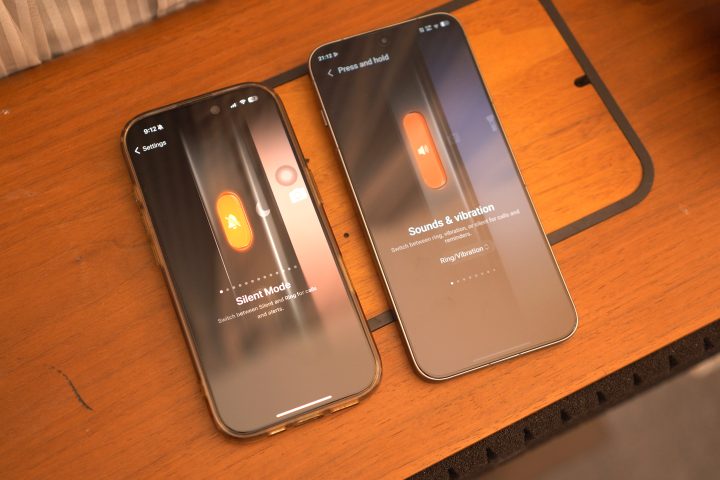
The shortcut button can be mapped to your liking, and there’s one thing I noticed when I was picking the feature I wanted. It looks almost identical to the one on my iPhone. Coincidence or inspired? Well, I’ll let you be the judge of things.
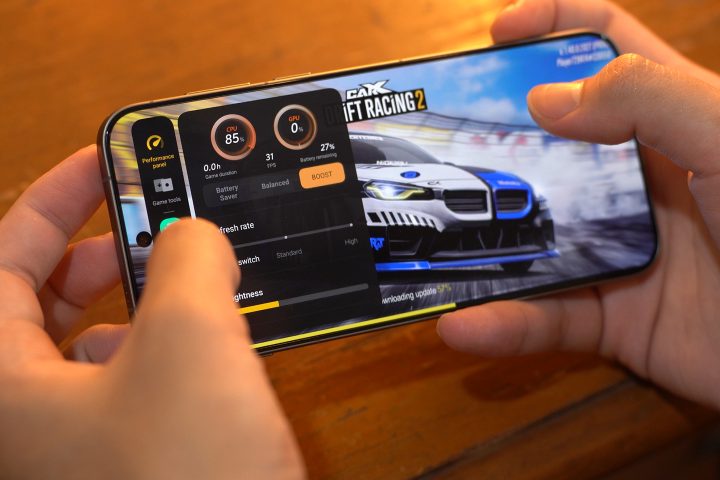
With OriginOS, you now have access to vivo’s AI features found in the Notes and Documents apps paired with Google Gemini and its own AI functions like Circle to Search. Meanwhile, there’s Boost Mode to help with gaming.
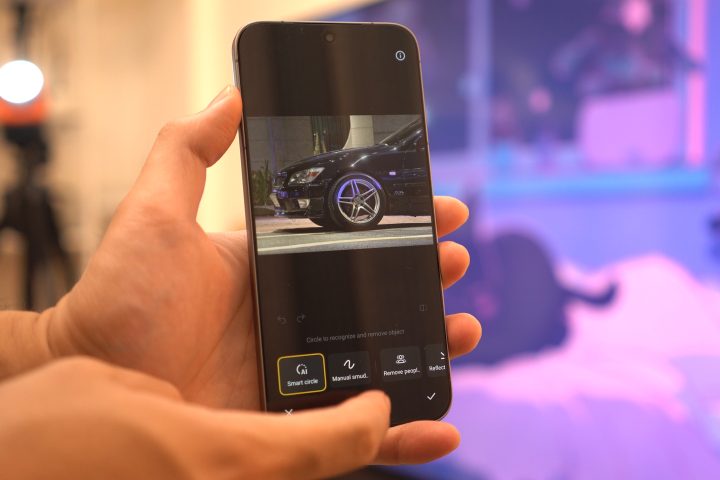
But I’m sure the AI features you’ll be using the most are the AI Retouch tools in the photos. AI Erase and AI Image Expander are the two functions I found the most useful from my experience.
I also enjoyed using the EasyShare function, allowing me to quickly transfer files between the X300 Pro and my iPhone 16 Pro. Similar to the iPhone bump function, just bump the X300 Pro to the iPhone, and it will transfer the files over. You do need to download the vivo EasyShare app, but at least you don’t need to sign in or create an account. Talk about beating Apple in their own game huh.
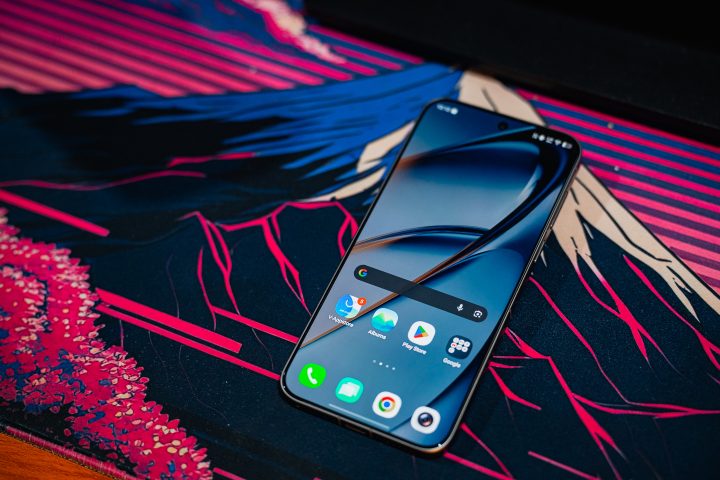
There is still some bloatware, but at least it’s neatly coupled into one folder. And if you want a better look at OriginOS, we do have a video on it which you can check out (here). For the X300 Pro specifically, you do get 5-year OS updates and 7-year security updates, giving users peace of mind for their phones.
Battery
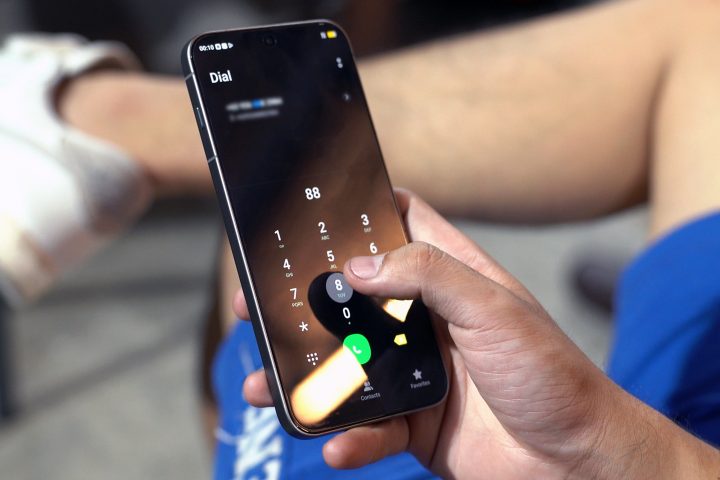
For the battery, the vivo X300 Pro packs a large 6510mAh Lithium-Ion battery, which lasts a relatively long time. It’s a bit bigger than most flagship smartphones, which you will need especially if you’ll be capturing a lot of photos and videos.
To give you an idea, the phone had around 30% battery life left when I started recording a 25-minute drive video, and I still had around 10% battery life left the moment I ended the clip.
The battery benchmarks show a similar story as well. Via PC Mark’s Work 3.0 Battery test, it was able to record 21 hours and 29 minutes, while the video loop test recorded 34 hours and 11 minutes. If you need to squeeze out more juice, Battery Life Extender automatically activates when the battery is about to run out.
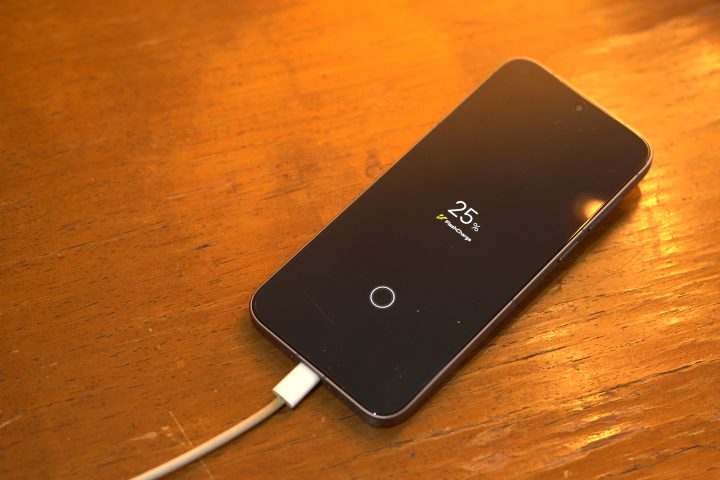
When you do need to recharge the phone, it features 90W FlashCharge and 40W Wireless FlashCharge to ensure the phone is juiced up and ready to go anytime.
Connectivity
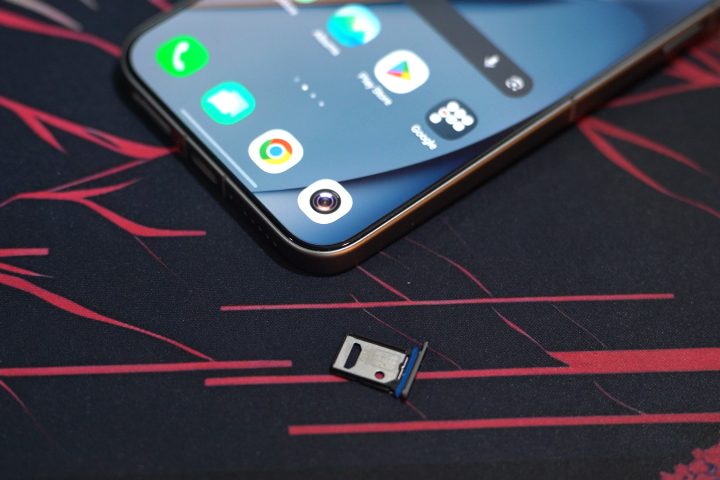
In terms of connectivity, it features Wi-Fi 7, Bluetooth 6.0, GPS, IR blaster, and NFC. It also has support for eSIM on top of the dual-SIM card slot. You can even connect your cards to the phone, and use the phone’s NFC function to open your hotel room door or even pay for stuff without having to bring your physical card.
Conclusion
Overall, the vivo X300 Pro is an amazing phone to own. It’s a great all-rounder, whether you need a capable camera, a powerful chipset, or even a long-lasting battery. The updates with OriginOS also make life easier, and you can even share photos and videos with your friends using iPhones with the EasyShare function.
Seems like the perfect phone, right? Well, there’s just one slight problem – the price.
It’s not exactly the most affordable vivo smartphone out there since it is a flagship model. For reference, our review unit in the 16+512GB configuration retails for PHP 77,999. Then again, you do get what you pay for with everything that it offers.
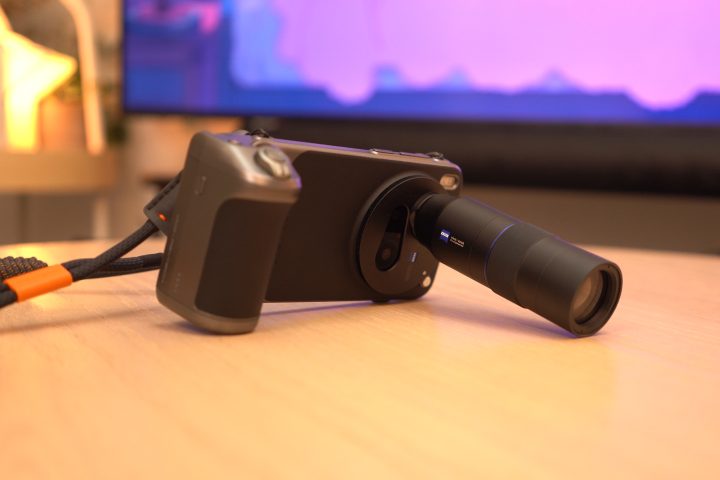
As for the Photographer Kit, if you’re not trying to take photos of birds or even not really into photography or videography, there’s no need for you to get it. The vivo ZEISS Telephoto Extender kit retails for PHP 12,999, and the vivo PGYTech Imaging Grip Kit retails for PHP 7,999. Combined, it’s a lot of money, and it could even buy another budget-friendly phone for that price. But if you want to dip your toes into the creative arts, why not get it?
There’s no question you definitely won’t be let down by the vivo X300 Pro. But at its price, would you pick something else? Whatever the case, share your thoughts in the comments below.
What we liked:
- Amazing Cameras
- Great Performance
- Beautiful Display
What we didn’t like:
- Bulky design
- A bit pricey
vivo X300 Pro specs:
6.78-inch 8T LTPO display @ 1260 x 2800 pixels
120Hz refresh rate, HDR 10+, Dolby Vision
Mediatek Dimensity 9500 CPU
ARM Mali-G1 Ultra MC12 GPU
MediaTek NPU 990
16GB LPDDR5X RAM
512GB UFS 4.1 internal storage
50MP LYT-828 sensor, f/1.57, gimbal-grade Zeiss main camera
200MP Ultra-Sensing sensor HPB, 85mm, f/2.67 Zeiss telephoto camera
50MP JN1 f/2.0 ultra wide-angle camera
50MP JN1 f/2.0 Zeiss wide-angle front camera
4K @ 120fps Pro video
5G, LTE dual-SIM
WiFi 7 tri-band
Bluetooth 6.0
NFC
GPS L1CA+L5+L1, BeiDou, Glonass, Galileo, QZSS, NavIC
Dual stereo speakers
USB 3.2 Gen1, USB-OTG
IP68 & IP69 Ratings
Ultrasonic in-display fingerprint sensor
6,510mAh BlueVolt battery, 90W FlashCharge, 40W wireless FlashCharge
OriginOS 6 (based on Android 16)
161.98 x 75.48 x 7.99 mm (dimensions)
226 grams (weight)



0 Comments
Leave a Reply