

Facebook アカウントにまだ登録されているアプリの数は、5個?10個?20個?わかりません。でも、それはそれ以上の数ですし、おそらくほとんど使用していないはずです。それでも、これらのアプリは、あなたの名前、プロフィール画像、性別、ネットワーク、ユーザー名、ユーザー ID へのアクセス権を持っています。それが気に入らないなら、お手伝いしますので、春の大掃除をしましょう。
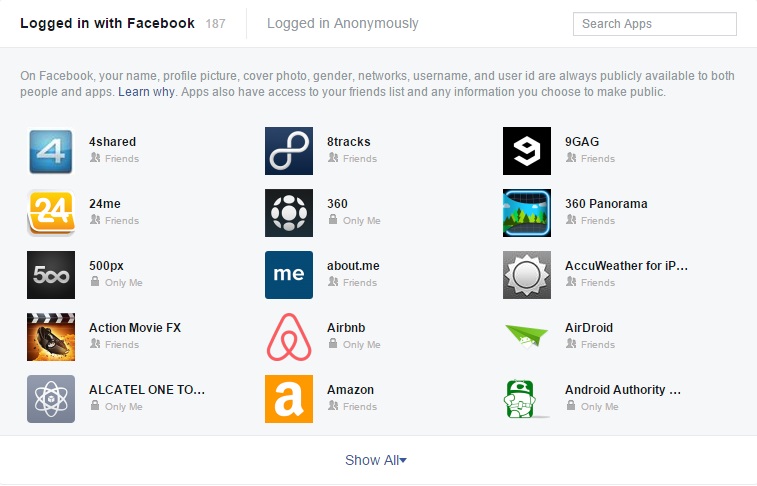
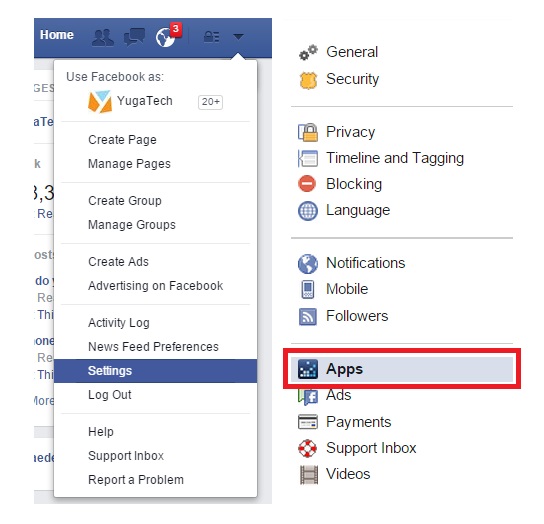
First step is to login to your Facebook account then click on that inverted triangle near the notifications icon on the top right corner. Click on Settings then Apps. Here you will see the apps that are logged in with Facebook as shown in the image above.
You can then hover your mouse pointer on those apps and it will show options to edit its settings or completely remove its access. You can also do this on the mobile app by going to Account Settings then Apps.
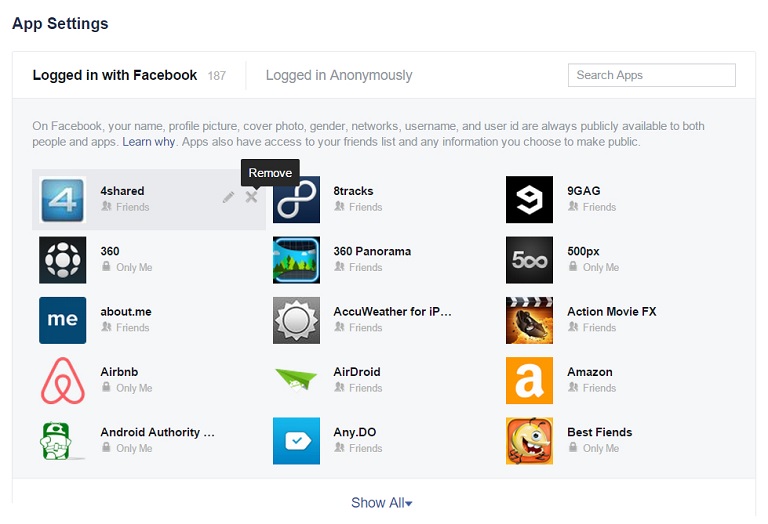
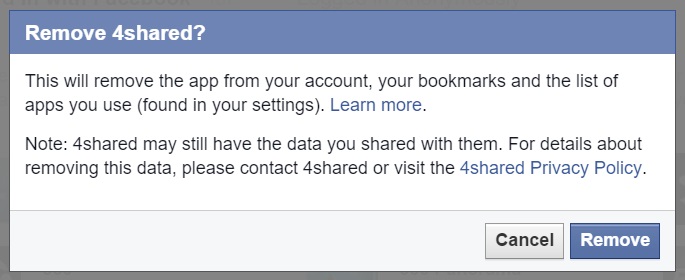
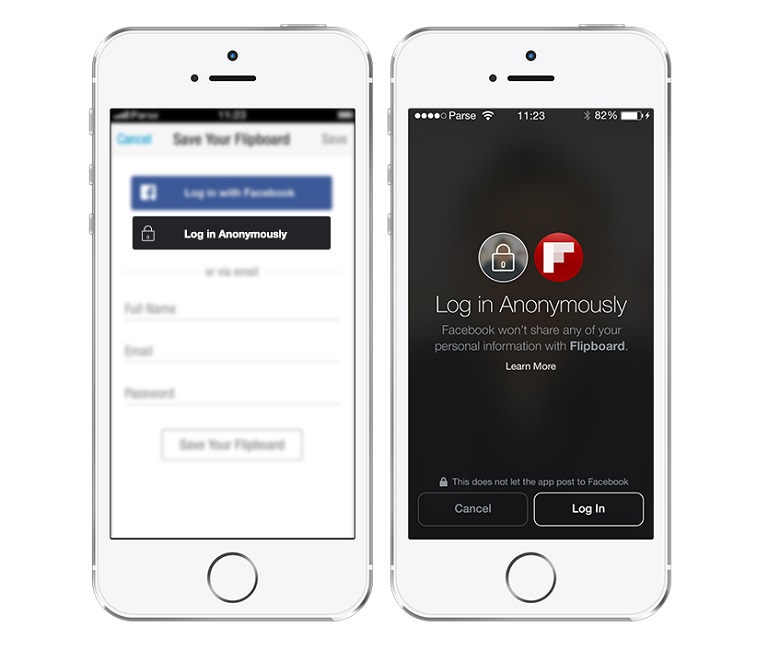
Removing the apps can be a tedious task especially if you got plenty. As of the moment we see no option where we can select in multiples and remove it in one fell swoop. What you can do next time though to protect your information is to use Anonymous Login whenever you feel like trying a new app but not yet committed to using its social features.







0 Comments
Leave a Reply