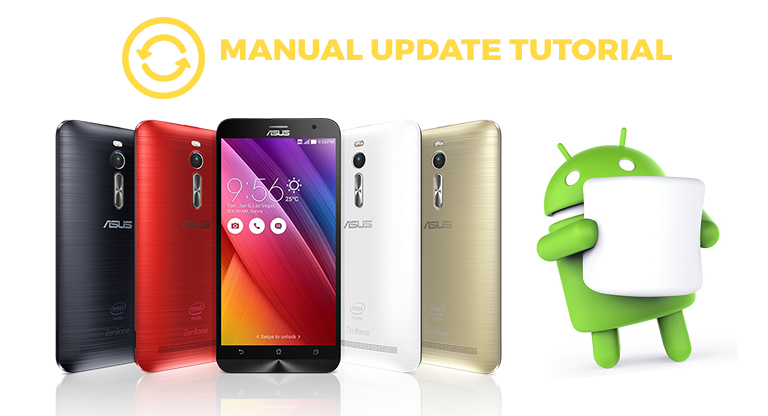

ASUS has began rolling out its Android 6.0 Marshmallow update for the ZenFone 2, ZenFone 2 Laser 5.0/5.5, ZenFone Max and ZenFone Selfie, which means it will eventually hit all devices as an over-the-air (OTA) update. In this tutorial, I will teach you how to manually update your ZenFone 2 into the latest Android 6.0 Marshmallow. Then you will see that "Installing System Update" and "Android is upgrading" message. Your ZenFone 2 / ZenFone 2 Laser / ZenFone Selfie is now upgraded into Android 6.0 Marshmallow! You will be greeted with the Marshmallow notifications as the phone booted up and you will also get a prompt that the "System update is successful". If you are having any trouble on updating your ZenFone 2 into Android 6.0 Marshmallow, just leave us a comment below and we will try to answer all your questions. Read more in our articles including "Tutorial: How to manually update ZenFone 2 devices into Android 6.0 Marshmallow" and "Google previews Android 12L for tablets, foldables, ChromeOS devices".
ASUS has began rolling out its Android 6.0 Marshmallow update for the ZenFone 2, ZenFone 2 Laser…
Jun 13, 2016
Google has just announced a new version of Android 12 that is catered to larger…
Oct 28, 2021Maybe this is what Google wanted all along — for every small-time phone manufacturer not…
Dec 5, 2008
We all know that Apple and its closed ecosystem is arguably THE best one out…
Aug 1, 2026
We’ve spent weeks using the HONOR 600 Series as our daily drivers to get a…
Jul 23, 2026
It seems like it was only yesterday when 2026 started, but now we’re already halfway…
Jul 12, 2026ASUS has began rolling out its Android 6.0 Marshmallow update for the ZenFone 2, ZenFone 2 Laser 5.0/5.5, ZenFone Max and ZenFone Selfie, which means it will eventually hit all devices as an over-the-air (OTA) update. In this tutorial, I will teach you how to manually update your ZenFone 2 into the latest Android 6.0 Marshmallow.
Then you will see that "Installing System Update" and "Android is upgrading" message. Your ZenFone 2 / ZenFone 2 Laser / ZenFone Selfie is now upgraded into Android 6.0 Marshmallow! You will be greeted with the Marshmallow notifications as the phone booted up and you will also get a prompt that the "System update is successful".
Our coverage of android 6.0 marshmallow update includes: "Tutorial: How to manually update ZenFone 2 devices into Android 6.0 Marshmallow"; "Google previews Android 12L for tablets, foldables, ChromeOS devices"; "Sciphone goes for Android Dream 2". Each article provides unique insights and information.