
Users may now copy and translate texts, and directly do an image search right on the Google Chrome desktop browser. Google has added two useful new features to Chrome that can make browsing easier and cleaner. Users can activate the feature by right-clicking a page and selecting "Open in reading mode." These features have been available in other browsers for a while, but they are now finally coming to Chrome. During the latest CES and Google's I/O Developer Conference, it was announced that new features would be coming to ChromeOS to have working across devices much easier. It was recently announced in their Official Blog that those features will now start rolling out to Chromebooks for users with Chrome OS 103. Read more in our articles including "Google Lens for Chrome desktop now improved" and "Google brings new features to Chrome".

Users may now copy and translate texts, and directly do an image search right on…
Apr 16, 2022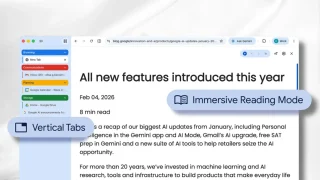
Google has added two useful new features to Chrome that can make browsing easier and…
Apr 8, 2026
DJI has officially launched the Osmo Pocket 4P in the Philippines, introducing a new handheld…
Jun 29, 2026
Senator Paolo Benigno “Bam” Aquino IV has rejected calls for a blanket ban on video…
Jun 29, 2026
Simplus is celebrating its fifth anniversary in the Philippines with the launch of its “Live…
Jun 29, 2026
During the latest CES and Google’s I/O Developer Conference, it was announced that new features…
Jun 27, 2022Users may now copy and translate texts, and directly do an image search right on the Google Chrome desktop browser. Google has added two useful new features to Chrome that can make browsing easier and cleaner.
Users can activate the feature by right-clicking a page and selecting "Open in reading mode." These features have been available in other browsers for a while, but they are now finally coming to Chrome. During the latest CES and Google's I/O Developer Conference, it was announced that new features would be coming to ChromeOS to have working across devices much easier. It was recently announced in their Official Blog that those features will now start rolling out to Chromebooks for users with Chrome OS 103.
Our coverage of CHROME DESKTOP FEATURES includes: "Google Lens for Chrome desktop now improved"; "Google brings new features to Chrome"; "DJI Osmo Pocket 4P now official in the Philippines". Each article provides unique insights and information.